
Copy anything about the page you're on — exactly the way you want it.


Install · Templates · Contribute · Support
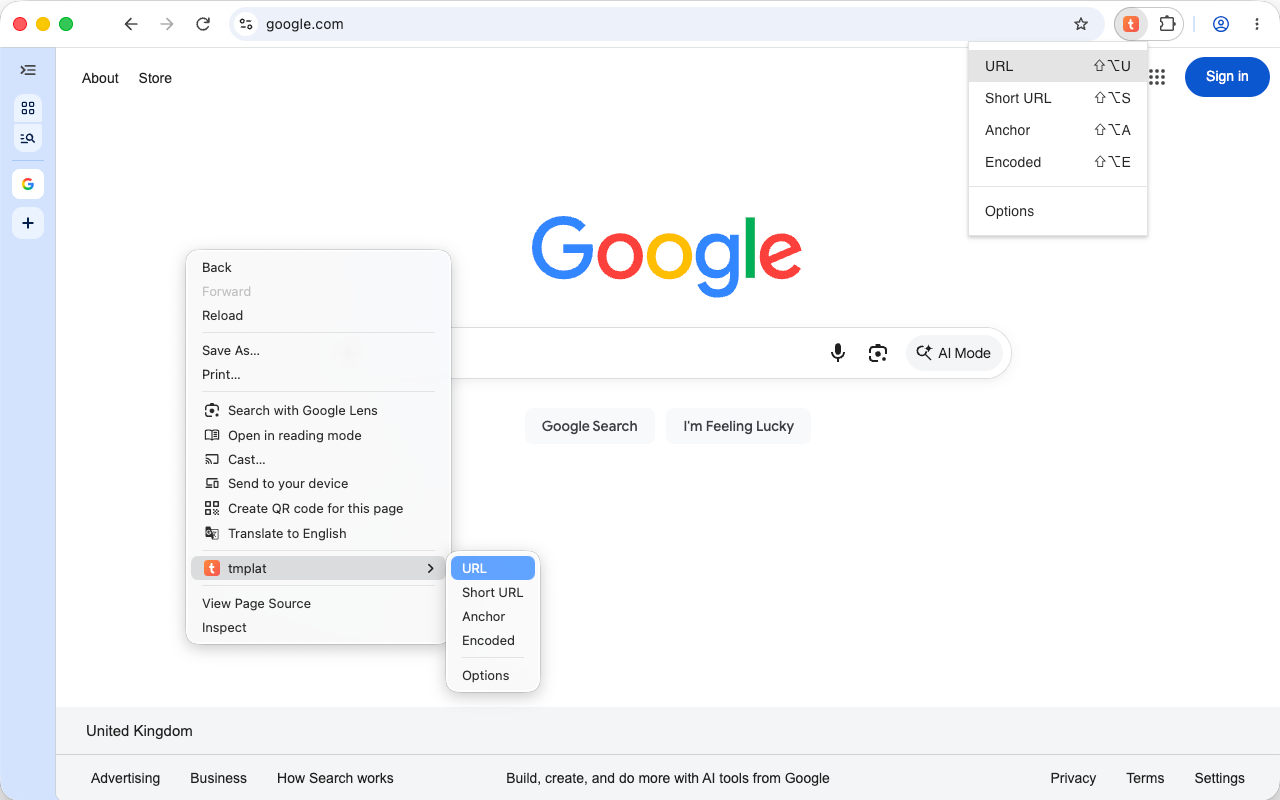
Every "copy the link" workflow is slightly different. Markdown for your notes, an <a> tag for a blog post, BBCode for
a forum, a shortened URL for a chat. tmplat replaces all of them with one idea: a tiny template that you write once
and run with a click or a keystroke.
- ✂️ One click, one keystroke. Pop the toolbar menu or hit a shortcut and the result is on your clipboard.
- 🧩 Templates, not presets.
[{title}]({url})is the entire Markdown-link feature. Change it, or write your own. - 📚 140+ building blocks. Page metadata, the URL broken into parts, cookies, storage, the current selection as HTML or Markdown, XPath queries, screen and browser info, date and time, UUIDs, case conversion, encoding and more.
- 🔗 Built-in URL shortening.
da.gd,spoo.meor your own YOURLS instance. - 🖱️ Right where you work. Toolbar popup, context menu and keyboard shortcuts.
- 🧭 Batteries included. Predefined templates for URL, short URL, anchor, encoded URL, BBCode, Markdown link and Markdown selection — all editable, all optional.
- 🔓 Open source. MIT licensed, no ads, no upsell.
A template is plain text with {...} tags. That's the whole model.
| Template | On this page renders |
|---|---|
{url} |
https://tmplat.com |
[{title}]({url}) |
[tmplat](https://tmplat.com) |
{#shorten}{url}{/shorten} |
https://da.gd/abc123 |
{selectionMarkdown} |
whatever you highlighted, converted to Markdown |
{#camelCase}{title}{/camelCase} |
tmplat |
Note
tmplat uses tmplat-mustache, a fork of mustache.js with
single curly braces, and values are unescaped by default — {{name}} is what HTML-escapes. Stock Mustache
snippets will not behave the way you expect.
The full reference lives inside the extension: open the Options page and click the question mark in the navigation bar (or the link on the Templates tab).
Grab it from the Chrome Web Store or the Microsoft Edge Add-ons store — or read on to build it yourself.
tmplat runs on Google Chrome and Microsoft Edge. Edge is
built on the same engine as Chrome and receives the very same package, so there is no separate Edge build or manifest —
only a second store listing, which the release workflow uploads the identical dist/tmplat.zip to (see
RELEASING.md). The e2e suite runs against both browsers on every change.
pnpm install   # Node 24+, pnpm only (npm/yarn are blocked)
pnpm dev       # watch build + type checking
Then load dist/temp in chrome://extensions as an unpacked extension.
pnpm build     # production build + dist/tmplat.zip
pnpm check     # type check + lint/format, no mutations
pnpm test      # unit tests
pnpm test:e2e  # drive the real extension in Chromium/Edge
Under the hood: TypeScript · React 19 + MUI · inversify · Manifest V3 · Rolldown · oxlint/oxfmt · Vitest · Playwright
📖 INSTALL · CONTRIBUTING · TESTING · RELEASING · CHANGELOG
- 🐛 Found a bug, want a feature or need a hand? Open an issue — that's the only support channel.
- 🐦 Say hello on X: @tmplat.
- 🌐 More info and examples: https://tmplat.com
MIT © airmrcr — see LICENSE.md and AUTHORS.md.