


A lightweight, embeddable React API playground for interactive API docs, developer portals, SDK docs, and internal tools.
Give developers a fast way to understand and test your API without leaving your docs. Add one component and get cURL-powered code snippets, a Try it out console, request editing, auth, cURL import, live API responses, and history.
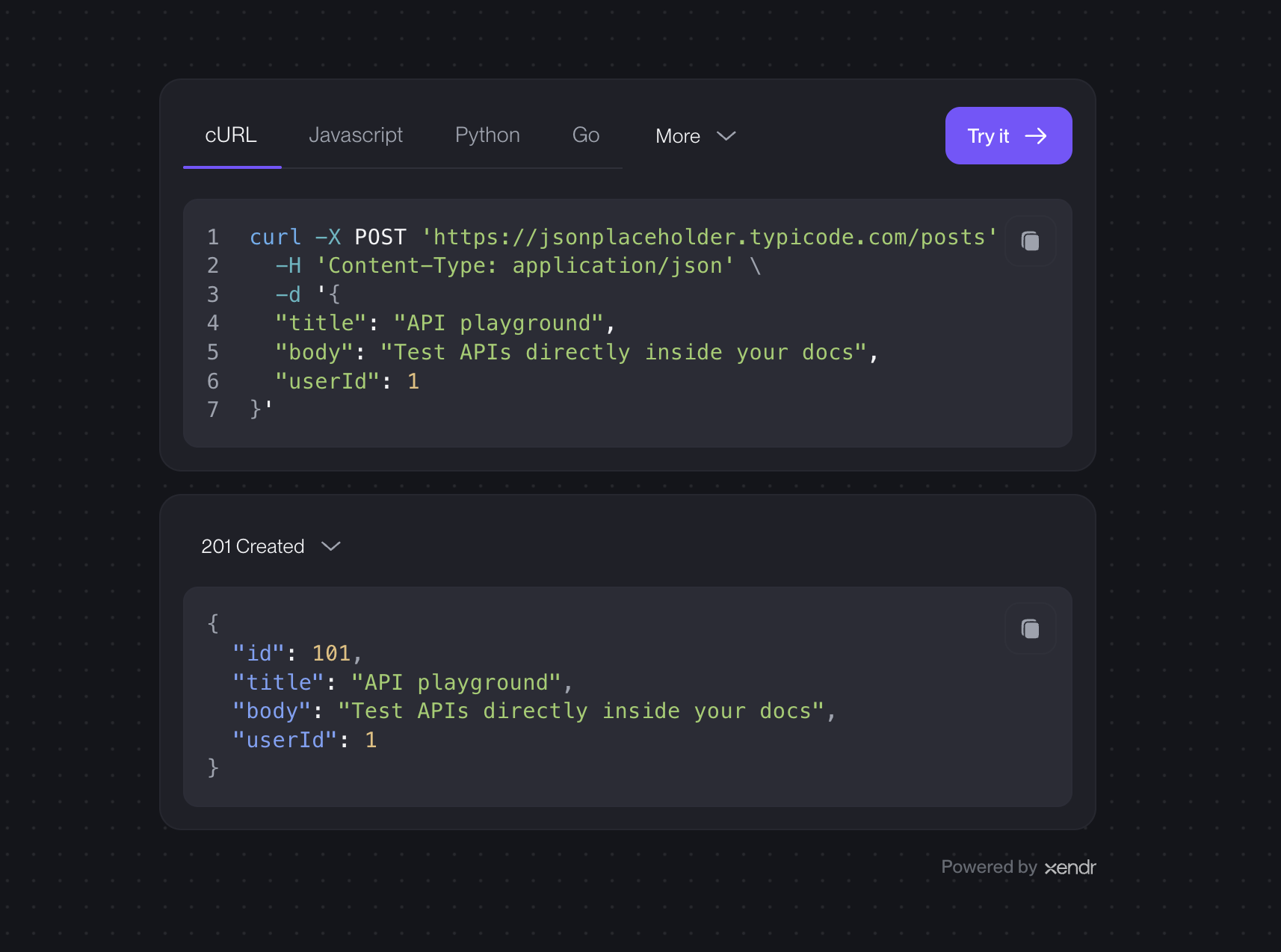
Built by Xendr.
The fastest way to configure Xendr is with the hosted playground:
Set up your API playground at xendr.dev/playground
Paste a cURL request, customize the widget, preview the result, and copy the React or iframe embed code.
- Embeddable API tester: add an interactive playground to docs, portals, and internal tools.
- Multi-language examples: show cURL, JavaScript, Python, Go, Node.js, C++, C#, Rust, Java, and PHP snippets.
- Try-it-out console: let developers edit requests and see responses immediately.
- cURL import: paste an existing cURL command and start testing from it.
- Headers, body, and auth: support common request controls out of the box.
- Sample responses: show expected output alongside the request.
- Request history: help users move between previous API calls.
- Brandable design: match your product with theme and color options.
- Light, dark, and auto mode: choose a fixed theme or follow the user's system preference.
- Lightweight setup: no Tailwind setup and no required stylesheet import.
- Reduce friction: users can test an endpoint at the moment they read about it.
- Improve comprehension: examples become interactive instead of static.
- Speed up onboarding: new developers can see inputs, auth, and responses in context.
- Keep docs consistent: one cURL request powers the experience.
- Fit existing products: embed it where your users already learn and work.
- Interactive API documentation
- Developer portals
- SDK documentation
- API onboarding flows
- Internal API tools
- Support and debugging pages
- REST API testing inside React apps
npm i @xendr/reactView the package on npm: @xendr/react
react and react-dom are peer dependencies. React 18 and 19 are supported.
import { ApiPlayground } from '@xendr/react'

export function ApiDocs() {
  return (
    <ApiPlayground
      request={`curl -X GET 'https://jsonplaceholder.typicode.com/users/1'`}
    />
  )
}
That is enough to render a snippet card with a Try it out console.
Styles are included automatically. An optional CSS export is available if your app prefers explicit stylesheet loading:
import '@xendr/react/styles.css'import { ApiPlayground } from '@xendr/react'
const initialRequest = `curl -X POST 'https://jsonplaceholder.typicode.com/posts' \\
-H 'Content-Type: application/json' \\
-d '{ "title": "API client", "body": "Live request from the widget", "userId": 1 }'`
export function CreatePostDocs() {
return (
<ApiPlayground
request={initialRequest}
title="Create Post"
responseExamples={[
{
status: 201,
statusText: 'Created',
body: `{
"id": 101,
"title": "API client",
"body": "Live request from the widget",
"userId": 1
}`,
},
{
status: 400,
statusText: 'Bad Request',
body: `{
"error": "Validation failed",
"message": "The title field is required"
}`,
},
]}
customization={{
primary: '#7855ff',
light: {
background: '#f7f7f9',
},
dark: {
background: '#16171d',
},
}}
/>
)
}| Prop | Type | Default | Description |
|---|---|---|---|
request |
string |
Required | The cURL request shown and tested by the widget. |
onUpdateRequest |
(request: string) => void |
undefined |
Receives the latest cURL request after edits or imports. |
title |
string |
undefined |
Optional console heading. Replaces “Try it Out” when set. |
responseExamples |
{ status: number; statusText?: string; body: string }[] |
undefined |
Documented response examples shown as selectable status-code options below the request snippet. |
editable |
boolean |
true |
Enables or disables editing in the console. |
allowImport |
boolean |
true |
Shows or hides the cURL import action. |
mode |
'dark' | 'light' | 'system' |
'dark' |
Controls the widget theme. system follows the user's OS preference. |
customization |
{ primary?: string; background?: string; light?: { primary?: string; background?: string }; dark?: { primary?: string; background?: string } } |
undefined |
Overrides widget colors globally or per mode. |
snippetLanguages |
SnippetLanguage[] |
All supported languages | Controls which snippet languages appear. The widget preserves the array order. |
syncSnippet |
boolean |
false |
When true, the snippet follows console edits. |
defaultView |
'snippet' | 'console' |
'snippet' |
Controls the initial view. Use 'console' to open directly in Try it Out. |
Use this when the page should explain an endpoint but not allow mutation.
<ApiPlayground
  request={curl}
  editable={false}
  allowImport={false}
/>Use onUpdateRequest when the parent app should own the latest cURL string.
const [request, setRequest] = useState(curl)

<ApiPlayground
  request={request}
  onUpdateRequest={setRequest}
/>Use mode-specific colors when light and dark need different surfaces.
<ApiPlayground
  request={curl}
  mode="system"
  customization={{
    light: {
      primary: '#5b3df5',
      background: '#f7f7f9',
    },
    dark: {
      primary: '#7855ff',
      background: '#16171d',
    },
  }}
/>
Flat customization is still supported when one palette works across every mode.
<ApiPlayground
  request={curl}
  customization={{
    primary: '#52b788',
    background: '#101114',
  }}
/>Choose the languages your users should see. The order you pass is the order they appear in the widget.
<ApiPlayground
  request={curl}
  snippetLanguages={['curl', 'javascript', 'python']}
/>Show the successful response and common error states directly below the request snippet.
<ApiPlayground
  request={curl}
  responseExamples={[
    {
      status: 200,
      statusText: 'OK',
      body: `{ "id": 1, "name": "Leanne Graham" }`,
    },
    {
      status: 401,
      statusText: 'Unauthorized',
      body: `{ "error": "Missing API key" }`,
    },
    {
      status: 500,
      statusText: 'Server Error',
      body: `{ "error": "Something went wrong" }`,
    },
  ]}
/>Use a fixed theme, or let the widget automatically match the user's system preference.
<ApiPlayground request={curl} mode="light" />
<ApiPlayground request={curl} mode="dark" />
<ApiPlayground request={curl} mode="system" />The console sends real browser requests and displays the response status, timing, headers, and body.
For protected APIs, users can configure bearer tokens or API key headers directly in the console.
When import is enabled, users can paste a cURL request and continue testing from it. This is useful for docs, support flows, onboarding, and internal tools where developers already share API examples as cURL.
Imported requests populate the interactive console, so users can edit, send, and keep testing immediately.
The widget includes its styles automatically. Consumers do not need Tailwind, a Tailwind config, or a required stylesheet import.
The optional stylesheet export remains available:
import '@xendr/react/styles.css'Use that path if your app prefers explicit CSS loading.
The widget is themeable with mode, shared customization, and mode-aware customization.light / customization.dark values.
Types are included. No separate @types package is required.
import type { ApiPlaygroundProps } from '@xendr/react'- The browser enforces CORS for real requests.
- Keep secrets out of checked-in docs examples. Let users paste tokens in the console when possible.
- Use
editable={false}for destructive endpoints if you only want to document the request. - Use
syncSnippet={false}when your docs should preserve the canonical example while users experiment.
MIT