This repository is meant to illustrate how to write a simple CLI in Rust, which can interact with the Solana blockchain using the Solana SDK. It uses the ezcli crate and a few other conveniences. There may be better ways of handling certain aspects of this project, and if you see something that can be improved please submit an Issue! 😁
-
If it isn't installed by the prebuild:
sudo apt-get install libudev-dev -
Build the binary:
cargo build --release -
Add the release directory (where the compiled binaries are) to the PATH:
export "PATH=$PATH:/workspace/kafemaker/target/release" -
cp .env.example .env
The base58 encoded string of an account you want to use can be pasted into the .env file - even one generated by this utility. Select a pre-rolled Private Key in .env for testing, or add your own!
Make sure only one instance of BASE58 is uncommented!
DO NOT use any of the private keys from .env.example in production, as they are public and therefore compromised.
# Endpoint URLs for Solana
TEST_VALIDATOR_URL=http://localhost:8899
PUBLIC_MAINNET_URL=https://api.mainnet.solana.com/
PUBLIC_DEVNET_URL=https://api.devnet.solana.com/

# KAFE & BDR Authority and Mint addresses
AUTHORITY=AUTHWkzExRebWqpbXVMxiuYaGk3vnBnuLt2A4tpZRvDe
KAFE=KAFE5ivWfDPP3dek2m36xvdU2NearVsnU5ryfCSAdAW
BDR=BDR3oUcZLRQtufDahJskbsxwTvfWt9jiZkJPVr4kUQg2

# The base58 encoded private key you want to use with the CLI
BASE58=

# Base58 encoded private key [non-funded Solana devnet account]
# BASE58=3HK31KFn5JEYpqNDCoaYope3zsdt9TG1fbBHuGVpzrc39zCtbQqD4VR7snKfzYjyB49udYL8vjgLqEYoYVwFjcb8
# --------

# Base58 encoded private key [funded Solana devnet account]
# BASE58=4mfWobwsUyGzQ7txfgK25ZaTQGDruqpJYdx44D4Z6patUUPgMj6xsjtFMd5wEbq4ZvFnnTQdemDGtTRpjDGuRm4V
# --------
You can now run kafemaker from anywhere in the Gitpod workspace!
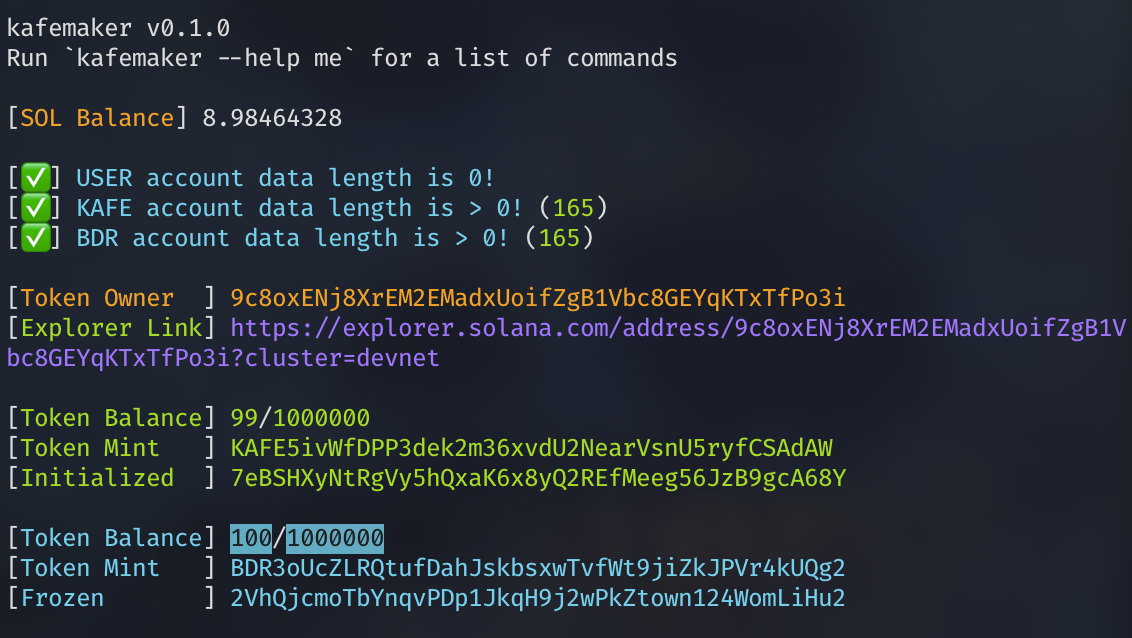
Behold your fantastic new CLI powers to quickly generate many empty Solana keypairs and .. airdrop them localnet or devnet SOL! More importantly, you can make some Associated Token Accounts for KAFE and BDR tokens based on the key you provide. You can also get information on the KAFE / BDR tokens you hold, your SOL balance, and use this utility to write a memo to the Solana blockchain.
kafemaker v0.1.0
Run `kafemaker --help me` for a list of commands


USAGE:
    kafemaker [OPTIONS] [FLAGS]

OPTIONS:
    --help [OPTION]  - View help pages!

    --random pubkey  - Display a random Public Key
             keypair - Display a random Keypair & Private Key
      --write        - Write the random Keypair & Private Key to separate files
        Example: kafemaker --random keypair --write

    --memo           - Write a UTF-8 memo to the blockchain.
        Example: kafemaker --memo "🐘 Does it work? It does the work!"

FLAGS:
    --localnet       - Target a running Solana test validator
    --tokens         - Display details of KAFE & BDR Associated Token Accounts
    --qr             - Display QR code linking to block explorer instead of a URL
    --bdrmake        - Create BDR Associated Token Account, if one does not exist
    --kafemake       - Create KAFE Associated Token Account, if one does not exist
    --airdrop        - Request a 1 SOL airdrop [100 SOL on localnet]
    --kafedrop       - Request a KAFE airdrop (Coming Soon™️)
    --atprogram      - List Program accounts for the Associated Token program
    --debug          - Display all logging & extra debug info [Warning: verbose output]

NAMED ACCOUNTS:
    --alice          - Display Alice's Keypair & Public key
    --bob            - Display Bob's Keypair & Public key
    --charlie        - Display Charlie's Keypair & Public key

kafemaker uses a .env file to load values for your private key and endpoint.

If you are getting error: AccountNotFound: pubkey=<YOUR PUBLIC KEY>,
you will need to set a valid account private key in .env!
The following error occurs when an expected environment variable is not present:
thread 'main' panicked at 'called `Result::unwrap()` on an `Err` value: EnvVar(NotPresent)', src/bin/kafemaker.rs:85:49
Make sure you have .env in place. A more elegant config solution is planned, but for now we're going with environment variables!
The following error occurs when
libudevis not installed:
--- stderr
  Package libudev was not found in the pkg-config search path.
  Perhaps you should add the directory containing `libudev.pc'
  to the PKG_CONFIG_PATH environment variable
  No package 'libudev' found
sudo apt-get install libudev-dev
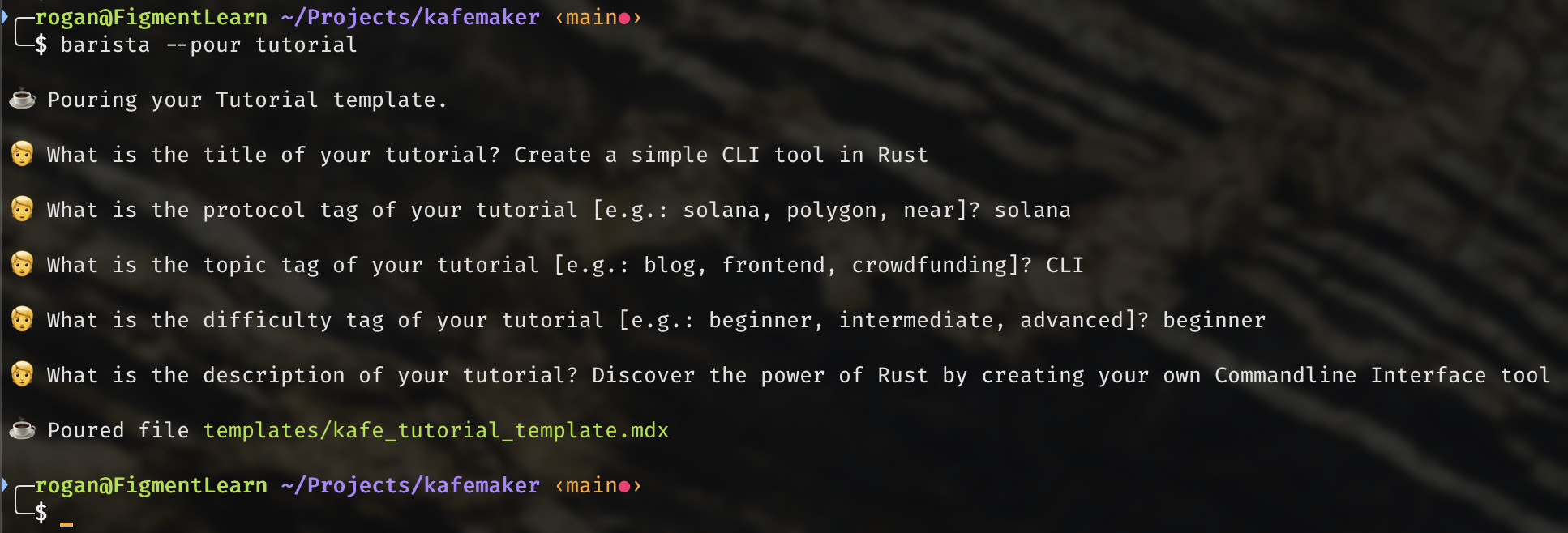
The barista binary can be used to quickly create a fresh template for Kafe content!
barista v0.1.0
by Rogan X <rogan@figment.io>

USAGE:
    barista [OPTIONS] [FLAGS]

OPTIONS:
  --pour tutorial    - Creates a single page template for a Kafe tutorial
  --pour guide       - Creates a multiple page template for a Kafe guide

FLAGS:
  --clean            - Removes the contents of the templates/ subdirectory

Note: Running the barista command with no arguments will create the
      templates/ subdirectory wherever it is invoked.