



MCP server for Keila — gives any MCP-compatible AI assistant full control over your Keila email campaigns, contacts, segments and forms.
Note
Migrating from an earlier clone? The source directory was renamed from repo/ to keila-mcp/. Update any paths in your MCP client config accordingly.
Option A — uvx ✅ recommended |
Option B — Local install | |
|---|---|---|
| What it does | Downloads and runs keila-mcp automatically from PyPI | You clone the repo and manage the install yourself |
| Requires | uv |
Python 3.10+, git |
| Updates | Automatic — always runs the latest version | Manual — git pull + pip install . |
| Best for | Most users | Offline use, development, contributors |
- A running Keila instance — self-host with Docker or use Keila Cloud
- A Keila API key — Settings → API Keys → Create
Important
You need uv installed first. If you don't have it:
# macOS / Linux
curl -LsSf https://astral.sh/uv/install.sh | sh
# Windows
powershell -ExecutionPolicy ByPass -c "irm https://astral.sh/uv/install.ps1 | iex"
Then restart your terminal.
No cloning, no virtualenv, no pip install. Just add the config to your MCP client — uvx downloads and caches keila-mcp automatically on first run.
Skip straight to Client Configuration and use the Option A config for your client.
Use this for offline access, to modify the code, or to contribute.
- Python 3.10+, git
git clone https://github.com/punkyard/keila-mcp.git keila-mcp
cd keila-mcp
python -m venv .venv
source .venv/bin/activate
pip install .
pwd
Copy the path printed by pwd — you will need it in the Option B configs below.
git clone https://github.com/punkyard/keila-mcp.git keila-mcp
cd keila-mcp
python -m venv .venv
.venv\Scripts\activate
pip install .
cd
Copy the path printed by cd — you will need it in the Option B configs below.
Set these environment variables in your MCP client config:
| Variable | Value |
|---|---|
KEILA_URL |
Your Keila instance URL, e.g. https://keila.mydomain.com |
KEILA_API_KEY |
Your Keila API key — Settings → API Keys → Create |
KEILA_MCP_HTTP_PORT |
(optional) HTTP port for the MCP server. Default: 3001 |
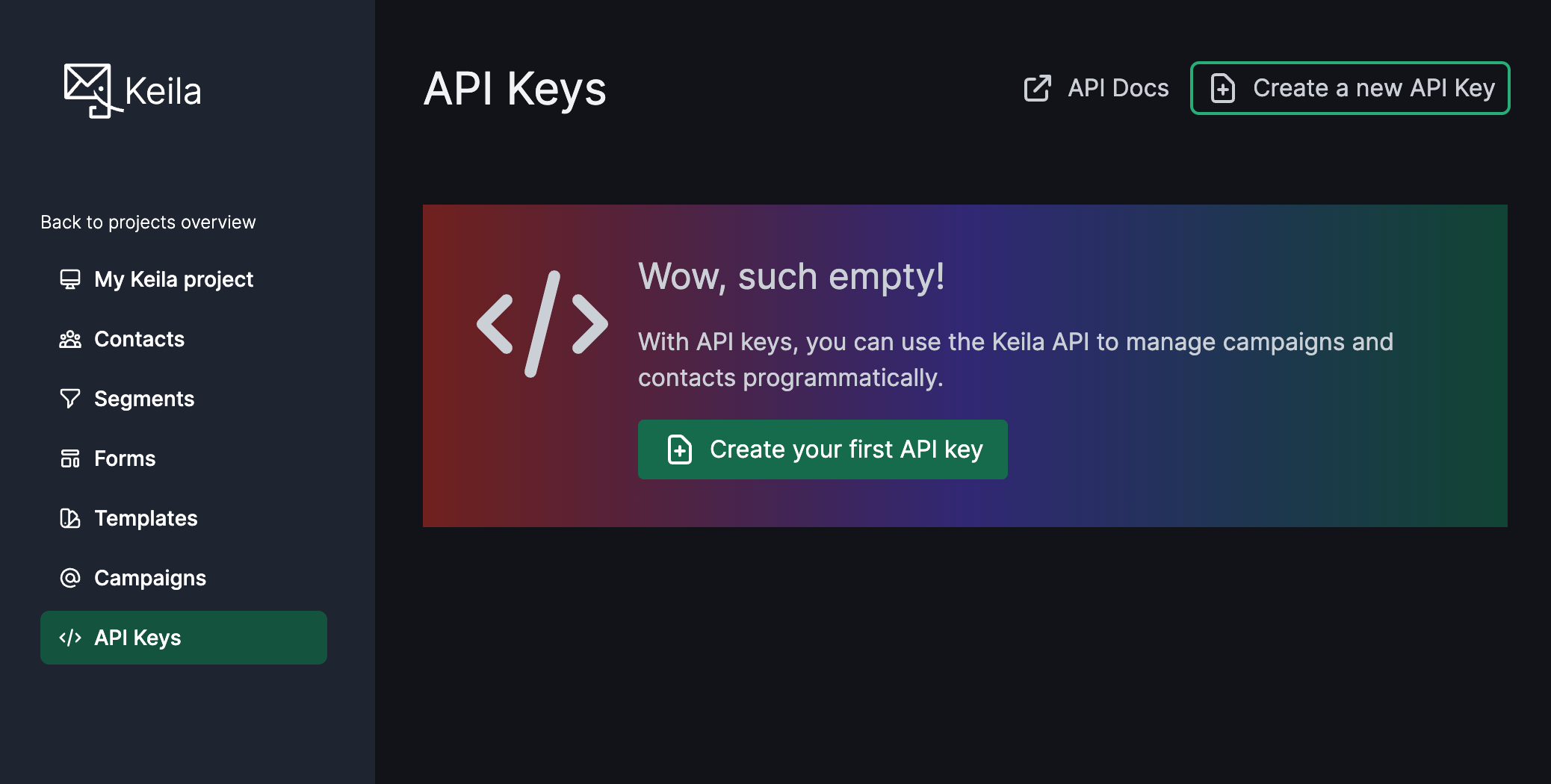
Each client below shows Option A (uvx) and Option B (local install) — pick yours.
Important
Option B users: replace /path/to/keila-mcp with the path printed by pwd (or cd on Windows) from the install step above.
File (macOS): ~/Library/Application Support/Claude/claude_desktop_config.json
File (Windows): %APPDATA%\Claude\claude_desktop_config.json
Option A — uvx:
{
  "mcpServers": {
    "keila": {
      "command": "uvx",
      "args": ["keila-mcp"],
      "env": {
        "KEILA_URL": "https://your-keila-instance.com",
        "KEILA_API_KEY": "your-api-key"
      }
    }
  }
}
Option B — Local install:
{
  "mcpServers": {
    "keila": {
      "command": "/path/to/keila-mcp/.venv/bin/python",
      "args": ["-m", "keila_mcp.mcp_server"],
      "env": {
        "KEILA_URL": "https://your-keila-instance.com",
        "KEILA_API_KEY": "your-api-key"
      }
    }
  }
}
Fully quit and relaunch Claude Desktop after saving.
Option A — uvx:
claude mcp add-json keila '{
  "type": "stdio",
  "command": "uvx",
  "args": ["keila-mcp"],
  "env": {
    "KEILA_URL": "https://your-keila-instance.com",
    "KEILA_API_KEY": "your-api-key"
  }
}'
Option B — Local install:
claude mcp add-json keila '{
  "type": "stdio",
  "command": "/path/to/keila-mcp/.venv/bin/python",
  "args": ["-m", "keila_mcp.mcp_server"],
  "env": {
    "KEILA_URL": "https://your-keila-instance.com",
    "KEILA_API_KEY": "your-api-key"
  }
}'
Add --scope global to make it available in all projects.
- Cursor:
.cursor/mcp.jsonin your project, or~/.cursor/mcp.jsonfor global - Cline / Roo Code: MCP Servers config via the sidebar
- Windsurf:
~/.codeium/windsurf/mcp_config.json - OpenClaw:
~/.openclaw/mcp.json
Option A — uvx:
{
  "mcpServers": {
    "keila": {
      "command": "uvx",
      "args": ["keila-mcp"],
      "env": {
        "KEILA_URL": "https://your-keila-instance.com",
        "KEILA_API_KEY": "your-api-key"
      }
    }
  }
}
Option B — Local install:
{
  "mcpServers": {
    "keila": {
      "command": "/path/to/keila-mcp/.venv/bin/python",
      "args": ["-m", "keila_mcp.mcp_server"],
      "env": {
        "KEILA_URL": "https://your-keila-instance.com",
        "KEILA_API_KEY": "your-api-key"
      }
    }
  }
}
Create .vscode/mcp.json in your project:
Option A — uvx:
{
  "servers": {
    "keila": {
      "command": "uvx",
      "args": ["keila-mcp"],
      "env": {
        "KEILA_URL": "https://your-keila-instance.com",
        "KEILA_API_KEY": "${input:keilaApiKey}"
      }
    }
  },
  "inputs": [
    {
      "id": "keilaApiKey",
      "type": "promptString",
      "description": "Keila API Key",
      "password": true
    }
  ]
}
Option B — Local install:
{
  "servers": {
    "keila": {
      "command": "/path/to/keila-mcp/.venv/bin/python",
      "args": ["-m", "keila_mcp.mcp_server"],
      "env": {
        "KEILA_URL": "https://your-keila-instance.com",
        "KEILA_API_KEY": "${input:keilaApiKey}"
      }
    }
  },
  "inputs": [
    {
      "id": "keilaApiKey",
      "type": "promptString",
      "description": "Keila API Key",
      "password": true
    }
  ]
}
Requires Copilot Chat in Agent mode. VS Code will prompt for the API key on first use.
In ~/.config/zed/settings.json (global) or .zed/settings.json (project):
Option A — uvx:
{
  "context_servers": {
    "keila": {
      "command": {
        "path": "uvx",
        "args": ["keila-mcp"],
        "env": {
          "KEILA_URL": "https://your-keila-instance.com",
          "KEILA_API_KEY": "your-api-key"
        }
      }
    }
  }
}
Option B — Local install:
{
  "context_servers": {
    "keila": {
      "command": {
        "path": "/path/to/keila-mcp/.venv/bin/python",
        "args": ["-m", "keila_mcp.mcp_server"],
        "env": {
          "KEILA_URL": "https://your-keila-instance.com",
          "KEILA_API_KEY": "your-api-key"
        }
      }
    }
  }
}
In ~/.config/opencode/opencode.json (global) or opencode.json (project):
Option A — uvx:
{
  "mcp": {
    "keila": {
      "type": "local",
      "command": ["uvx", "keila-mcp"],
      "env": {
        "KEILA_URL": "https://your-keila-instance.com",
        "KEILA_API_KEY": "your-api-key"
      }
    }
  }
}
Option B — Local install:
{
  "mcp": {
    "keila": {
      "type": "local",
      "command": ["/path/to/keila-mcp/.venv/bin/python", "-m", "keila_mcp.mcp_server"],
      "env": {
        "KEILA_URL": "https://your-keila-instance.com",
        "KEILA_API_KEY": "your-api-key"
      }
    }
  }
}
In ~/.pi/agent/mcp.json:
Option A — uvx:
{
  "keila": {
    "command": "uvx",
    "args": ["keila-mcp"],
    "env": {
      "KEILA_URL": "https://your-keila-instance.com",
      "KEILA_API_KEY": "your-api-key"
    },
    "lifecycle": "on-demand"
  }
}
Option B — Local install:
{
  "keila": {
    "command": "/path/to/keila-mcp/.venv/bin/python",
    "args": ["-m", "keila_mcp.mcp_server"],
    "env": {
      "KEILA_URL": "https://your-keila-instance.com",
      "KEILA_API_KEY": "your-api-key"
    },
    "lifecycle": "on-demand"
  }
}
In ~/.hermes/config.yaml:
Option A — uvx:
mcp_servers:
  keila:
    command: uvx
    args:
      - keila-mcp
    env:
      KEILA_URL: https://your-keila-instance.com
      KEILA_API_KEY: your-api-key
Option B — Local install:
mcp_servers:
  keila:
    command: /path/to/keila-mcp/.venv/bin/python
    args:
      - -m
      - keila_mcp.mcp_server
    env:
      KEILA_URL: https://your-keila-instance.com
      KEILA_API_KEY: your-api-key
File: ~/.codex/config.toml (global) or .codex/config.toml (project):
Option A — uvx:
[mcp_servers.keila]
command = "uvx"
args = ["keila-mcp"]

[mcp_servers.keila.env]
KEILA_URL = "https://your-keila-instance.com"
KEILA_API_KEY = "your-api-key"
Option B — Local install:
[mcp_servers.keila]
command = "/path/to/keila-mcp/.venv/bin/python"
args = ["-m", "keila_mcp.mcp_server"]

[mcp_servers.keila.env]
KEILA_URL = "https://your-keila-instance.com"
KEILA_API_KEY = "your-api-key"
# Option A — uvx
uvx keila-mcp

# Option B — local install, stdio mode (default)
python -m keila_mcp.mcp_server

# Option B — local install, HTTP mode
python -m keila_mcp.mcp_server --http
# optional: export KEILA_MCP_HTTP_PORT=8325
| Tool | Description |
|---|---|
list_campaigns |
List all campaigns with optional status/search filter |
create_campaign |
Create a new campaign |
get_campaign |
Get a campaign by ID |
update_campaign |
Update an existing campaign |
delete_campaign |
Delete a campaign |
send_campaign |
Send a campaign immediately |
schedule_campaign |
Schedule a campaign for later delivery |
create_contact |
Create a new contact |
get_contact |
Get a contact by ID |
update_contact |
Update a contact |
delete_contact |
Delete a contact |
list_contacts |
List contacts with optional filtering |
update_contact_data |
Merge custom data fields on a contact |
replace_contact_data |
Replace all custom data fields on a contact |
list_senders |
List all senders |
create_segment |
Create a new segment |
list_segments |
List all segments |
get_segment |
Get a segment by ID |
update_segment |
Update a segment |
delete_segment |
Delete a segment |
list_forms |
List all forms |
get_form |
Get a form by ID |
create_form |
Create a new signup form |
update_form |
Update a form |
delete_form |
Delete a form |
submit_form |
Submit a signup form on behalf of a contact |
List all email campaigns with optional filtering.
| Param | Type | Required | Description |
|---|---|---|---|
status |
string | No | Filter by: draft/scheduled/sent/archived/paused |
q |
string | No | Search by subject (case-insensitive substring) |
Create a new email campaign.
| Param | Type | Required | Description |
|---|---|---|---|
subject |
string | Yes | Campaign subject line |
body_type |
string | Yes | Body type: markdown/text/block/mjml |
text_body |
string | No | Plain text body |
preview_text |
string | No | Preview text for inbox |
sender_id |
string | No | Sender identity ID |
segment_id |
string | No | Target segment ID |
data |
object | No | Liquid template variables |
do_not_track |
boolean | No | Disable open/click tracking |
Get a single campaign by ID.
| Param | Type | Required | Description |
|---|---|---|---|
id |
string | Yes | Campaign ID |
Update an existing campaign.
| Param | Type | Required | Description |
|---|---|---|---|
id |
string | Yes | Campaign ID |
subject |
string | No | New subject line |
preview_text |
string | No | New preview text |
Delete a campaign.
| Param | Type | Required | Description |
|---|---|---|---|
id |
string | Yes | Campaign ID |
Send a campaign immediately.
| Param | Type | Required | Description |
|---|---|---|---|
id |
string | Yes | Campaign ID |
sender_id |
string | No | Override sender identity |
Schedule a campaign for later delivery.
| Param | Type | Required | Description |
|---|---|---|---|
id |
string | Yes | Campaign ID |
scheduled_for |
string | Yes | ISO 8601 datetime (e.g. 2026-06-01T09:00:00Z) |
Create a new contact.
| Param | Type | Required | Description |
|---|---|---|---|
email |
string | Yes | Email address |
first_name |
string | No | First name |
last_name |
string | No | Last name |
external_id |
string | No | External system ID |
status |
string | No | Status: active/inactive/bouncing/blocked/spam |
data |
object | No | Custom fields |
Get a contact by ID, email, or external ID.
| Param | Type | Required | Description |
|---|---|---|---|
id |
string | Yes | Contact identifier |
id_type |
string | No | Lookup type: id (default)/email/external_id |
Update an existing contact.
| Param | Type | Required | Description |
|---|---|---|---|
id |
string | Yes | Contact identifier |
email |
string | No | New email |
first_name |
string | No | New first name |
last_name |
string | No | New last name |
external_id |
string | No | New external ID |
data |
object | No | New custom fields |
id_type |
string | No | Lookup type: id (default)/email/external_id |
Delete a contact.
| Param | Type | Required | Description |
|---|---|---|---|
id |
string | Yes | Contact identifier |
id_type |
string | No | Lookup type: id (default)/email/external_id |
List contacts with pagination and optional search.
| Param | Type | Required | Description |
|---|---|---|---|
page |
integer | No | Page number (default: 0) |
page_size |
integer | No | Results per page (default: 50) |
q |
string | No | Search query |
List all sender identities.
No parameters.
Custom data is a free-form JSON object attached to each contact. Use it to store any extra fields (e.g. plan, score, tags). Fields can be used as merge tags in campaigns via {{ contact.data.my_field }} and as segment filters. See Keila — Segments and Custom Data and Contacts API docs.
Merge new key/value pairs into a contact's custom data field. Keys not present in data are preserved.
| Param | Type | Required | Description |
|---|---|---|---|
id |
string | Yes | Contact ID (or email/external_id when id_type set) |
data |
object | Yes | Key/value pairs to merge |
id_type |
string | No | id (default), email, or external_id |
Replace a contact's entire custom data field with the provided dict.
| Param | Type | Required | Description |
|---|---|---|---|
id |
string | Yes | Contact ID (or email/external_id when id_type set) |
data |
object | Yes | New data dict (replaces existing) |
id_type |
string | No | id (default), email, or external_id |
Create a contact segment with a filter.
| Param | Type | Required | Description |
|---|---|---|---|
name |
string | Yes | Segment name |
filter |
object | Yes | Keila filter expression |
List all segments.
No parameters.
Get a segment by ID.
| Param | Type | Required | Description |
|---|---|---|---|
id |
string | Yes | Segment ID |
Delete a segment.
| Param | Type | Required | Description |
|---|---|---|---|
id |
string | Yes | Segment ID |
Update a segment's name and/or filter. At least one of name or filter must be provided.
| Param | Type | Required | Description |
|---|---|---|---|
id |
string | Yes | Segment ID |
name |
string | No | New segment name |
filter |
object | No | New filter expression |
List all subscription forms.
No parameters.
Get a form by ID.
| Param | Type | Required | Description |
|---|---|---|---|
id |
string | Yes | Form ID |
Create a new subscription form.
| Param | Type | Required | Description |
|---|---|---|---|
name |
string | Yes | Form name |
sender_id |
string | No | Sender identity ID |
fields |
array | No | Form field definitions |
settings |
object | No | Form settings (double opt-in, redirect URLs, etc.) |
Delete a form.
| Param | Type | Required | Description |
|---|---|---|---|
id |
string | Yes | Form ID |
Update an existing signup form.
| Param | Type | Required | Description |
|---|---|---|---|
id |
string | Yes | Form ID |
name |
string | No | New form name |
sender_id |
string | No | New sender identity ID |
fields |
array | No | Replacement field definitions |
settings |
object | No | Updated form settings |
Submit a signup form on behalf of a contact. Returns the created/updated contact on success, or {"data": {"double_opt_in_required": true}} if the form has double opt-in enabled.
| Param | Type | Required | Description |
|---|---|---|---|
form_id |
string | Yes | Form ID |
email |
string | Yes | Contact email address |
first_name |
string | No | Contact first name |
last_name |
string | No | Contact last name |
external_id |
string | No | External identifier |
status |
string | No | Contact status (e.g. active) |
data |
object | No | Custom data key/value pairs |
pip install -e ".[dev]"
pytest tests/ -v
© 2026 — LICENSE AGPL-3.0
made with ⏳ by punkyard