Customizable shortcut launcher for macOS and Windows
An Electron-based productivity tool that lets you run actions quickly via global shortcuts.
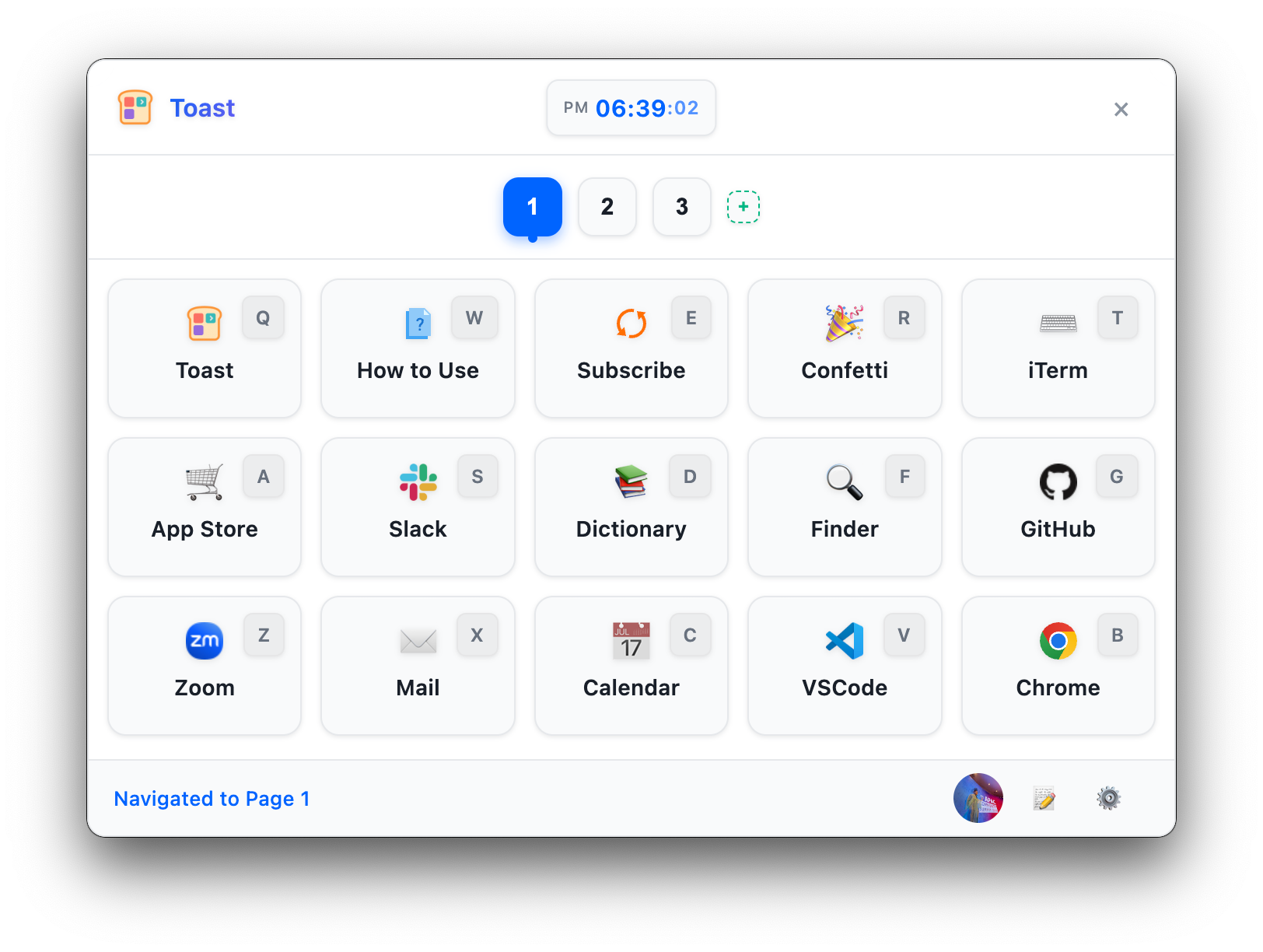
- 🔥 Global Shortcut: Summon the Toast popup anytime with
Alt+Space - 📱 Multiple Pages: Organize custom buttons across pages
- ⚡ 5 Action Types: Run commands, open files/URLs, execute scripts, chain actions, launch applications
- 🎨 Theme Support: Light/Dark/System themes
- 📝 Snippets (Text Expansion): Type a keyword like
!emailin any app to automatically replace it with predefined text (macOS) - ☁️ Cloud Sync: Sync settings and buttons across multiple devices
- 🖼️ Icon Extraction: Automatic macOS app icon extraction
- 🌍 Cross-Platform: Supports macOS and Windows
Download the latest version from GitHub Releases:
- macOS:
Toast-{version}.dmg - Windows:
Toast-Setup-{version}.exe(installer) orToast-{version}.exe(portable)
brew install --cask opspresso/tap/toast- Launch: After installation, it runs in the background from the system tray
- Open the Popup: Press
Alt+Space(the default shortcut) to summon the Toast popup - Click a Button: Click the desired action button or use its keyboard shortcut
- Configure: Right-click the tray icon → Settings to configure buttons and actions
💡 For detailed usage, see the User Guide.
| Document | Description |
|---|---|
| 📖 User Guide | Detailed feature and usage instructions |
| 🔧 Development Guide | Development environment setup and build process |
| 🏗️ Architecture | System structure and design principles |
| ⌨️ Shortcut Rules | Automatic button shortcut assignment system |
| 📋 Full Documentation Index | Index of all documentation |
The Toast project consists of the following repositories:
| Repository | Visibility | Description |
|---|---|---|
| opspresso/toast | Public | Distribution and flagship repository (release distribution, homepage, issue tracking) |
| opspresso/toast-app | Public | Desktop app source (this repository) |
| opspresso/toast-web | Private | Web service source (authentication/sync API and web console) |
# 1. Clone the repository
git clone https://github.com/opspresso/toast-app.git
cd toast-app

# 2. Install dependencies
npm install

# 3. Run in development mode
npm run dev
📝 For detailed development information, see the Development Guide.
Join us in improving Toast App! Check out the contributing guidelines, or report bugs and suggest features via Issues.
MIT License - see the LICENSE file for details.
Boost your productivity with Toast App! ⚡