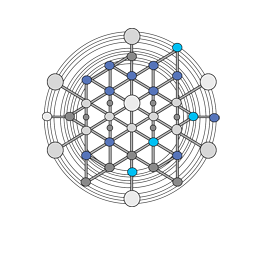






GridForge is a deterministic, high-performance voxel-grid library for spatial partitioning, simulation, and game-development workflows.
The core unit is an explicit GridWorld. That lets you run multiple isolated worlds in one process without leaking grid registration, tracing, blockers, occupants, or scan queries across world boundaries.
dotnet add package GridForgeGridForge targets netstandard2.1 and net8.0.
GridForge is published in two build variants so you can choose between built-in MemoryPack support and a leaner dependency set:
GridForge
IncludesMemoryPackand depends on the standardFixedMathSharpandSwiftCollectionspackages. This is the best default choice for most .NET applications.GridForge.Lean
Excludes theMemoryPackpackage, swaps toFixedMathSharp.NoMemoryPackandSwiftCollections.Lean, and uses internal shim attributes so the same source can compile without the dependency. Choose this when you do not need built-in MemoryPack serialization, when you prefer a different serializer, or when you want the leanest dependency surface.
Both variants expose the same core voxel-grid API. The main difference is whether MemoryPack and the standard dependency chain are included.
Install via NuGet:
-
Standard package:
dotnet add package GridForge
-
Lean package:
dotnet add package GridForge.Lean
If you build from source, the repository also provides matching release configurations:
Releasebuilds the standardGridForgepackage and release archives.ReleaseLeanbuilds theGridForge.Leanpackage and release archives.
Unity-specific integration lives in the separate GridForge-Unity repository.
using System;
using FixedMathSharp;
using GridForge.Configuration;
using GridForge.Grids;

using GridWorld world = new GridWorld();

GridConfiguration configuration = new(
    new Vector3d(-10, 0, -10),
    new Vector3d(10, 0, 10),
    scanCellSize: 8);

if (!world.TryAddGrid(configuration, out ushort gridIndex))
    throw new InvalidOperationException("Failed to add grid.");

VoxelGrid grid = world.ActiveGrids[gridIndex];
Vector3d position = new(2, 0, -3);

if (world.TryGetGridAndVoxel(position, out VoxelGrid resolvedGrid, out Voxel voxel))
{
    Console.WriteLine($"Grid: {resolvedGrid.GridIndex}");
    Console.WriteLine($"Voxel: {voxel.Index}");
    Console.WriteLine($"World position: {voxel.WorldPosition}");
}
Key ideas:
GridWorldowns runtime state such as voxel size, spatial hash size, active grids, tracing, blocker reactivity, and world-space lookup.VoxelGridis world-local.GridIndexis unique only within its owning world.WorldVoxelIndexis the cross-system identity for a voxel and includes world scope.
Having GridWorld own world state makes it practical to build:
- multi-world simulations with overlapping local coordinates
- streamed loading and unloading without cross-world state leakage
- save and load flows keyed by world identity
- higher-level orchestration such as galaxies, sectors, or planet registries above the library
- Wiki Home
- Getting Started
- Core Concepts
- Common Workflows
- Architecture Overview
- Recipes
- FAQ and Troubleshooting
dotnet restore GridForge.slnx
dotnet build GridForge.slnx --configuration Debug
dotnet test GridForge.slnx --configuration Debug --no-build
For benchmark discovery:
dotnet run --project tests/GridForge.Benchmarks/GridForge.Benchmarks.csproj -c Release -- listSee CONTRIBUTING.md for contribution guidelines and workflow details.
For questions, discussions, or general support, join the official Discord community:
For bug reports or feature requests, please open an issue in this repository.
GridForge is licensed under the MIT License. See LICENSE, NOTICE, and COPYRIGHT for details.


