Repository navigation
Conversation


|
The latest updates on your projects. Learn more about Vercel for GitHub.
|


 github-actions
Bot
added
the
needs:design-review

|
AI review status for this pull request.
|
 meta-cla
Bot
added
the
CLA Signed
github-actions
Bot
added
the
needs:spec-owner-review

PR Analysis Report🔎 Preview ·
|
| Component | Size | LoC | Visual · A11y · RTL |
|---|---|---|---|
| BottomSheet | 68.1 kB (+1.7 kB) · 7.7 kB CSS (0) | — | ✗ · ✓ · — |
| BottomSheetSwitcher | 18.0 kB (+134 B) · 3.4 kB CSS (0) | — | ✗ · ✓ · — |
| TextArea · Storybook | 🔴 85.7 kB (+23.3 kB) · 9.3 kB CSS (0) | 494 (+2) | ✓ · ✓ · ✓ |
141 more components
| Component | Size | LoC | Visual · A11y · RTL |
|---|---|---|---|
| NumberInput · Storybook | 🔴 94.8 kB (+23.1 kB) · 11.4 kB CSS (0) | 1,342 (+2) | ✓ · ✓ · ✓ |
| TextInput · Storybook | 🔴 90.6 kB (+22.9 kB) · 11.2 kB CSS (0) | 418 (+2) | ✓ · ✓ · — |
| lab/EmojiPicker | 🔴 109.4 kB (+22.9 kB) · 751 B CSS (0) | — | — · — · — |
| Pagination | 🔴 129.1 kB (+19.4 kB) · 17.8 kB CSS (0) | — | — · — · — |
| lab/TransferList | 🔴 127.8 kB (+19.4 kB) · 1.7 kB CSS (0) | — | — · — · — |
| lab/TransferListSelector | 🔴 134.4 kB (+19.4 kB) · 1.9 kB CSS (0) | — | — · — · — |
| richtext/RichTextEditorToolbar | 🔴 296.8 kB (+19.1 kB) · 454 B CSS (0) | — | — · — · — |
| lab/ChatEmojiPicker | 🔴 111.7 kB (+7.5 kB) · 773 B CSS (0) | — | — · — · — |
| lab/ChatReactionBar | 🔴 112.8 kB (+7.5 kB) · 1.1 kB CSS (0) | — | — · — · — |
| lab/CommentComposer | 🔴 154.5 kB (+5.0 kB) · 1.9 kB CSS (0) | — | — · — · — |
| lab/CommentThread | 🔴 345.8 kB (+4.2 kB) · 2.4 kB CSS (0) | — | — · — · — |
| lab/Comments | 🔴 352.5 kB (+4.2 kB) · 2.5 kB CSS (0) | — | — · — · — |
| PowerSearch | 286.8 kB (+1.8 kB) · 24.1 kB CSS (0) | — | — · — · — |
| charts/ChartTooltip | 181.9 kB (+1.8 kB) · 423 B CSS (0) | — | — · — · — |
| DateInput | 186.6 kB (+1.7 kB) · 17.0 kB CSS (0) | — | — · — · — |
| charts/Chart | 204.5 kB (+1.7 kB) · 494 B CSS (0) | — | — · — · — |
| TimeInput | 162.0 kB (+1.7 kB) · 16.0 kB CSS (0) | — | — · — · — |
| DateTimeInput | 208.3 kB (+1.7 kB) · 18.7 kB CSS (0) | — | — · — · — |
| CommandPalette | 73.6 kB (+528 B) · 12.7 kB CSS (0) | — | — · — · — |
| lab/TourStep | 96.3 kB (+507 B) · 590 B CSS (0) | — | — · — · — |
| Selector | 100.1 kB (+504 B) · 17.4 kB CSS (0) | — | — · — · — |
| lab/ListInput | 102.6 kB (+503 B) · 1.6 kB CSS (0) | — | — · — · — |
| Tokenizer | 91.9 kB (+493 B) · 18.8 kB CSS (0) | — | — · — · — |
| MoreMenu | 97.7 kB (+492 B) · 17.6 kB CSS (0) | — | — · — · — |
| DropdownMenu | 97.5 kB (+489 B) · 17.6 kB CSS (0) | — | — · — · — |
| Popover | 90.0 kB (+488 B) · 14.2 kB CSS (0) | — | — · — · — |
| ContextMenu | 108.6 kB (+487 B) · 17.4 kB CSS (0) | — | — · — · — |
| Markdown | 187.7 kB (+485 B) · 20.6 kB CSS (0) | — | — · — · — |
| ChatLayout | 81.9 kB (+484 B) · 10.5 kB CSS (0) | — | — · — · — |
| Drawer | 50.9 kB (+474 B) · 8.3 kB CSS (0) | — | — · — · — |
| Table | 124.9 kB (+472 B) · 18.3 kB CSS (0) | — | — · — · — |
| DateRangeInput | 92.9 kB (+470 B) · 12.5 kB CSS (0) | — | — · — · — |
| Carousel | 70.3 kB (+467 B) · 10.9 kB CSS (0) | — | — · — · — |
| TableHeaderCell | 109.5 kB (+464 B) · 17.7 kB CSS (0) | — | — · — · — |
| lab/Schedule | 106.3 kB (+463 B) · 3.9 kB CSS (0) | — | — · — · — |
| MultiSelector | 95.1 kB (+462 B) · 16.8 kB CSS (0) | — | — · — · — |
| TableCell | 109.9 kB (+458 B) · 17.9 kB CSS (0) | — | — · — · — |
| SegmentedControl | 94.8 kB (+223 B) · 6.9 kB CSS (0) | — | — · — · — |
| CheckboxList | 68.0 kB (+213 B) · 7.7 kB CSS (0) | — | — · — · — |
| ChatComposerInput | 75.8 kB (+207 B) · 11.3 kB CSS (0) | — | — · — · — |
| Thumbnail | 64.8 kB (+206 B) · 11.6 kB CSS (0) | — | — · — · — |
| TopNavMegaMenu | 69.9 kB (+206 B) · 11.8 kB CSS (0) | — | — · — · — |
| ChatComposerTokenElement | 75.8 kB (+205 B) · 11.3 kB CSS (0) | — | — · — · — |
| AppShell | 91.1 kB (+203 B) · 13.5 kB CSS (0) | — | — · — · — |
| lab/DialogHeroHeader | 83.4 kB (+202 B) · 372 B CSS (0) | — | — · — · — |
| TableSelectionToolbar | 70.7 kB (+201 B) · 13.2 kB CSS (0) | — | — · — · — |
| ListItem | 70.5 kB (+200 B) · 11.4 kB CSS (0) | — | — · — · — |
| TopNav | 72.4 kB (+200 B) · 10.9 kB CSS (0) | — | — · — · — |
| TabMenu | 71.9 kB (+197 B) · 11.1 kB CSS (0) | — | — · — · — |
| ChatSendButton | 60.9 kB (+196 B) · 10.0 kB CSS (0) | — | — · — · — |
| Banner | 62.4 kB (+195 B) · 10.5 kB CSS (0) | — | — · — · — |
| ChatDictationButton | 61.0 kB (+195 B) · 10.0 kB CSS (0) | — | — · — · — |
| DrawerHeader | 63.4 kB (+194 B) · 12.9 kB CSS (0) | — | — · — · — |
| FileInput | 69.3 kB (+194 B) · 10.9 kB CSS (0) | — | — · — · — |
| MobileNav | 70.7 kB (+192 B) · 10.6 kB CSS (0) | — | — · — · — |
| AvatarGroup | 46.1 kB (+191 B) · 5.7 kB CSS (0) | — | — · — · — |
| CheckboxListItem | 71.4 kB (+191 B) · 11.4 kB CSS (0) | — | — · — · — |
| Calendar | 71.4 kB (+190 B) · 10.6 kB CSS (0) | — | — · — · — |
| ComplexSelector | 71.1 kB (+190 B) · 11.8 kB CSS (0) | — | — · — · — |
| Link | 53.2 kB (+190 B) · 7.0 kB CSS (0) | — | — · — · — |
| MobileNavToggle | 60.7 kB (+190 B) · 10.0 kB CSS (0) | — | — · — · — |
| Slider | 107.9 kB (+190 B) · 8.8 kB CSS (0) | — | — · — · — |
| Avatar | 43.3 kB (+189 B) · 5.5 kB CSS (0) | — | — · — · — |
| DialogHeader | 63.3 kB (+189 B) · 11.5 kB CSS (0) | — | — · — · — |
| SideNavItem | 70.6 kB (+189 B) · 11.1 kB CSS (0) | — | — · — · — |
| lab/CommentPin | 57.3 kB (+189 B) · 1.2 kB CSS (0) | — | — · — · — |
| lab/DiffViewer | 87.2 kB (+189 B) · 2.1 kB CSS (0) | — | — · — · — |
| ChatComposer | 78.1 kB (+188 B) · 12.0 kB CSS (0) | — | — · — · — |
| HoverCard | 27.7 kB (+188 B) · 4.4 kB CSS (0) | — | — · — · — |
| InfoTip | 46.8 kB (+188 B) · 5.3 kB CSS (0) | — | — · — · — |
| Stepper | 62.0 kB (+188 B) · 10.1 kB CSS (0) | — | — · — · — |
| BaseTypeahead | 71.2 kB (+187 B) · 10.9 kB CSS (0) | — | — · — · — |
| ChatLayoutScrollButton | 61.0 kB (+187 B) · 10.2 kB CSS (0) | — | — · — · — |
| AvatarGroupOverflow | 49.0 kB (+186 B) · 5.6 kB CSS (0) | — | — · — · — |
| Button | 60.4 kB (+186 B) · 10.0 kB CSS (0) | — | — · — · — |
| SideNavCollapseButton | 61.3 kB (+186 B) · 10.0 kB CSS (0) | — | — · — · — |
| RadioList | 56.5 kB (+185 B) · 7.3 kB CSS (0) | — | — · — · — |
| RadioListItem | 67.6 kB (+185 B) · 10.1 kB CSS (0) | — | — · — · — |
| Switch | 102.4 kB (+185 B) · 9.9 kB CSS (0) | — | — · — · — |
| AlertDialog | 105.5 kB (+184 B) · 14.6 kB CSS (0) | — | — · — · — |
| lab/SelectableCardGroup | 64.6 kB (+184 B) · 162 B CSS (0) | — | — · — · — |
| BreadcrumbItem | 84.8 kB (+183 B) · 12.1 kB CSS (0) | — | — · — · — |
| IconButton | 60.5 kB (+182 B) · 10.0 kB CSS (0) | — | — · — · — |
| TopNavMenu | 74.7 kB (+182 B) · 11.2 kB CSS (0) | — | — · — · — |
| CodeBlock | 75.2 kB (+181 B) · 11.3 kB CSS (0) | — | — · — · — |
| ContextMenuItem | 29.5 kB (+180 B) · 6.3 kB CSS (0) | — | — · — · — |
| FieldLabel | 51.2 kB (+180 B) · 5.7 kB CSS (0) | — | — · — · — |
| Lightbox | 121.1 kB (+180 B) · 10.6 kB CSS (0) | — | — · — · — |
| Typeahead | 79.8 kB (+179 B) · 12.4 kB CSS (0) | — | — · — · — |
| DropdownMenuSubMenu | 70.4 kB (+178 B) · 9.7 kB CSS (0) | — | — · — · — |
| InputGroup | 56.7 kB (+177 B) · 7.8 kB CSS (0) | — | — · — · — |
| Toast | 98.3 kB (+176 B) · 10.3 kB CSS (0) | — | — · — · — |
| CheckboxInput | 64.4 kB (+175 B) · 9.2 kB CSS (0) | — | — · — · — |
| SideNav | 112.8 kB (+173 B) · 11.4 kB CSS (0) | — | — · — · — |
| richtext/RichTextView | 276.4 kB (+173 B) · 2.3 kB CSS (0) | — | — · — · — |
| richtext/RichTextEditor | 297.4 kB (+172 B) · 2.6 kB CSS (0) | — | — · — · — |
| TabList | 44.0 kB (+171 B) · 6.5 kB CSS (0) | — | — · — · — |
| lab/LineClamp | 14.0 kB (+171 B) · 168 B CSS (0) | — | — · — · — |
| CommandPaletteInput | 31.7 kB (+169 B) · 7.5 kB CSS (0) | — | — · — · — |
| Field | 55.0 kB (+168 B) · 7.2 kB CSS (0) | — | — · — · — |
| Toolbar | 43.9 kB (+168 B) · 8.1 kB CSS (0) | — | — · — · — |
| Tooltip | 29.7 kB (+168 B) · 4.4 kB CSS (0) | — | — · — · — |
| lab/NavigationScreen | 81.0 kB (+168 B) · 1.5 kB CSS (0) | — | — · — · — |
| Timestamp | 32.9 kB (+167 B) · 10.3 kB CSS (0) | — | — · — · — |
| SideNavHeading | 75.7 kB (+166 B) · 11.3 kB CSS (0) | — | — · — · — |
| lab/NavigationStack | 81.0 kB (+166 B) · 1.5 kB CSS (0) | — | — · — · — |
| ButtonGroup | 41.7 kB (+165 B) · 3.7 kB CSS (0) | — | — · — · — |
| charts/ChartLegend | 49.5 kB (+163 B) · 224 B CSS (0) | — | — · — · — |
| Text | 11.8 kB (+162 B) · 5.4 kB CSS (0) | — | — · — · — |
| TopNavHeading | 75.3 kB (+162 B) · 11.2 kB CSS (0) | — | — · — · — |
| ToggleButton | 86.8 kB (+161 B) · 10.1 kB CSS (0) | — | — · — · — |
| Timer | 14.0 kB (+160 B) · 6.0 kB CSS (0) | — | — · — · — |
| SelectorOption | 21.1 kB (+159 B) · 6.1 kB CSS (0) | — | — · — · — |
| Spinner | 24.7 kB (+159 B) · 6.2 kB CSS (0) | — | — · — · — |
| CommandPaletteItem | 13.1 kB (+157 B) · 3.6 kB CSS (0) | — | — · — · — |
| ChatToolCalls | 32.0 kB (+156 B) · 8.3 kB CSS (0) | — | — · — · — |
| Token | 28.6 kB (+155 B) · 4.7 kB CSS (0) | — | — · — · — |
| StatusDot | 31.4 kB (+153 B) · 5.3 kB CSS (0) | — | — · — · — |
| Collapsible | 27.2 kB (+152 B) · 4.5 kB CSS (0) | — | — · — · — |
| Heading | 12.4 kB (+152 B) · 5.4 kB CSS (0) | — | — · — · — |
| TopNavItem | 13.9 kB (+151 B) · 4.0 kB CSS (0) | — | — · — · — |
| ChatMessageList | 28.1 kB (+150 B) · 7.0 kB CSS (0) | — | — · — · — |
| Tab | 14.5 kB (+149 B) · 4.2 kB CSS (0) | — | — · — · — |
| DropdownMenuRadioItem | 23.0 kB (+147 B) · 6.6 kB CSS (0) | — | — · — · — |
| Dialog | 24.0 kB (+146 B) · 6.9 kB CSS (0) | — | — · — · — |
| Step | 31.1 kB (+146 B) · 5.6 kB CSS (0) | — | — · — · — |
| lab/PageControl | 73.9 kB (+145 B) · 709 B CSS (0) | — | — · — · — |
| Item | 17.6 kB (+144 B) · 5.5 kB CSS (0) | — | — · — · — |
| ToggleButtonGroup | 39.3 kB (+144 B) · 3.7 kB CSS (0) | — | — · — · — |
| DropdownMenuCheckboxItem | 22.9 kB (+143 B) · 6.6 kB CSS (0) | — | — · — · — |
| ClickableCard | 18.1 kB (+142 B) · 7.3 kB CSS (0) | — | — · — · — |
| NavHeadingMenu | 16.4 kB (+138 B) · 3.5 kB CSS (0) | — | — · — · — |
| TopNavMegaMenuItem | 13.8 kB (+138 B) · 4.2 kB CSS (0) | — | — · — · — |
| TreeList | 44.3 kB (+138 B) · 5.6 kB CSS (0) | — | — · — · — |
| DropdownMenuItem | 22.1 kB (+137 B) · 6.3 kB CSS (0) | — | — · — · — |
| SelectableCard | 18.3 kB (+137 B) · 7.5 kB CSS (0) | — | — · — · — |
| Outline | 24.9 kB (+134 B) · 4.1 kB CSS (0) | — | — · — · — |
| SegmentedControlItem | 17.5 kB (+134 B) · 4.3 kB CSS (0) | — | — · — · — |
| lab/TabBar | 75.5 kB (+128 B) · 1.8 kB CSS (0) | — | — · — · — |
| ProgressBar | 11.7 kB (+1 B) · 6.3 kB CSS (0) | — | — · — · — |
| lab/TabBarItem | 3.8 kB (0) · 1.8 kB CSS (0) | — | — · — · — |
Visual changes: 2 snapshots in 1 component
A change is a question for the reviewer, not a failure.
| Component · story | Before | After | Diff |
|---|---|---|---|
| BottomSheet · Text Only (neutral, dark) | 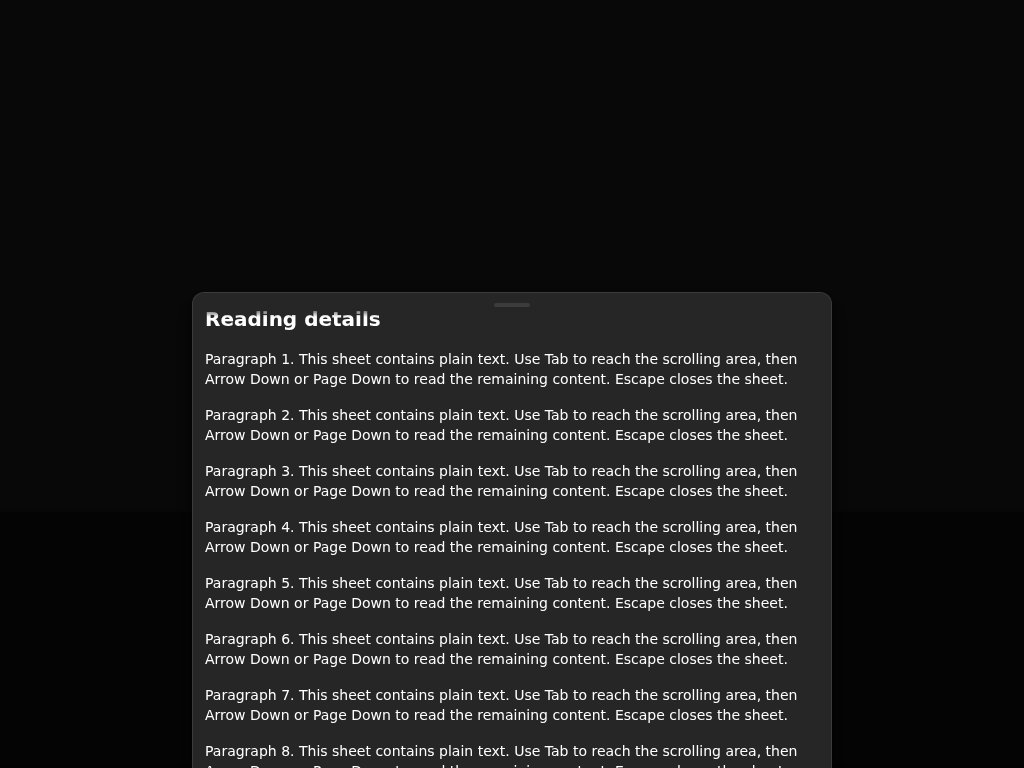 |
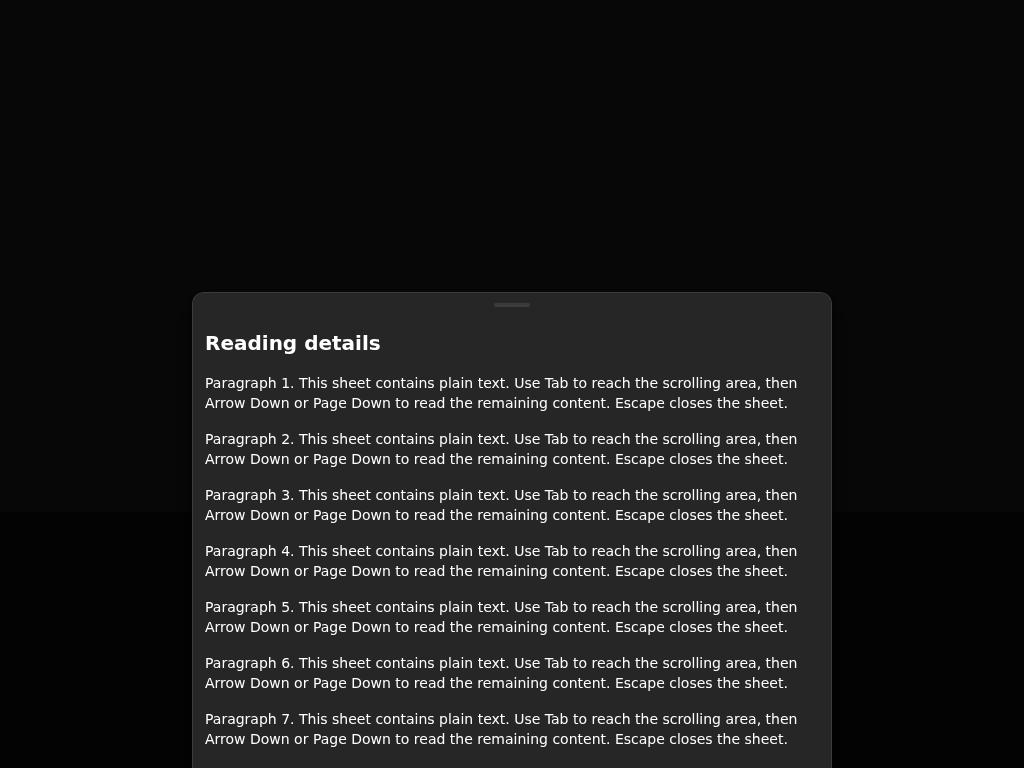 |
 |
| BottomSheet · Text Only (neutral, light) | 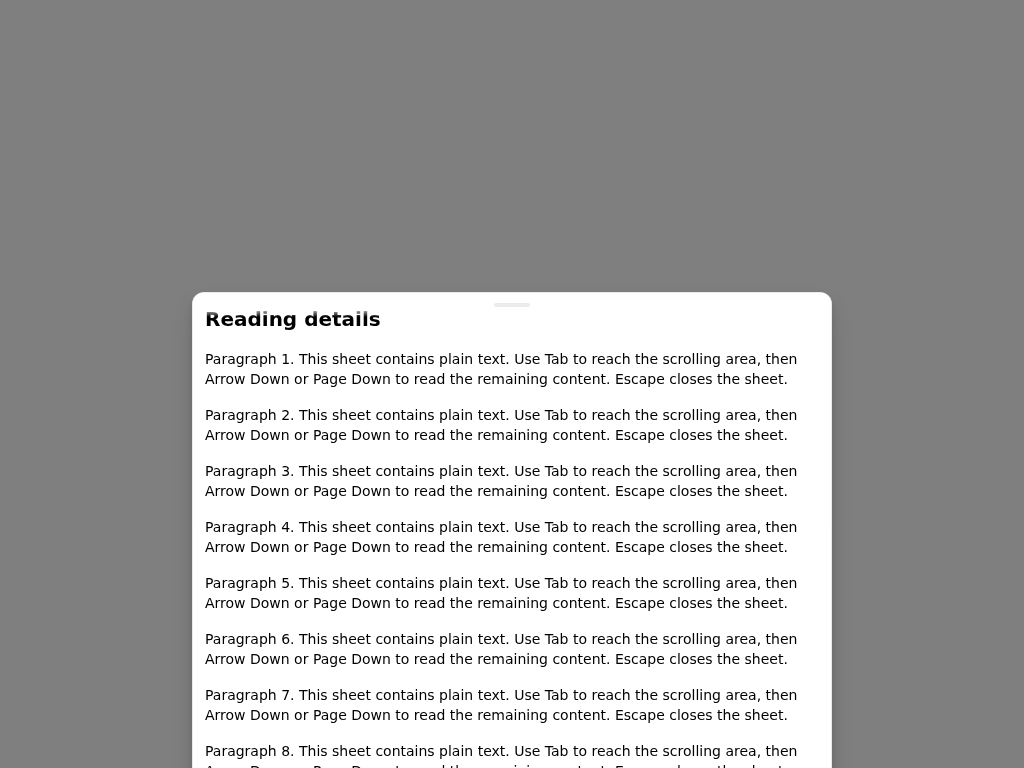 |
 |
 |
Package size: @astryxdesign/core 7.19 MB packed (+14.3 kB); no new dependencies.
API changes: none in this pull request
Committed API report behind this build: cli 29 rows, core 34 rows, theme-butter 1 row, theme-y2k 1 row; run pnpm api:report.
Touched components checked; add ci:run-visual, ci:run-a11y or ci:run-rtl to run the full suites.
Generated by PR Enrichment workflow | View full report


There was a problem hiding this comment.
This pull request needs an engineering owner's spec decision before it can be approved, and it also needs code changes.
Approval waits on an engineering owner to provide or identify the governing spec for TextInput, TextArea and NumberInput keeping themselves above the on-screen keyboard: AST-099 FR9 and input-fields FR13 exist only in open #9750, and the docked-bar ride is an exception to AST-099 FR3. The same owner decides on this head's FR8 exception and DEC-5, including which decision keeps the number DEC-5. An engineering owner records that by commenting /approve-spec <full head SHA>, and the author may do so as an engineering owner.
Required changes:
- A field claims the browser's own reveal but stays hidden when it is above the view, reached by a hardware keyboard's Tab, or low in a Dialog or Hug BottomSheet, because
revealinkeyboardTarget.tsonly lifts a field covered from below, through one scroller. - The field path re-implements the sheet's reveal without its upper-edge branch and reads the coarse-pointer gate once at attach, so the two paths have already drifted; share one reveal routine and key the field's attachment on the same touch state.
- On touch screens, the tap that focuses a field cancels the touch and swallows the click, so a caller's
onClickon TextInput never runs for that tap, whichfamily:input-fieldsFR10 does not allow. - The changeset says the fields keep themselves above the keyboard, that focus never pans the page and that nothing changes under a mouse; the tests do not show this and the cases above contradict it, so fix the code or narrow the wording.
- AST-099 DEC-3 requires simulator and emulator evidence for the three fields before merge, and none is attached yet.
- At 8,101 authored lines the diff includes the unlanded #8559 and #9776; land them first so this pull request carries only its own 277 lines.
[Automated review]

de729f6 to
a7bb9ee
Compare
There was a problem hiding this comment.
This pull request needs an engineering owner's spec decision before it can be approved, and it also needs code changes.
Approval waits on an engineering owner to provide or identify the governing spec for TextInput, TextArea and NumberInput keeping themselves above the on-screen keyboard: AST-099 FR9 and input-fields FR13 exist only in open #9750, and moving an app's fixed bottom bar is an exception to AST-099 FR3. The same decision covers this head's AST-099 FR8 exception and DEC-5, including which record keeps the number DEC-5, since #9750 uses it for a different decision. An engineering owner records it by commenting /approve-spec <full head SHA> on this pull request, and the author may do so as an engineering owner.
Required changes:
- A field now refuses the browser's own reveal but only scrolls itself up when the keyboard covers it from below, so a field focused above the view, reached by a hardware keyboard's Tab, or low in a Dialog or a Hug or Capped BottomSheet stays hidden, and the BottomSheet
heightdocs still say the browser's reveal is left in place there. - On touch screens the tap that focuses a field cancels its
touchendand swallows the click, so a caller'sonClickon TextInput, TextArea or NumberInput never runs for that tap, which input-fields FR10 does not allow. - The field's
revealinkeyboardTarget.tsre-implements the sheet'sscrollControlIntoSafeAreawithout its upper-edge branch; share one reveal routine so the two paths cannot drift. - The changeset and title say the fields keep themselves above the keyboard and that focus never pans the page, which the tests do not show and the cases above contradict; fix the code or narrow the wording.
- AST-099 DEC-3 requires simulator and emulator evidence for the three fields before merge, and none is attached yet.
- At 8,400 authored lines the diff carries the unlanded #8559 and #9776; land them first so this pull request carries only its own 277 lines.
[Automated review]
a7bb9ee to
fc8992b
Compare
vjeux
changed the title
github-actions
Bot
removed
needs:design-review
There was a problem hiding this comment.
Changes requested. The direction is settled: spec:AST-099 FR9 and DEC-5 and family:input-fields FR13 are now current, so no spec approval is needed here, and the page reveal and the docked-bar ride behave as FR9 describes.
- A field near the end of its scroller, such as a short form's last field, stays under the keyboard: the field path claims the focus but cannot add the missing scroll range that AST-099 FR9 and
architecture:react-component-runtimeINV11 require, so with a stand-in 300 px keyboard in Chromium the last field of a page that scrolls 84 px stays 264 px covered, wheremainlets the browser reveal it. - AST-099 DEC-3's iOS Simulator and Android emulator evidence is still missing, and AST-099 Gaps 1, 2 and 11, and
BottomSheet.doc.mjs's "the browser's own focus reveal is left in place" for these fields in a Hug or Capped sheet whose body scrolls, stop being true with this change, so those edits should land with the evidence. - The changeset says a field in the page or a scrolling area "is scrolled into place 10 px above the keyboard as it opens", which the first point shows is not true near a scroller's end, so fix that case or narrow the wording.
Non-blocking: the comment // The on-screen keyboard never covers the focused field. in each field restates the hook's name and can go. CI has not run on this head yet.
[Automated review]
fc8992b to
71619c3
Compare
github-actions
Bot
added
the
needs:spec-owner-review
There was a problem hiding this comment.
This pull request needs an engineering owner's spec decision before it can be approved, and it also needs code changes.
Approval waits on an engineering owner to approve or change the spec:AST-099 text this head adds: the FR9 sentence that a document scroll carried out as a visual-viewport offset is the reveal and not a pan, the new Firefox and Chrome FR9 verification rows, and the docked-toolbar exception on the Safari and Chrome row. An engineering owner records the decision by commenting /approve-spec <full head SHA> on this pull request, and the author may do so as an engineering owner.
Required changes:
- A TextInput, TextArea or NumberInput in a scroll area whose top sits below the keyboard's top is claimed by
canBringUp(keyboardTarget.ts:824-834) but its scroller cannot lift it, so it stays under the keyboard (117 px with a stand-in 300 px keyboard) wheremainleaves the browser's own reveal to show it. - AST-099 DEC-3 makes Android emulator evidence at the exact head a merge gate, and it is still pending, including for a short page's last field and the docked toolbar's placement at Chrome's first report.
- The changeset says every page field is scrolled 10 px above the keyboard and that a scroll area which can bring the field to its top does the same, but a page with nothing to scroll keeps the browser's reveal and the first point disproves the second.
The earlier findings on the scroll area's end, the end-of-page stories, the focusing tap's click and pointer changes are fixed at this head.
[Automated review]
Page content only: each keyboard frame ends at the keyboard top (dark
line). Replaces the frames at 6218413.

552a1ff to
a0f647d
Compare
github-actions
Bot
added
the
needs:spec-owner-review

|
/approve-spec a0f647d |
github-actions
Bot
removed
the
needs:spec-owner-review
There was a problem hiding this comment.
Changes requested: one change remains.
The spec direction is settled: an engineering owner's /approve-spec covers this head's spec:AST-099 and family:input-fields text. With #10462 now stacked on this head, the size is no longer a blocker, and the Safari Simulator take of the keyboard-close scroll back is now reported.
- Device evidence:
spec:AST-099Platform support makes Android emulator evidence at the exact head a merge gate, but the keyboard-close scroll back (keyboardScrollBack.ts) has no Chrome-with-Gboard run, and the Chrome and Firefox for Android runs in the description predate it; record a page field closed by Done and by Back at normal speed, with animations removed and on a slow profile, plus the Firefox page take.
One earlier non-blocking comment suggestion still applies. This pull request lands only once it is approved; #10462 lands after it.
[Automated review]
a0f647d to
933a93e
Compare
github-actions
Bot
added
the
needs:spec-owner-review
|
/approve-spec 933a93e |
github-actions
Bot
removed
the
needs:spec-owner-review
There was a problem hiding this comment.
Changes requested: an engineering owner's approval of this head settles the spec direction, and two changes remain.
- Miss: the keyboard-close scroll back reads only
prefers-reduced-motion(keyboardScrollBack.ts:149-153), so under a theme withreducedMotion: 'always'the page glides back on every keyboard close, againstdesign:reduced-motionDR2a; decide it, andrisesSmoothly, from the motion module's shared reduced-motion answer (the onereducedMotionFadegives), and add a scroll-back test under the theme's mark. spec:AST-099Platform support asks for Android emulator evidence at the exact head, and no Chrome or Firefox for Android run covers this head or the keyboard-close scroll back yet.
Thanks for the Safari Simulator runs of this head: they cover the rise and close rows. Non-blocking suggestions from the last review's inline comments still apply.
[Automated review]
933a93e to
d619304
Compare
github-actions
Bot
added
the
needs:spec-owner-review
|
/approve-spec d619304 |
github-actions
Bot
removed
the
needs:spec-owner-review
There was a problem hiding this comment.
Changes requested: an engineering owner's approval of this head settles the spec direction, and one change remains.
spec:AST-099Platform support makes Android emulator evidence at the exact head a merge gate, and no Chrome on Android (Gboard; normal speed, animations removed, slow profile) or Firefox for Android emulator run covers this head or the keyboard-close scroll back yet.
The iOS Simulator open and close runs now reported for this head cover the Safari side, so the Android takes are all that is left.
[Automated review]
|
/approve-spec e6280ea |
There was a problem hiding this comment.
Changes requested: an engineering owner's approval of this head settles the spec direction, and two changes remain.
keyboardHeight.tskeeps its own record of whether a finger is down (isDownwith its owntouchendandtouchcancelsubscriptions, lines 510-521) beside Core's shared ones (the gesture host'sfingersDown()andgetDownPressesinutils/inputStream.ts), so read or extend one of them here, or say besideisDownwhy neither can serve.spec:AST-099Platform support makes Android emulator evidence at the exact head a merge gate, and no Chrome on Android (Gboard; normal speed, animations removed, slow profile) or Firefox for Android run covers this head yet, including the Firefox close row it adds and the scroll back's wait for Firefox's late document scroll.
The description now shows the Firefox behaviour that wait relies on and the red-first arms for both new paths, which covers the earlier ask about it. The one failing CI job is an interaction-harness self-test in files main changed after this branch's base, so updating the branch onto main should clear it.
[Automated review]
| | FR9 | TBD (Gap 1–11): Safari on iOS in the iOS Simulator and Chrome on Android in the emulator, top-level document | TextInput in the page, ChatComposer in its dock, a Selector search row in its sheet, and a TextInput in a fixed Toolbar | The field ends under the keyboard, or the page lurches | | ||
| | FR9 | TBD (Gap 1–11): Safari on iOS in the iOS Simulator and Chrome on Android in the emulator, top-level document | TextInput in the page, ChatComposer in its dock, a Selector search row in its sheet, and a TextInput in a fixed Toolbar | The field ends under the keyboard, or the page lurches. A docked toolbar that rests under the keyboard while a field outside it has focus is not a failure | | ||
| | FR9 | Firefox for Android in the emulator, top-level document | TextInput in the page, revealed by the document | The visual viewport's offset differs from the reveal's computed distance (the field's bottom plus 10 CSS px, less the keyboard's top), or the field ends under the keyboard | | ||
| | FR9 | Firefox for Android in the emulator, top-level document | TextInput in the page: focus it, then close the keyboard with Back, at normal speed and on a slow profile | The page ends other than where it was before the reveal (to 0.5 CSS px) | |
There was a problem hiding this comment.
No run of this row is reported, and the description does not show the Firefox behaviour the scroll back's fold wait relies on. spec:AST-099 Platform support makes Android emulator evidence at the exact head a merge gate: record this take at normal speed and on a slow profile, with the Chrome-with-Gboard takes of this head, in the description.
|
/approve-spec 23f26c6 |
There was a problem hiding this comment.
Approval waits on an engineering owner's decision on one behaviour, and two required changes remain.
- Spec decision: after the keyboard's first report, a report that arrives while a finger is on the screen now reveals nothing (
keyboardTarget.ts:770), so a real keyboard height change during a touch also leaves the field where it is; nospec:AST-099sentence states this, so an engineering owner needs to approve the rule as written or ask for a change (an FR9 sentence that states it would be recorded with/approve-spec <full head SHA>, which the author may comment as an engineering owner). - Miss:
risesSmoothly(keyboardTarget.ts:376-383) re-implements Core's iOS WebKit check instead of callingisIosWebKitfromutils/touchQueries.ts, so please call it (return isIosWebKit(win) && !reducesMotion(field);) and add the keyboard rise to its list of named uses. - Required change:
spec:AST-099Platform support makes Android emulator evidence at the exact head a merge gate, and no Chrome with Gboard or Firefox for Android run covers this head yet, so please record the Firefox for Android rows (spec.md:442-443) and the Chrome with Gboard row (spec.md:444) on this head, including a drag while the toolbar hides.
The isIosWebKit point was missed in earlier reviews of this code. The three non-blocking inline notes from the last review still apply.
[Automated review]
|
/approve-spec 24e337d |
There was a problem hiding this comment.
Changes requested: two required changes remain.
The engineering owner's /approve-spec for this head settles the spec direction, and the description's Testing section now describes this head.
- Miss:
risesSmoothly(keyboardTarget.ts:377-383) re-implements Core's iOS WebKit check instead of callingisIosWebKitfromutils/touchQueries.ts, so please call it (return isIosWebKit(win) && !reducesMotion(field);) and add the keyboard rise to its list of named uses. spec:AST-099Platform support makes Android emulator evidence at the exact head a merge gate, and no Chrome-with-Gboard or Firefox-for-Android run covers this head's touch hold, so please record the Firefox for Android rows (spec.md:444-445) and the Chrome with Gboard row (spec.md:446) on this head, including a drag while the toolbar hides and a long press that focuses a field while Gboard grows.
The isIosWebKit point was raised in the last two reviews and missed in earlier ones. The non-blocking note on the startsAtReveal comment (keyboardTarget.ts:716) still applies.
[Automated review]
Each passes its input to `useMobileKeyboard` from its own render, with
no prop and no Effect of its own. On focus the field decides where it
is: inside a keyboard target such as a Tall BottomSheet it moves
nothing; in an app's bar docked at the viewport's bottom, the bar rides
the keyboard, its bottom on the keyboard's top; in scrolling content,
its nearest scroller, the document included, scrolls it 10 px above the
keyboard in the keyboard's report. In a fixed container the app
positions itself, a scroller around the field reveals it, and with none
the browser's own reveal stays. Its first tap and focus moves into it
arrive without the browser's reveal where the module places the field,
so the page never pans there.

A scroll area does not gain the range it lacks at its end yet. Where a
field's scroll area cannot place it, the document reveals it, in the
page and in a fixed container where the document's scroll moves the
container, as in Safari while its keyboard shows; elsewhere Core scrolls
the document back. Where the document cannot scroll far enough, as at a
short page's end in Chrome, a pan of the visual viewport takes the rest
in the same frame (`panVisualViewportTo`): a probe fixed in the layout
viewport is scrolled into view, as the reveal-pan watch puts a pan back.
The watch takes Core's own pan as the new rest. Firefox for Android does
not pan for the probe. A page with nothing to scroll keeps the browser's
own reveal.

On Chrome's show, a docked bar first sets its field 4 px above the
keyboard's top at once, as the Tall sheet does, and only the rest rides,
so Chrome's own pan finds the field clear. Every viewport report now
feeds the ride's reveal-pan watch, so a pan Chrome still makes is put
back, and a pan made at one keyboard height goes back at the next.
Under Remove animations, Gboard first reports a keyboard 48 px tall,
and Chrome may then reveal the bar's field itself: it scrolls the page
behind the bar, then pans. In Chrome, the ride's watch scrolls the
document back as well, when the scroll and the pan centre the field as
Chrome's reveal does; the app's own scroll to another element stays.

On iOS, a reveal that places the field rises on the browser's smooth
scroll from the keyboard's first report, which comes as the keyboard
starts to slide, so the field rises beside it (`risesSmoothly`, which
reads Core's iOS WebKit check, `isIosWebKit`). The scroll back records
where the rise is headed, and a rise still on its way when the keyboard
changes height carries on from its target. Under Reduce Motion, in a
theme that reduces motion for everyone, and in Chrome, which checks the
field in the resize's own commit, the reveal moves at once. The rise and
the scroll back ask the motion module's new `reducesMotion`, beside
`reducedMotionFade`, which now uses it, so a theme that reduces motion
for everyone counts as the setting for both. A scroll area's reveal goes
through its own `scrollBy` with an explicit behavior where it has one,
so a smooth `scroll-behavior` on the area cannot slow an instant reveal,
as the Tall sheet's reveal already does.

When the keyboard closes, each scroller a reveal moved scrolls back to
where it was (keyboardScrollBack.ts), on the browser's smooth scroll
from the keyboard's report that it has gone. While Safari's keyboard
slides down, Safari holds the visual viewport, so a scroll then shows
only at the slide's end; and Safari applies a scripted scroll a frame
late, so a scroll set each frame jitters. A scroller the person
scrolled meanwhile keeps their scroll. A sandbox page puts three fields
in the middle of a page that scrolls the document.

Each field's `.keyboard.test.tsx` drives the keyboard module's test
double. Mobile keyboard stories on TextInput place the fields low in the
page, a TextInput in a toolbar fixed at the bottom (docked, floating
above the edge, or with its own `translate`), a last field at the end of
a short page and of a scroll area, a scroll area low on the page, a
scroll area in a floating panel and in a full-viewport panel, and a
field in a sheet of a set height.

Firefox for Android can carry the reveal's document scroll as a
visual-viewport offset, show the document where it was before the
reveal at the keyboard's hide report, and turn the offset back into a
document scroll only after it. The scroll back then waits up to a
second for the first document scroll: one that lands where Core left
the document is the browser's own, and the scroll back follows it. A
touch, a keyboard that comes back, the field's page going, or the
wait's end puts nothing back.

The reveal-pan watch's touch flag now holds through a report that comes
while a finger is on the screen. In Firefox the toolbar hides in a drag,
which changes the measured keyboard height mid-drag; the watch then took
the drag's own pan for the browser's and put it back. The input stream
now counts the fingers on the screen from touch events
(`isTouchOnScreen`), only while `touchend` and `touchcancel` are heard.
A native pan keeps a finger there, though its `pointercancel` drops the
press from `getDownPresses`, so that record cannot serve. The watch's
shared touch subscription hears those two types, and a report reads the
count.

After the show's first reveal, a keyboard report reveals nothing while a
press that started after the last reveal is down. In Firefox the toolbar
hides in a drag, and the reveal re-applied itself with small scrolls
under the person's finger. The report's height is kept, so the field
stays where the person put it, and a later report with the finger up
reveals it as before. The press that focused the field holds nothing: a
long press focuses with the finger still down, and Gboard can report a
48 px keyboard first, then its full height. The input stream also counts
the touches that start (`getTouchStartCount`), and each reveal notes
that count. The keyboard module reads the finger count through
`isFingerOnScreen`: a finger down at the keyboard's last hide counts no
more until a touch starts, since a touch whose target leaves the page
ends at a node the window never hears. The count includes a stylus,
whose drag moves the page as a finger does.

Six unit tests cover the scroll back: the page's smooth scroll at the
report (nothing before it), Reduce Motion, a theme that reduces motion,
a person's scroll kept, a scroll area after Back, and a focus move to
another field. Firefox-shaped cases carry the reveal as an offset and
close the keyboard before the fold: the scroll back follows the fold, a
touch-drag control keeps the page, only the first document scroll
counts, and each way the wait ends leaves no scroll listener. Safari's
and Chrome's close sequences still decide at the report, with no wait. A
Firefox-shaped drag grows the viewport twice with the finger down and
finds no put-back; after the finger is up, a browser pan is put back.
Another drags the page with the toolbar hiding twice and finds no reveal
scroll until the finger is up. A long press focuses the field while
Gboard grows from 48 to 290 px, and the field is revealed at 290; the
next show's first reveal runs again under the same press, and a press
that starts after the reveal holds the next report until it lifts. After
the keyboard goes with no finger down, a long press that brings it back
is revealed with that press still down. Another holds a report while the
long press's finger stays down after a second finger tapped and lifted.
Another misses a touch's end, as when its target leaves the page, and
finds a browser pan put back once the keyboard has hidden and shown
again. The input stream's tests count fingers through a second finger, a
cancel and a native pan's `pointercancel`, count nothing while a touch
end could go unheard, and count the touches that start. Six cover the
rise on iOS: its smooth scroll, Reduce Motion, a theme that reduces
motion, the scroll back after a rise drawn later, a rise carried on at a
new height, and no second reveal while a scroll area's rise is drawn.
Their CSS.supports stub answers both of Safari's forms, a property and
value or a condition. Another drives a scroll area with a smooth
`scroll-behavior` and finds its own `scrollBy` called at once. Two in
the motion module cover `reducesMotion`: the setting, and a theme that
reduces motion for everyone.
FR9's scrolling-content bullet adds the spec owners' sentence: where a
browser carries out the document's scroll by moving the visual viewport,
that offset is the reveal, not a pan. Gap 2 is met. Gaps 1, 10 and 11
say what the three fields now do. Gap 11 keeps the missing scroll range
as the fix; until a scroller gains it, Core pans the visual viewport
where the document cannot scroll far enough.

Two verification rows cover Firefox for Android (the offset equals the
computed reveal) and Chrome (no pan added after Core places the field).
Chrome's names the cases Core pans, and fails a field Core pans that
ends other than 10 CSS px above the keyboard. In Firefox for Android
the pan moves nothing where the page has no scroll range; Gap 11 names
those cases.
The device-evidence row records that a docked toolbar resting under the
keyboard while a field outside it has focus is not a failure.
BottomSheet's height doc says what such a field gets in a sheet that is
not a fully expanded Tall sheet.

FR9's scrolling-content bullet adds the close: each scroller that
revealed the field scrolls back to where it was before the reveal, and
a scroll the person made while the keyboard showed is kept. A
verification row covers a field in the middle of a page that scrolls
the document.

FR9's scrolling-content bullet adds the open: on iOS the field rises on
the browser's own smooth scroll beside the keyboard's slide, settling
within 0.15 s after the keyboard settles, and it moves in one frame
under Reduce Motion, in a theme that reduces motion for everyone, and in
other browsers. A verification row reads every drawn frame of the rise.
Gap 13 records Chrome's rise, which stays in one frame because Chrome
checks the field in the resize's own commit; Firefox for Android takes
the same path. The device-evidence row's
failure for a reveal later than the keyboard's report notes that on iOS
the rise starts in that frame and settles as FR9 states.

FR9's scrolling-content bullet adds the hold: a show's first report
always places the field, and a later report that comes while a finger
is down, after a touch has begun since the field's last placement,
moves nothing.

FR9's close adds that at the hide report, Firefox for Android can still
show the document where it was before the reveal, and turns the reveal
back into a document scroll only after that report; the scroll back
follows that scroll. A row closes the keyboard with Back in
Firefox for Android at normal speed and on a slow profile.

The input-fields family's FR13 status says the same: the three fields
meet FR13 through FR9, apart from Gap 11.
|
/approve-spec d3e9cce |
There was a problem hiding this comment.
Changes requested: one required change remains.
The engineering owner's /approve-spec for this head settles the spec direction, and the description now describes this head.
spec:AST-099Platform support makes Android emulator evidence at the exact head, with animations at normal scale and removed plus a slow-device profile, a merge gate, and the description's Chrome and Firefox for Android takes are of the previous commit at normal speed only, so please record the Firefox for Android rows (spec.md:444-445) and the Chrome with Gboard row (spec.md:446) on this head in all three profiles, including the drag while Firefox's toolbar hides.
A long-press take is not needed: no row names it, and the unit cases cover it.
[Automated review]


Stack: #9777 → #10462
Behavior module: the keyboard module
Builds on #8559, #9776 and #8176. This PR's change: vjeux/astryx@44862e5...d3e9cce
User need
On a phone, a low field should rise above the opening keyboard, with no pan, and come back when it closes.
Problem and solution fit
Each field decides where it is:
On iOS the reveal rises with the keyboard and goes back after it, unless the person scrolled; reduced motion makes both instant. Where Firefox for Android turns the reveal back into a document scroll after the keyboard's hide report, the scroll back follows it. A report moves nothing while a finger is down after a touch began since placement. A mouse attaches nothing.
Current specification
spec:AST-099FR9, DEC-5, DEC-6;family:input-fieldsFR13. The records commit adds FR9's viewport-offset, open, close and touch sentences, Gap 13 and five rows. It meets Gap 2 and updates Gaps 1, 10 and 11, one row and FR13.Public delta and caller burden
No prop, option or export.
[feat]changeset.Design and alternatives
Evidence
iOS Simulator, sandbox page
/sandbox/pages/mobile-keyboard-fields/, 3+ takes per build:Fields end 10 px above the keyboard (frames). With no keyboard, nothing moves (captures). Android: Chrome and Firefox pass at this head; Firefox cannot pan a page with no range (Gap 11). A physical iPhone gates release.
Scope
Testing
.nvmrc, afterpnpm install --frozen-lockfile, on main 44862e5 with this change.getTouchStartCount) and fingers on the screen (isTouchOnScreen) for that. A finger down at the keyboard's last hide counts no more until a touch starts (isFingerOnScreen). A touch whose target leaves the page ends where the window never hears it. FR9 states the hold. The rise on iOS reads Core's iOS WebKit check (isIosWebKit). Its query is the same-webkit-touch-callouttest as before, in condition form. The previous check passes the same tests under the same stub, and no Android browser supports that property.7bdd525292d0731540d2ae834a6b11c33509e2a2, this head's tests withkeyboardTarget.tsas at an earlier head of this pull request (5e7a0c7) merged with main,keyboardHeight.tsas on main, andkeyboardScrollBack.tsas at a0f647d: 36 cases fail. They are the module's six for a short page's end, a field its area cannot bring up, an area under the keyboard (tap and focus move), a fixed container the document's scroll does not move, and Firefox's late pan; two in each field's test for the same scroll areas; the ride's two for a pan left at one height and for Chrome's own reveal; the scroll back's four for the page, Reduce Motion, a theme that reduces motion and a scroll area; the rise's four below; the scroll area's ownscrollBy; the Firefox fold case and its five listener cases; the two touch-subscription cases; the toolbar-in-a-drag, long-press and older-finger cases; and the Chrome and Safari close replays.ede0cf392b07c5f58c30646d228c45441d827dec,keyboardTarget.tsandkeyboardScrollBack.tsas at 933a93e: the scroll back under a theme that reduces motion, the scroll area's ownscrollBy, the fold case with its five listener cases, and the three touch-hold cases fail.7257dba2140322047d5363b16819d958929d28b8, the same two files as at a0f647d, the head before the rise: the rise's four fail (its smooth scroll, the scroll back after a rise drawn later, a rise carried on at a new height, no second reveal while a scroll area's rise is drawn), with the eleven above.48c3eb02af14473c4abf89dfa2d63fdf1ada58ac,keyboardScrollBack.tsas at d619304, the head before the wait for Firefox's fold: the fold case and its five listener cases fail; the Chrome and Safari close replays pass.3e8f86a56b65749f2f1daf6fd8792c23d2debf57,keyboardHeight.tsas at d619304,inputStream.tsas on main, and no touch check before a report's reveal. The drag case, the three touch-hold cases, the two touch-subscription cases and both stream counts fail.96dbbd0346916b78fb1ce9388a30504f145c034a, no wait: the fold case and its five listener cases fail.dfacfd36cc98921730e1b17b4bf93a16a030ec14,1be3de30630395f33459d76ccf772143afac9b60andb5138a94d37f4072061502a794c8762abb490499, a wait that a touch, a new keyboard or the time does not end: that listener case fails (the cap's also fails the first-scroll case).3beaa3483655535b83c44845011c7e4d1141c750, a wait the field's page going does not end: that case fails, and 40 later ones, as the wait outlives its page.9e24936f4809bdfa075b401b41ce140a892db0ba, any later scroll counted: the first-scroll case fails.7148464d5832621a8d30da5b6e6b888a78e6b2f1, a scroll area's scroll counted: the fold case fails.cee3cc6e8d64e15be53291a00767b7b4b9a05fb8, a report clearing the touch flag as before: the drag case fails.e21867a05cc0ab5a9b002a802a0713e8babb65f8, a report revealing while a finger is down: the three touch-hold cases fail. The touch-hold cases are toolbar-in-a-drag, long-press and older-finger.a05763084b09e25b381a130d9c8a1df97d04a0ab, no first reveal under a touch: the long-press case fails.90c6ecd0cfd4d48f8806297644d010eb9cb39c52, a hold for any finger down, and6bf432f70474e0fec794050e6bfaade06c4b2aa1, no count noted at a reveal: the same case fails.7353a058a86f7507b6a8b7089adcd4fa32cb92d2, touch starts never counted: the three touch-hold cases, the drag case and the start count fail.41c51cb98b4f68c292508956d4fb65ecb2c107bf, a finger never counted off the screen: those four cases and both counts fail.6da86078ca6913538328922b5ad8477890f4b2fe, fingers counted while a touch end could go unheard: both counts fail.f3fd1c14f054066edcb018e4011796d80c65b156, a count kept after the last end subscriber left: the finger count fails.37e9d1825958a1c064838727d371a5f1d41f926e, the watch not hearing touch ends: the two touch-subscription cases fail, with the three touch-hold cases and the drag case.2ec711cd2330696d949159544db20cedb32c6068, no note at the keyboard's hide, and75a8267d58289ad3d77a350d8f7c3c9b66449328, the watch reading the stream's raw count: the missed-touch-end case fails.044f3e1d256a0415d6ef87e9f941ba0ff783b646, the rise never smooth: the rise's four fail.d6e559e8183a1f88ee5af50af363ac4cf35a92ab, the scroll back recording where the scroller is rather than where the rise is headed: the two rise scroll-back cases fail.e0292affc9d7f4620822cc8c8c0559a0a8ad3dd5, a second reveal starting from where the scroller is: the carried-on case fails.aa50da7e7d8928b9da350c88394902dcbdcb0130, a rise in flight not counted as placing the field: the scroll-area case fails, as the document scrolls too.1d7d67e2fc8c1dd621073cfc372556e697c2b6a2, the rise ignoring reduced motion: its Reduce Motion and theme cases fail.reducesMotion:58b8e13a0045bd54976d5c55d64b9be30bd5915f, the theme's mark ignored: the motion module's theme case, the scroll back's and the rise's fail;4b88f3a365b63d6c00b9bcafa1b0f8bfafb952c4, the setting ignored: the motion module's setting case and its two fade cases, the scroll back's and the rise's Reduce Motion cases fail.d51b2a052839b2035f4a3824bd344806d478c09b, a scroll area's instant reveal written throughscrollTop: the scroll area's ownscrollBycase fails.7481a68ffa4388bdc861f4e288c9e5fc1d682efb, without theuseMobileKeyboardline in each field: the 15 touch cases of the three.keyboard.test.tsxfiles fail; the 3 mouse cases pass.6cf5807f6e042f4801adb31d5c1ce0aa1015cc9e, Core's own pan not recognised: "keeps its own pan when the browser applies it after the call" fails.7c30056b0640fe28bf251f4921668d12019ce709, no put-back at a new height: the case for a pan left at the last height fails.1da7aed3bd4f5cb42bd482c8ea9680a4387e75aa, the ride's document-scroll option off: the Chrome-reveal case fails.00765471c48093111cb9b23860cfafa130eff59c, no centring check: the cases for an app's scroll (alone, and after Chrome's reveal) and for a pan short of Chrome's fail;96bb60f56687cff83b9f944074fd7aa53326827f(no scroll half) fails both app-scroll cases, and03851eca68143b6a61f0a49d4c9509970791cfa8(no pan half) the short-pan case;2332969420a909d670ea2db5d27447cf49952b03, the check made on every viewport event, fails the app-scroll case, which counts the field's box reads after the first.e746c50c74024ccd28148ba28f9984631e07c196, without the reset inputBack: the Chrome-reveal case fails, as the app's later scroll in the same report is scrolled back.c7e249f6bd1dd11b56baedbad1f54e6dad0987e3,noteKeyboardScrollrecording nothing: the scroll back's page, Reduce Motion, theme and scroll-area cases, the rise's two scroll-back cases, the fold case and its five listener cases, the long-press case and both close replays fail.5847a724a3eca59385bee41bca961549d35c277d, a scroller someone else moved scrolled back too: "keeps a scroll the person made while the keyboard showed, and puts nothing back", the fold, touch-control and first-scroll cases, the five listener cases and both close replays fail.fe434cac2be8b634443a3345b0981ee3d88e01ef, the scroll back always at once: the page, scroll-area, fold and rise scroll-back cases and both close replays fail;f9e4244673a5762cf65035fc397b0bf893be3a63, always smooth: the Reduce Motion and theme cases fail.vitest runover TextInput, TextArea, NumberInput, the keyboard module, the motion module, BottomSheet, Chat, Layer, Popover, Outline, DateInput, ProgressBar, the touch and private-attribute helpers, the gestures, the hooks, utils and the sandbox's route tests: 325 files, 7,613 tests pass. The UI tests for the changed set (--project ui --changed): 506 files, 15,717 tests pass.CI=true pnpm lint: 0 errors.pnpm build, thenpnpm typecheck: 0 errors. Knowledge records, changesets and their coverage pass.pnpm api:reportadds nothing for the keyboard module, the input stream or the three fields. The touch-support, lazy-sheet and layer-toast bundle guards pass (19). In Chromium, the three fields' accessibility specs (49) and BottomSheet's keyboard-inset interaction spec with the interaction harness's own spec (158, 10 skipped, 2 of 2) pass; CI runs the harness spec in WebKit.pnpm review:pre: no findings.window.scrollByon a page with no range leavesvisualViewport.offsetTopat 0; the fixed-probe pan to 100, then 250, reads 100, then 250, with the document unscrolled, before the call returns.scrollByand two pan put-backs during a drag, each when the toolbar hid (visual viewport 523 → 530 → 553.5) with the finger still down; this head leaves that pan to the person. At Back, the hide report came 603 ms after it with a page scroll of 0 and an offset of 76.4, and Firefox then turned the offset into a document scroll of 76.4: the fold this head now follows. A drag's scroll (200.6) was kept after Back (463.9), and the loss to 0 did not recur.translatetoolbars are not moved (layout tops 658 to 657.7 and 666 to 665.7), and Safari's own reveal shows their field 28.3 and 20.3 px clear; their frames are left out because Safari draws its own UI over the page there. A scroll area in a full-viewport panel scrolls its field 9.6 px clear (133 px), with no page scroll and no visual-viewport offset. Without the hook (main), Safari's own reveal shows the floating panel's field 168 px clear and the sheet's 177 px clear.Writing rubric results
R1 narration: none; present tense.
R2 research: none in the record.
R3 evidence: rows name methods and failures, not runs.
R4 rejected alternatives: none added.
R5 change references: none.
R6 open questions: none.