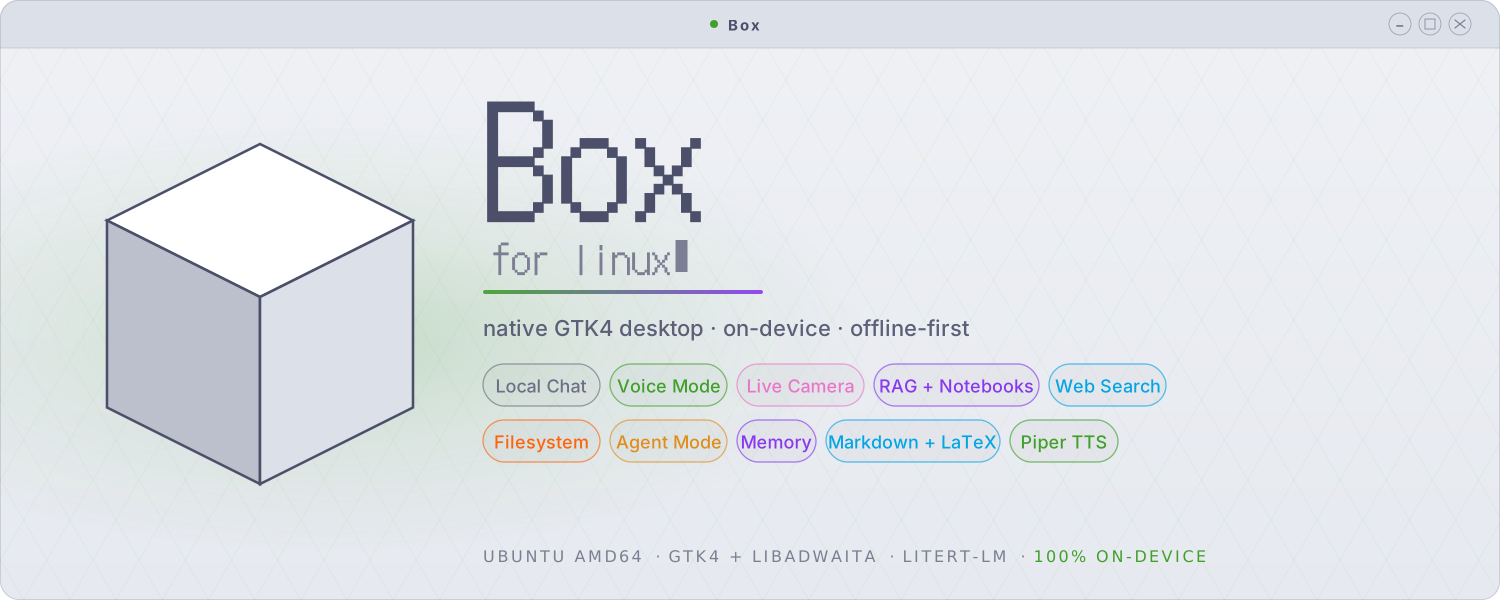












Box for Linux is a private, on-device AI assistant for the Linux desktop. It chats, searches the web, reads and audits your files, answers from your documents, and sees through your webcam, then chains those abilities to carry out multi-step tasks. It runs on your own machine, with no account and no telemetry. It builds on Google's LiteRT-LM runtime as a native GTK4 / libadwaita app and brings the Android app's offline design to the desktop.
Important
Box for Linux is a separate application, written from scratch as its own
codebase. It is not a port or fork of the Android app. The two share a name
and a design philosophy and have many of the same features, but they are
independent projects. The Android app is open source (Apache-2.0). Box for
Linux ships as a closed-source binary: the .deb contains compiled code,
and its source is not published. It leaves out the Android app's image
generation, speech-to-text, encrypted storage, and biometric lock.
Box also runs on Android as a separate, open-source (Apache-2.0) app. It adds on-device image generation, speech-to-text, and encrypted storage with a biometric lock, and a lot more !
The language model, the retrieval embedder, the image captioner, and the text-to-speech all run on your own hardware. The interface is native GTK, so it starts in under a second, uses modest memory, and fits your desktop. On a Linux laptop it handles quick back-and-forth and longer jobs: researching the open web, auditing a log, planning from your notes, and acting on your files one step at a time. Your documents ground its answers, and your conversation stays on your machine.
 Local Chat |
 Knowledge Base |
 Permission Prompts |
 Web & File Tools |
 Agent Mode |
 Persistent Memory |
 Vision & Camera |
 Voice & TTS |
 RAG Settings |
 Model Settings |
 Behaviour |
 Themes & Appearance |
Box searches the web through DuckDuckGo over HTTPS, with no API key required. It reads and writes files inside a workspace folder you choose. An opt-in switch lets it reach files outside the workspace, where it asks you to approve each path (Allow once, for this chat, or always). Agent mode chains several tool calls to handle multi-step tasks, with a per-message cap you set and a live progress pill. Each tool call shows up as a collapsible card in the reply with its arguments and result.
Give Box a file, such as a system log or a config, and ask it to audit it (for example, "audit /var/log/dmesg for anything suspicious"). Box reads the whole file, including ones larger than the model's context window, and writes back a single report with a live progress bar and a Stop button. It runs on your machine and follows the same file-access permissions as the rest of Box.
Attach a PDF, a Markdown or source file, or plain text, and Box indexes it for retrieval. Each answer draws on your documents, and a card on the reply shows which passages the model used. Notebooks are named, reusable collections of documents that stand apart from any single chat. Index a body of knowledge once and attach it to as many chats as you want, with optional auto-attach for collections you reach for often. Retrieval combines a chat's private sources with its attached notebooks.
Hold multi-turn conversations with on-device models in .litertlm format. Gemma
4 E2B and E4B are the recommended daily drivers, both supporting up to 128K
context. Tokens stream in as the model generates them, and a Stop button
interrupts mid-token. Box renders Markdown and LaTeX math: inline expressions as
Unicode, display equations as images. You can attach text, PDF, image, or audio
files in the composer. Conversations save and resume. The sidebar is searchable
and resizable, you can hide it, a bar tracks context usage, the context window
is adjustable, and you can run on CPU or GPU.
With the audio backend on, the model reasons about spoken or attached audio rather than only transcribing it. Record a voice message, play it back inline, and auto-send it if you want. Voice conversation mode runs a hands-free loop driven by voice activity: you speak, the model replies aloud sentence by sentence as it generates, then it listens again, with no tapping between turns. A push-to-talk button handles noisy rooms. Piper, an offline neural TTS, speaks replies in six voices at a volume you set.
Point a webcam at something and ask about it. The 📷 button in the composer opens a live preview; capture a frame and the model sees it on send. Vision Mode keeps the camera on and captures a frame each turn for a continuous conversation. Capture runs through GStreamer and PipeWire, with a V4L2 fallback, so it works with the Linux camera permission portal and turns the camera light off when you finish. You can also add images to your knowledge base, where the model captions them for search.
Save a fact once and Box recalls it in later chats, from a long-term store that sits apart from per-chat documents. Capture stays explicit: Box remembers something only when you ask it to. A memory inspector lets you review and delete what it knows.
Six themes: Catppuccin Mocha, Latte, Frappé, and Macchiato, plus Dracula and Dracula Pro. Each offers 14 accent colours, five iMessage-style bubble palettes, a bubble-opacity slider, custom fonts, and macOS-style traffic-light window controls.
Each capability in Box for Linux is its own switch, and they all start off. Vision, audio, TTS, the knowledge base, web search, the filesystem, agent mode, and memory are opt-in.
| Control | What it means |
|---|---|
| Granular toggles | Each capability is its own switch. It runs only after you turn it on |
| Permission prompts | Any tool that touches your machine asks first: Allow once, for this chat, always, or deny |
| Writes always ask | File writes and deletes prompt every time; you cannot set them to trust-always |
| Workspace by default | File access stays inside a folder you choose; reaching anywhere else is an opt-in that prompts for each path |
| Per-chat overrides | Turn any tool on or off for a single conversation, apart from the global setting |
| HTTPS-only | Every network request must use HTTPS; Box rejects plain HTTP for model downloads and search results |
| Fully on-device | No account and no telemetry. Models download once, then run offline |
Download the latest .deb (currently box_0.2.0_amd64.deb) from the
Releases page:
sudo apt install ./box_0.2.0_amd64.debThe package pulls its system dependencies automatically. Launch Box from
your application menu, or run box in a terminal. On first run, Box offers to
download a model (Gemma 4 E2B, ~2.59 GB). After that, it runs offline.
- Ubuntu (amd64) with a GTK4 / libadwaita desktop session
- About 3-4 GB of free storage for a model
- A webcam is optional, for live vision mode
- CPU-only works fine; GPU acceleration is faster but not required. NPU and GPU paths are included, though not all hardware is tested.
The Android app is open source (Apache-2.0). The Linux desktop app ships as a
closed-source binary: the .deb contains compiled code, and its source is not
published. © Jegly. All rights reserved.