


Disclaimer: This project is experimentally written almost entirely by AI, so any usage should keep this in mind and that the execution of this software is at your own risk.
kcd is a robust CLI tool for the declarative management of Keycloak configurations. It allows you to treat your Keycloak settings as code, enabling version control, automated testing, and a seamless drive of your identity infrastructure configuration.
Previewing changes before applying them with interactive confirmation.
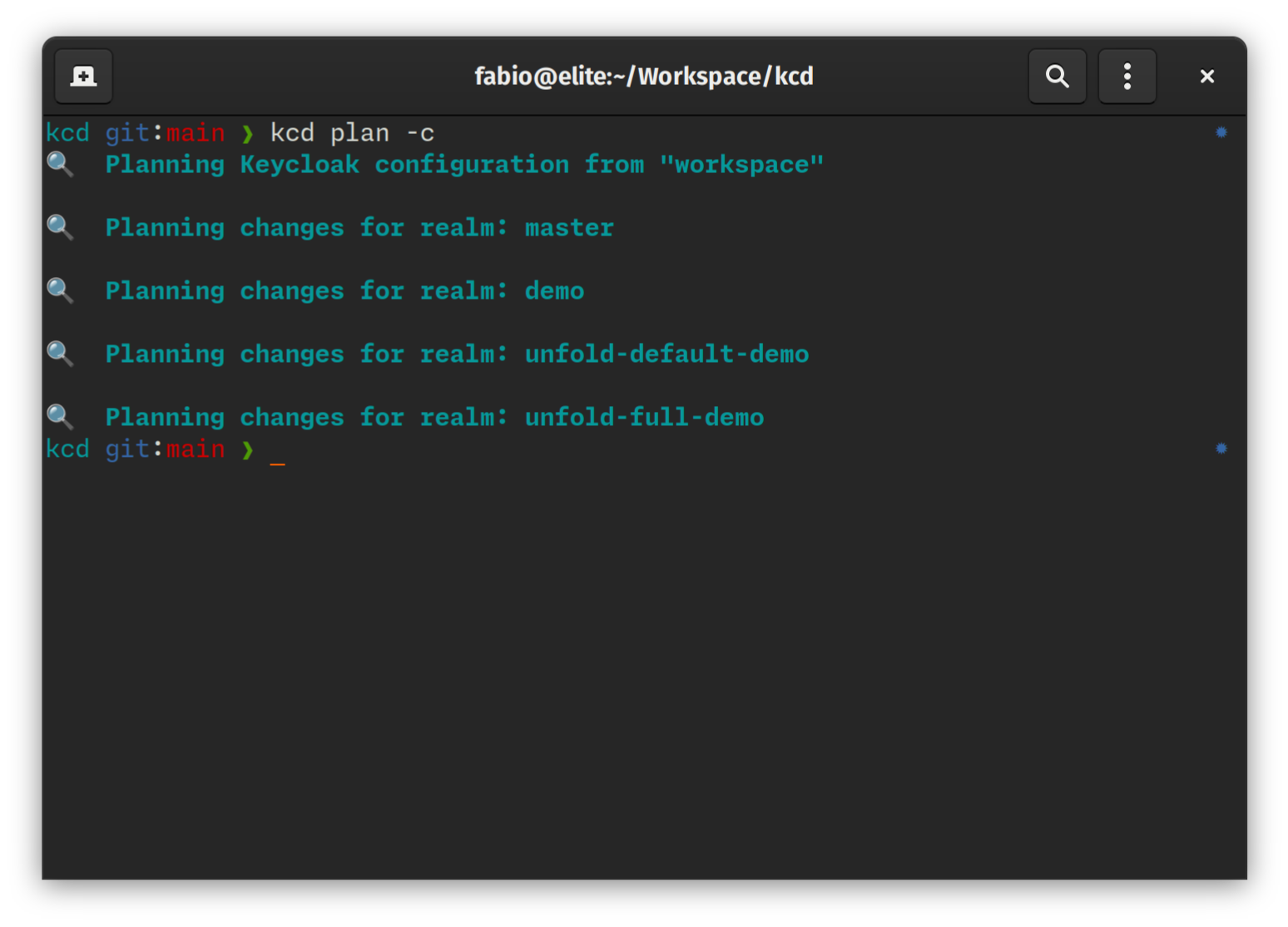
$ kcd plan --interactive
💡 Calculating diff for realm 'master'...

  Clients:
    [+] my-new-app (Create)
    [~] admin-cli (Update)
        - root_url: "http://localhost:8080" -> "https://idp.example.com"
    [-] legacy-app (Delete)

? Apply change to client 'my-new-app'? (y/n)
Scaffolding resources without writing YAML by hand.
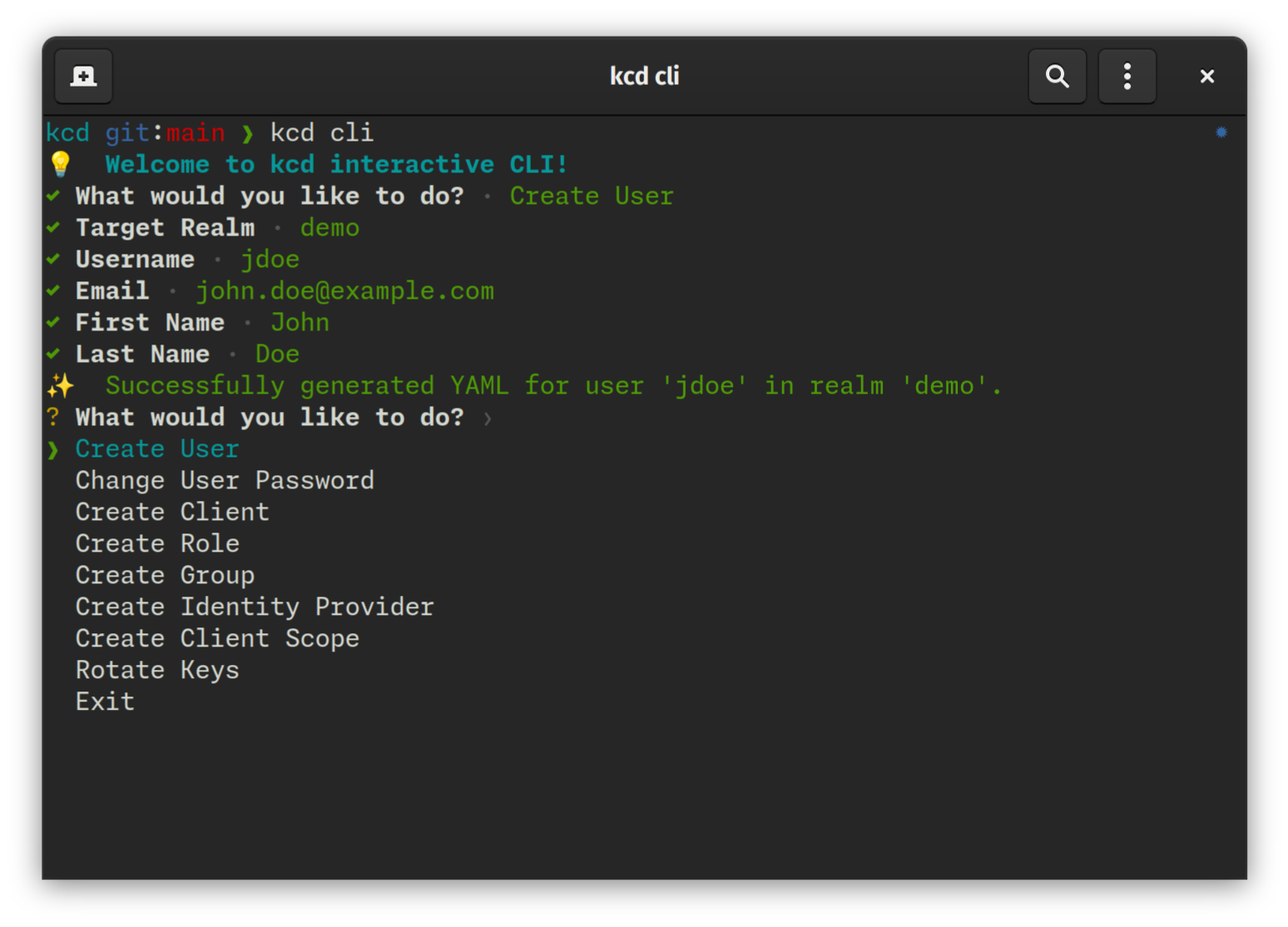
$ kcd cli
💡 Welcome to kcd interactive CLI!
? What would you like to do?
❯ Create User
  Change User Password
  Create Client
  Create Role
  Create Group
  Create Identity Provider
  Create Client Scope
  Rotate Keys
  Exit
- Blazing Fast Performance: Utilizes Rust's
tokiofor highly concurrent API interactions and parallel I/O operations. - Declarative State: Define your desired Keycloak state in human-readable YAML files.
- Environment Profiles & Overlays: Manage multiple environments (Dev, Staging, Prod) with zero configuration duplication.
- Dependency-Aware Reconciliation: Guaranteed correct application order through staged reconciliation (e.g., Realms -> Roles -> Users).
- Inspect & Export: Bootstrap your project by exporting existing Keycloak configurations to local files.
- Dry-Run Planning: Preview exactly what changes will be applied with detailed diffs and summaries.
- Interactive Review: Confirm individual changes before they are applied to the server using the
--reviewflag. - Drift Detection: Identify discrepancies between your local configuration and the live server.
- Secret Masking & Resolution: Native support for Environment Variables and HashiCorp Vault.
- Resource Support: Realms, Roles, Identity Providers, Clients, Client Scopes, Groups, Users, Authentication Flows, Required Actions, and Components (including Keys).
macOS and Linux:
curl -LsSf https://raw.githubusercontent.com/ffalcinelli/kcd/main/scripts/install.sh | shWindows:
powershell -c "irm https://raw.githubusercontent.com/ffalcinelli/kcd/main/scripts/install.ps1 | iex"- Rust (latest stable) and Cargo.
git clone https://github.com/ffalcinelli/kcd.git
cd kcd
cargo build --release
sudo cp target/release/kcd /usr/local/bin/This project uses cargo-husky to manage Git hooks. To set up your development environment:
- Clone the repository.
- Run
cargo test.
Running tests will automatically install the Git hooks in your .git/hooks directory. The pre-commit hook ensures that cargo fmt and cargo clippy pass before any code is committed.
kcd allows you to manage multiple Keycloak instances (e.g., Development, Staging, Production) using a native Profiles system.
Create a YAML file in the profiles/ directory:
profiles/prod.yaml
server_url: "https://keycloak.prod.example.com"
client_id: "kcd-cli"
client_secret: "${PROD_KCD_SECRET}"
secrets_file: ".secrets.prod" # Load environment secrets from this fileAvoid duplicating entire resource files for small environment-specific changes. Create an overlay file matching the pattern resource.{profile}.yaml:
workspace/my-realm/clients/my-app.yaml (Base)
clientId: my-app
enabled: true
redirectUris:
  - "http://localhost:3000/*"
workspace/my-realm/clients/my-app.prod.yaml (Overlay)
redirectUris:
  - "https://app.example.com/*"
When running with --profile prod, kcd deep-merges the overlay onto the base configuration.
kcd uses environment variables for connection and authentication. You can export these in your shell or use a .secrets file.
| Variable | Description | Default |
|---|---|---|
KEYCLOAK_URL |
Base URL (e.g., http://localhost:8080) |
Required |
KEYCLOAK_USER |
Admin username | |
KEYCLOAK_PASSWORD |
Admin password | |
KEYCLOAK_CLIENT_ID |
Client ID for auth | admin-cli |
KEYCLOAK_CLIENT_SECRET |
Client Secret (if using client credentials) | |
VAULT_ADDR |
HashiCorp Vault URL | |
VAULT_TOKEN |
HashiCorp Vault Token |
workspace/
├── .secrets                   # Default secrets file
├── profiles/
│   └── prod.yaml              # Profile definition
├── my-realm/                  # Realm folder
    ├── realm.yaml             # Main realm settings
    ├── clients/
    │   ├── my-app.yaml        # Base resource
    │   └── my-app.prod.yaml   # Environment overlay
    └── roles/
        └── admin.yaml
Exports the remote server state to local YAML files.
# Export everything to 'my-workspace'
kcd inspect --workspace my-workspace --yesEnsures your local YAML files are syntactically correct and follow the Keycloak model.
kcd validateCalculates the "diff" between local files and the remote server.
# Plan for a specific profile
kcd plan --profile prod

# Interactive: decide for each change whether to include it in the plan
kcd plan --interactiveReconciles the remote state. It follows a staged application order (Realms -> Roles -> Clients -> Users) to ensure dependencies are met.
# Apply planned changes for production
kcd apply --profile prod --yes

# Review mode: confirm each change before application
kcd apply --profile prod --reviewA shortcut for plan --changes-only.
kcd drift --profile prodRemoves local YAML files that are no longer referenced or are invalid.
kcd clean --yesAn interactive menu to generate resource scaffolds or perform quick actions.
kcd clikcd is designed with security in mind. During inspect, it detects sensitive fields and replaces them with placeholders.
- Environment Variables: Placeholders like
${VAR_NAME}are resolved from the environment or a local.secretsfile. - HashiCorp Vault: Placeholders like
${vault:mount/path#field}are resolved from a live Vault instance using the KV2 engine.
clientId: internal-api
name: Internal API Service
enabled: true
publicClient: false
secret: ${KEYCLOAK_CLIENT_INTERNAL_API_SECRET}
redirectUris:
  - "https://api.example.com/*"
serviceAccountsEnabled: trueclientId: api-gateway
name: API Gateway
enabled: true
publicClient: false
# Format: ${vault:mount/path#field}
secret: ${vault:secret/data/kcd/clients/api-gateway#secret}
redirectUris:
- "https://gateway.example.com/*"
protocol: openid-connect- Run
kcd inspectto bootstrap your local configuration. - Sensitive values are automatically replaced with
${KEYCLOAK_...}placeholders and saved to a.secretsfile. - DO NOT commit the
.secretsfile. - (Optional) Replace placeholders with
vault:syntax if using HashiCorp Vault. - Provide secrets via environment variables or set
VAULT_ADDRandVAULT_TOKEN. - Run
kcd applyto synchronize changes.
kcd uses Calendar Versioning (CalVer) with the format YYMM.MICRO.MODIFIER (e.g., 2603.1.0).
- YYMM: The year and month of the release (e.g.,
2603for March 2026). - MICRO: Increments for each release within the same month.
- MODIFIER: Typically
0, used for specific hotfixes.
This format provides an immediate understanding of how recent your installed version is.
kcd is built for and relies on the excellent work of the Keycloak project and its community. Keycloak is an open-source identity and access management solution.
Distributed under the MIT License. See LICENSE for more information.
Please refer to the Security Policy for information on reporting vulnerabilities and security best practices.