________________
\    keynot    /
 \____________/
      |  |
      |  |
   ___|__|___
Presenting Markdown. Terminal slide presentations from a single markdown file. Like Keynote, but it's not, and it lives in your terminal, like you.
- One
.keynotfile per presentation: YAML frontmatter for metadata and theming, slides in plain markdown separated by---, HTML comments as speaker notes (a format in the spirit of marp) - Renders headings, emphasis, lists, blockquotes, and links with ratatui; code blocks are syntax-highlighted little terminal windows, traffic lights and all
- Background gradients -- vertical, horizontal, or radial fades between any colors, in plain YAML (the default dark theme ships one)
- Real images in the terminal via ratatui-image: kitty, iTerm2, and sixel graphics, with a half-block fallback everywhere else; local files or URLs
- Multi-column slides: split any slide into side-by-side columns with a
|||line -- no layout hacks - Slide transitions via tachyonfx
- Outline overview for jumping around, in-show help, live reload
- Use
!to quickly jump to a shell; exiting resumes the show
From https://crates.io/crates/keynot
cargo install --locked keynotkeynot new talk.keynot # write a skeleton presentation
keynot play talk.keynot # present it
keynot check talk.keynot # validate and summarize a file
keynot play FORMAT.md # any markdown file mostly just worksUseful play flags:
keynot play --start-slide 7 talk.keynot # resume at slide 7During the show: left/right arrows or space to change slides, up/down to
highlight the line you are talking about (an accent bar by default; set
highlight: dim to dim everything else instead), o for the outline,
! to drop into a shell for a live demo (exit to resume), e to open
the file in $EDITOR at the line you are viewing (exit to reload and
resume), ? for the full key list, q to quit. The full tour of keys
and player behavior is in USAGE.md.
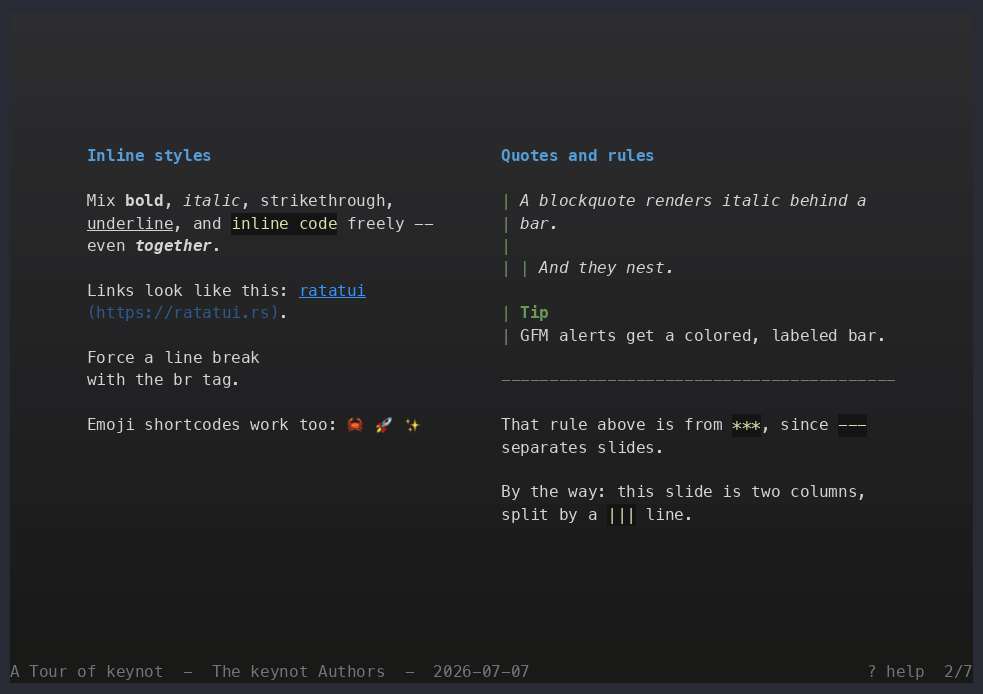
Inline styles beside quotes and rules, in two columns:
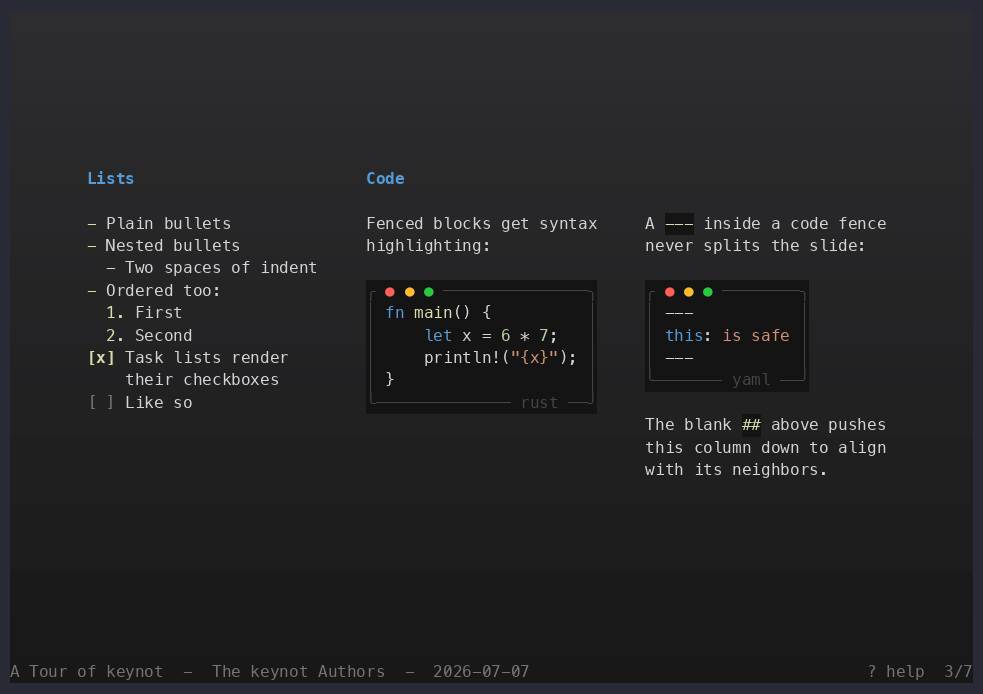
Lists, highlighted code, and fence-safety notes in a three-column spread:
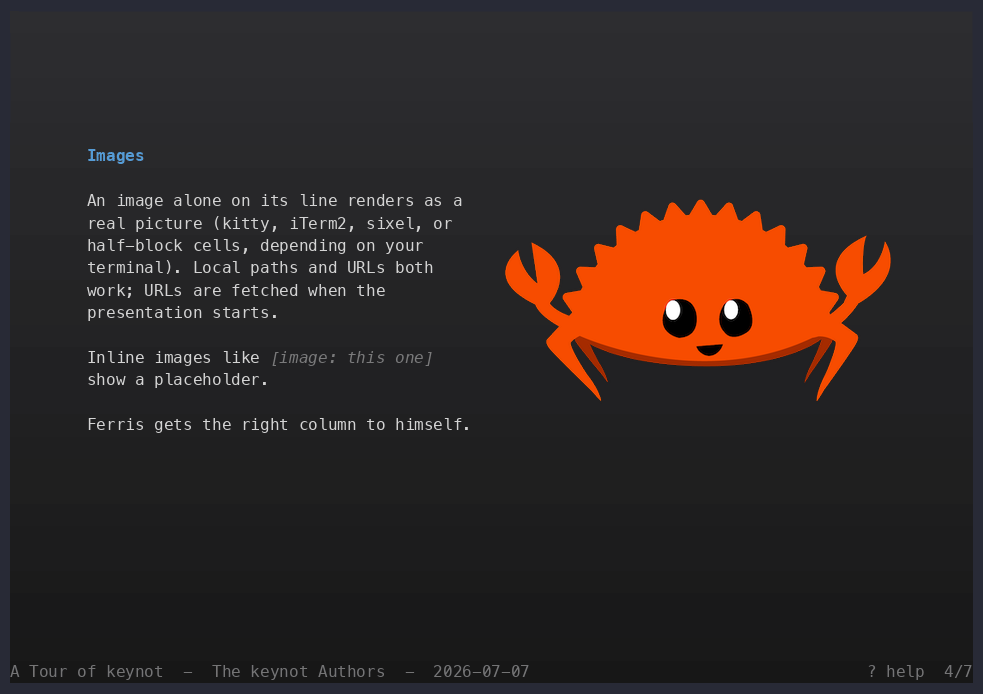
Real images in a terminal, in their own column:
---
title: My Talk
author: Ada
theme: dark
colors:
  accent: '#dcdcaa'
---

# My Talk

The title slide

<!-- speaker notes go in comments -->

---

## Second slide

- Markdown bullets, **bold**, *italic*, `code`, [links](https://example.com)

```rust
fn main() { println!("highlighted"); }
```
See FORMAT.md for the complete format reference (all frontmatter keys, theming and color values, supported markdown, the exact splitting rules) and USAGE.md for running keynot (subcommands, every key, player behavior).
Set transition: in the frontmatter to control how slides change. All
available values:
| value | effect |
|---|---|
slide |
push: the old slide slides out, the new one slides in, in the direction of navigation (the default) |
coalesce |
characters dissolve into place |
fade |
fade in from the background color |
sweep |
wipe across in the direction of navigation |
none |
instant switch |
Release history lives in CHANGELOG.md.
cargo test      # parser, renderer, and CLI tests
cargo clippy --all-targets
The crate is organized as a library plus a thin binary: markdown/ parses
.keynot files into a small slide AST, render/ turns the AST into
styled terminal text, src/app/ is the interactive player, and main.rs
the CLI.
Formatting uses a nightly-only rustfmt option (group_imports), so
format with cargo +nightly fmt; CI checks it that way.
Recurring tasks live in the justfile -- run just to list
them: just ci mirrors the CI checks, just screenshots regenerates
the README screenshots from the tour (a Rust helper in xtask/, run
via cargo xtask; needs asciinema's agg on PATH), and just release
publishes to crates.io and cuts the tagged GitHub release.
Tests cover three layers: renderer unit tests assert exact styled
output, app tests drive the real draw pipeline into ratatui's
TestBackend, and tests/pty.rs runs the built binary inside a
scripted pty that answers terminal probes -- verifying the actual
escape-sequence stream (graphics protocol negotiation, image cell
placement, screen restore) that only a real terminal would otherwise
see.
For diagnostics, set KEYNOT_LOG to a
tracing filter
(e.g. KEYNOT_LOG=debug) and keynot writes a keynot.log in the current
directory: the graphics protocol the terminal negotiated, image fetches
and failures, render timings, and (at trace) every keypress.