Chromapair learns a deterministic, reusable color transform from spatially aligned areas in a source image and a reference image. It exports either three 256-entry RGB lookup tables or a regularized RGB polynomial, selected by the lowest four-fold cross-validated CIEDE2000 error.
It is image- and layout-agnostic:
- dimensions come from the input images by default;
- a smaller source can be positioned inside a reference canvas;
- one area or several disjoint areas can be fitted together;
- averaging tile size is calculated automatically and edge tiles need not divide evenly;
- output is stable, validated JSON that can be applied from the CLI or Python.
Chromapair requires Python 3.11 or newer and is tested with Python 3.14.
uv tool install git+https://github.com/alixsep/chromapair.git
chromapair --help
After a PyPI release, uv tool install chromapair works as well. For
development:
git clone https://github.com/alixsep/chromapair.git
cd chromapair
uv sync --extra dev
uv run pytestWith no area, the full overlap between the source and reference is used:
chromapair fit \
  --source source.png \
  --reference reference.png \
  --name warmer
The reference retains its natural dimensions and the source starts at (0, 0).
Apply the generated preset to the original source or another image:
chromapair apply \
  --preset output/presets/warmer.json \
  --input another-source.png \
  --output warmer-output.png
The output format is selected from its extension. RGB is transformed while
dimensions and transparency are preserved. Existing outputs are protected
unless --force is supplied.
Coordinates use exclusive right and bottom bounds. Repeat --area as needed:
chromapair fit \
  --source texture.png \
  --reference proxy.png \
  --name violet \
  --canvas-size 813 1185 \
  --source-origin 28 28 \
  --area 35 204 67 844 \
  --area 71 1084 426 1109
--canvas-size resizes the reference with Lanczos resampling. The source is
never resized or modified; --source-origin only establishes aligned
coordinates. Every selected area must be covered by both images.
By default Chromapair aims for about 512 spatial samples:
sample size = floor(sqrt(total selected pixels / target samples))
Each area is tiled independently. Partial tiles along the right and bottom
edges are averaged normally, so area dimensions do not need to share factors.
Use --target-samples N to adjust the automatic tradeoff, or
--sample-size N for an explicit, reproducible override.
Other useful options:
chromapair fit --help
chromapair fit ... --no-previews
chromapair fit ... --preset-output path/to/preset.json
chromapair fit ... --metadata '{"target":"frame"}'
chromapair apply ... --forceRun all four checked-in examples with:
chromapair batch --config examples/batch.json --no-previewsPaths are relative to the config. areas accepts either one rectangle:
"areas": [35, 204, 67, 844]or multiple rectangles:
"areas": [
  [35, 204, 67, 844],
  [71, 1084, 426, 1109]
]
Defaults are merged into every job. See
examples/batch.json
for the complete version-1 format.
The combined bundle produced by a batch can be applied directly:
chromapair apply \
  --preset examples/presets.json \
  --preset-name example-1 \
  --input examples/input-1.webp \
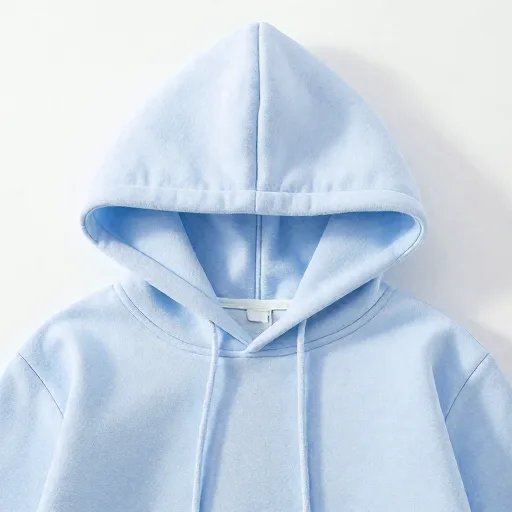
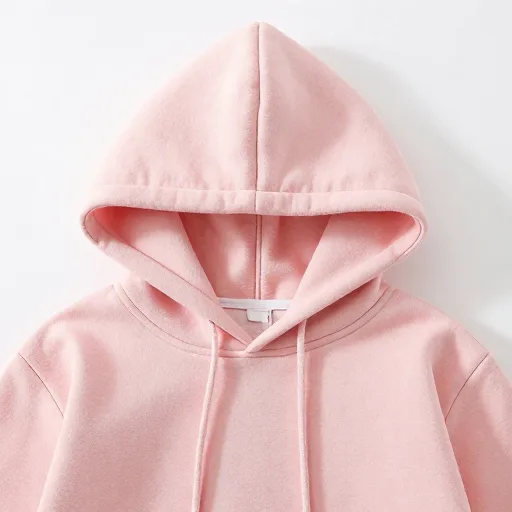
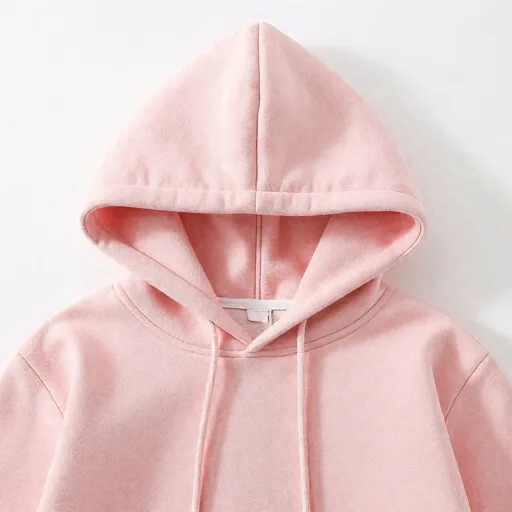
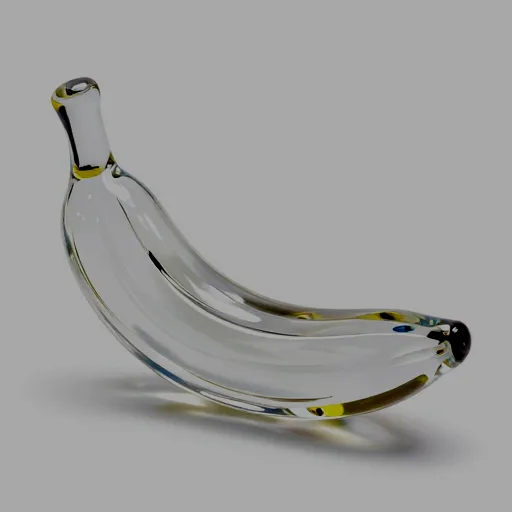
--output result.pngThese examples deliberately start with altered inputs and learn the inverse
transform from each aligned reference. Every output below was produced by
Chromapair using
examples/batch.json
and the checked-in presets.
| Example | Altered input | Reference | Chromapair output |
|---|---|---|---|
| 1. Hue shift Hue shifted by -150. |
 |
 |
 |
| 2. Contrast, brightness, and size Reduced to 80% contrast and darkened by 30%. The 64×64 reference is resized to the input's 512×512 canvas for fitting; the output remains 512×512. |
 |
 |
 |
| 3. Saturation and inversion Saturated by 50% and inverted. |
 |
 |
 |
| 4. Selective color shift Pink foliage shifted toward purple. |
 |
 |
 |
A single fit writes:
output/
├── presets/<name>.json
├── reports/<name>.json
└── <name>/
    ├── reference-areas.png
    └── selected-source.png
The preset contains the transform and reproducibility metadata. The report contains geometry, resolved sampling, all candidate errors, selection, and a SHA-256 of the canonical pretty-printed preset.
Chromapair compares an RGB histogram LUT with regularized degree 1, 2, and 3 RGB polynomials. Model selection uses averaged, spatially corresponding samples. Final histogram fitting and quality metrics use every selected visible pixel. Fully transparent source pixels are ignored. Source alpha is preserved in preview and applied output.
Presets are validated before they are written or applied. Invalid format versions, methods, LUT lengths, polynomial terms, coefficient shapes, and non-finite numeric values are rejected with a clear error.
import json
from pathlib import Path

from PIL import Image

from chromapair import apply_preset, validate_preset

preset = json.loads(Path("preset.json").read_text())
validate_preset(preset)

with Image.open("input.png") as image:
    output = apply_preset(image, preset)

output.save("output.png")
apply_preset returns a new image and does not modify its input.
Chromapair has no random fitting step. Tiles, fold assignments, candidate
ordering, coefficient rounding, JSON key ordering, and output hashing are
deterministic. Lock dependencies with the checked-in uv.lock when exact
cross-machine reproduction matters.
MIT