
This server allows you to collect logs from various sources.
- Simple and straightforward setup.
- Send single log entries or a batch of them.
- Sane pre-processing to add extra metadata to the logs.
- Complete freedom over the schema customization of logs.
- See logs in realtime as they arrive, on stackdriver logging.
-
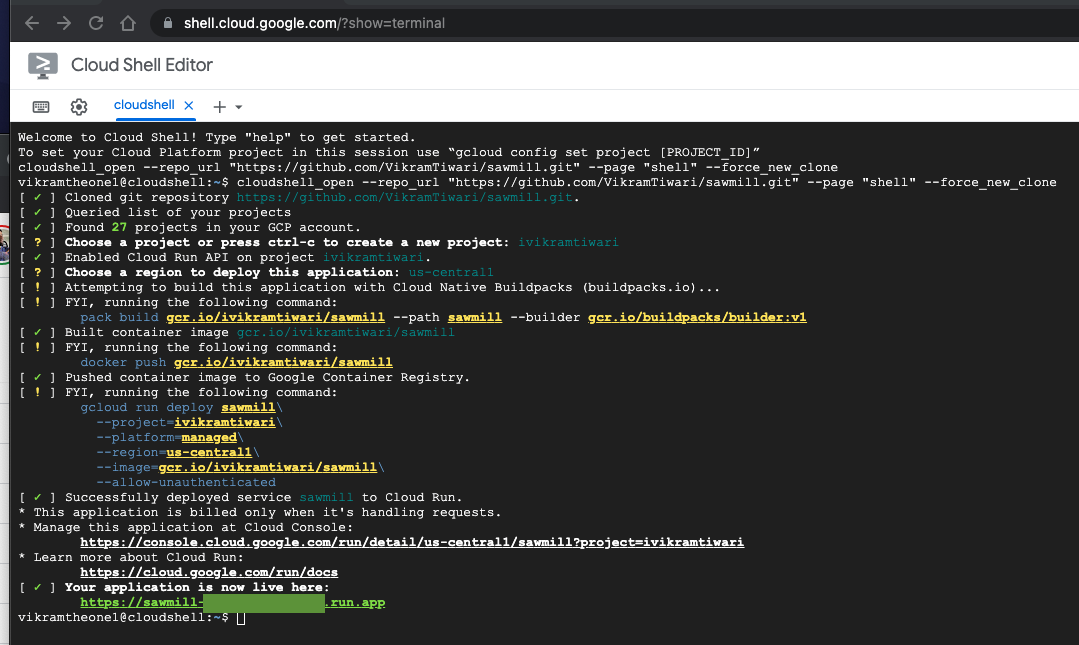
Deploy the project on cloud run using the button above. This will deploy the app to your choice of Google Cloud project along with other sane defaults.
-
Start sending POST requests to get logs on your server.
The following request:
curl --location --request POST 'https://YOUR_APP_URL/' \
--header 'Content-Type: application/json' \
--data-raw '[{
    "user": {
        "id": "unique_user_id"
    },
    "action": "login",
    "product": "website",
    "level": "debug",
    "message": "User navigated to login page.",
    "timestamp": "2021-07-18T18:11:01.050Z"
},{
    "user": {
        "id": "unique_user_id"
    },
    "action": "error",
    "product": "website",
    "level": "error",
    "message": "User couldn't login.",
    "timestamp": "2021-07-18T18:12:04.110Z"
}]'
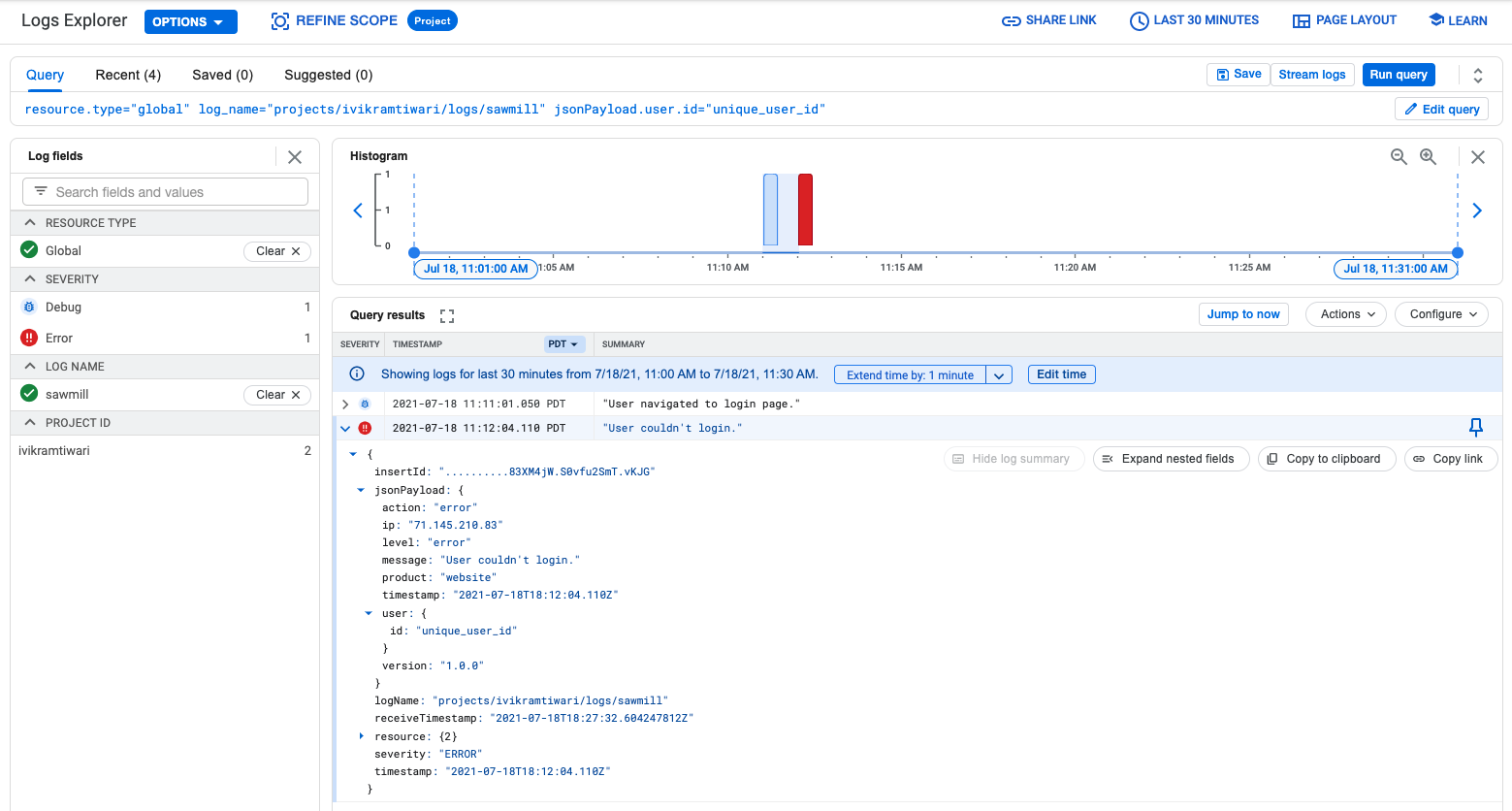
Will show up as following:
Notes about sample:
- This is a sample for batch request. You can use the same format but only include 1 message in post request to make it streaming.
- Max request size limit is 32mb and is imposed by cloud run. If you are using other service to deploy the project, check it's documentation to get the correct size limits.
- Timestamp key here is the timestamp on user's device. It's ISO timestamped. Project will use this timestamp to override stackdriver's timestamp. This allows you to see logs based on the same order as they were collected, even if they were sent as a batch.
- Level corresponds to stackdriver log severity levels. They allow you to quickly filter logs based on a level on stackdriver logging dashboard.
- Message corresponds to the message shown on stackdriver log message. I would suggest always having message key with an easy to read string message.
- All other keys can be customized based on what you and your team determines to best suit the level of granularity.