Releases: QoderAI/changelog
Release list
Qoder Security upgrades enterprise security governance

Features
-
Group-based management and custom rules: Administrators can manage security policies by group and customize L1 regex rules and L2/L3 scanning prompts, so scans align more closely with enterprise security standards.
-
Cloud-based full scans and a vulnerability dashboard: L4 full-code scanning now runs asynchronously in the cloud, removing the 10,000-line limit. The enterprise vulnerability dashboard gives administrators a clear view of organization-wide security risks.
Improvements
- Security plugin dependencies now download asynchronously, reducing blocking during use
- Improved vector memory writes after a database restore, making memory creation more reliable
Improvements

- Increased the tool execution limit for single tasks in Qoder IDE to 500 rounds, making complex long-chain tasks less likely to be interrupted prematurely.
- Tasks interrupted due to depleted credits can now be manually resumed by clicking continue after credits are restored.
Improvements
- Support for enterprises to disable external network access for the built-in browser, meeting organization-level security and operations control requirements.
- Personal Edition BYOK now supports OpenAI, Google, and OpenRouter as providers, allowing model services to be integrated as needed.
Improvements
- Added editing to the Quest window workspace, so you can modify content in place without switching back and forth.
- Plugins installed from the official Marketplace now offer one-click access to their details page online.
- Clearer prompts when the model is queuing, letting you know you can keep waiting.
Installation Directory and Executable Name Changes & AppShot now on Windows
Features
-
Installation Directory and Executable Name Changes: The Qoder desktop application has been renamed to Qoder IDE, with corresponding updates to installation directories and executable names:
- macOS: Path updated to
Qoder IDE.app/Contents/MacOS/Qoder - Windows: Installation directory updated to
Qoder IDE, executable updated toQoder IDE.exe - Linux: Package name updated to
qoder-ide, executable path updated to/usr/share/qoder-ide/qoder-ide
- macOS: Path updated to
-
AppShot for Windows: Double-tap Ctrl to capture the frontmost app window, or let realtime voice read the foreground app when you mention what's on screen, passing it to the agent as context so it grasps what you're viewing faster.
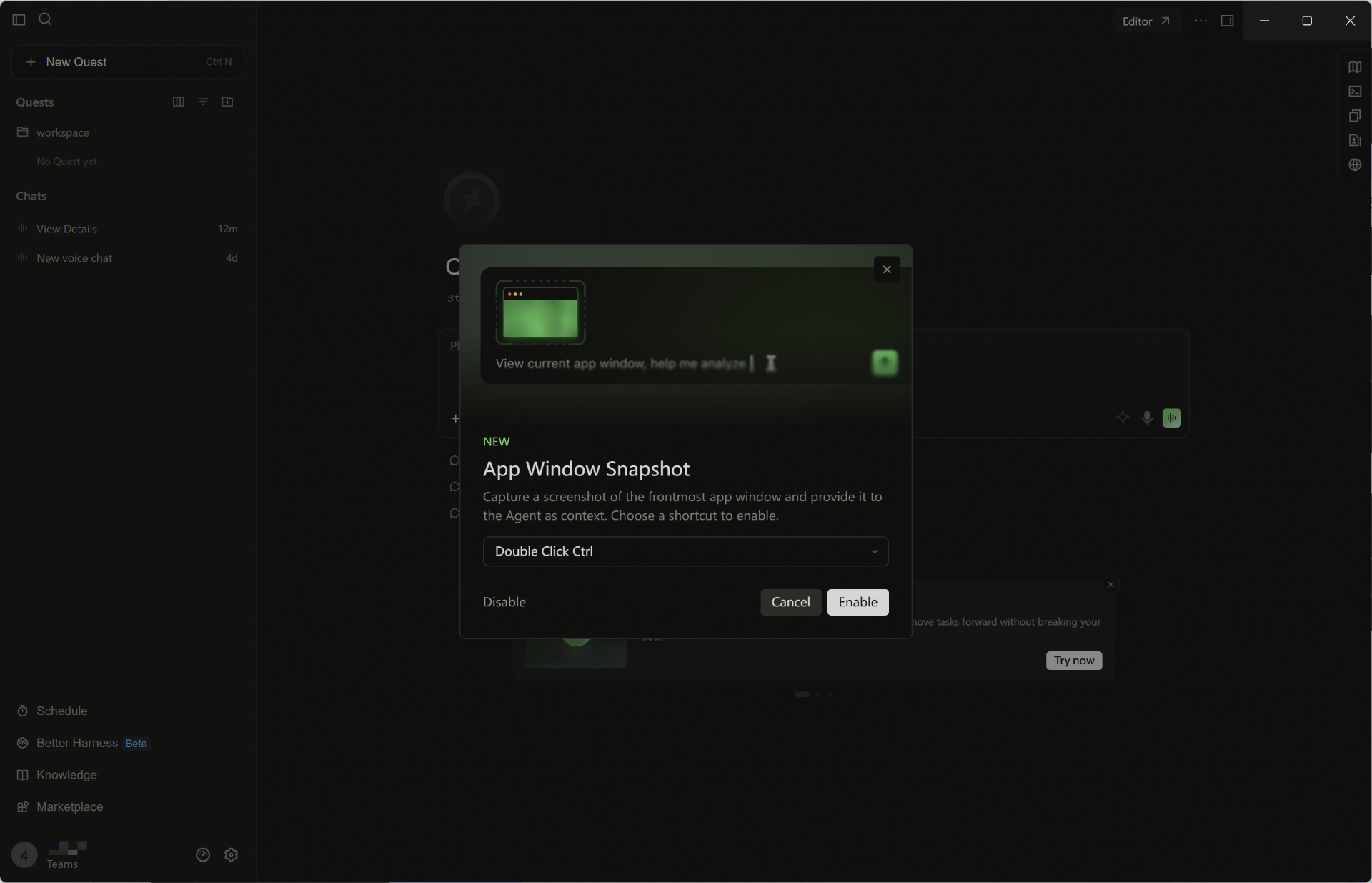
- Marketplace Chinese Localization: The Marketplace supports a Chinese interface, making plugin browsing, search, and use friendlier for Chinese users.
Improvements
- Added client info reporting for the Qoder IDE, helping enterprises centrally manage members' client details.
Improvements
- The Prompt Optimization button now shows a tooltip by default, regardless of input length, making the feature easier to discover.
- Knowledge Cards now prefetch content by default for smoother loading and less waiting.
Qoder Desktop Renamed to Qoder IDE
Notice
Starting with version 1.24.0, the app’s display name is now Qoder IDE. This change does not affect existing features, user data, billing, or agreements.
[Upcoming Change] Installation directory and executable names will also be updated in version 1.25.1 (effective August 19, 2026)
In next week’s 1.25.1 release, the installation directory and executable names will be updated as follows:
- macOS: Path updated to
Qoder IDE.app/Contents/MacOS/Qoder- Windows: Installation directory updated to
Qoder IDE, executable updated toQoder IDE.exe- Linux: Package name updated to
qoder-ide, executable path updated to/usr/share/qoder-ide/qoder-ide
If your organization relies on security allowlists, automated deployment, or software distribution controls, please update the relevant path configurations before August 18 to avoid any impact from next week’s release.
Features
- Code review now defaults to conversation scope: When triggered via built-in commands, reviews now default to changes related to the current conversation.
- Improved Spec usability: You can now copy Spec content, quickly open its source path, and jump directly to the downloaded path.
Improvements
- Improved knowledge retrieval in multi-repository workspaces, making cross-repo lookup more efficient.
- Enhanced prompt augmentation capabilities, with faster access to related actions via Slash Commands.
- Hooks now support passing arguments, improving flexibility and configurability for automation workflows.
- Expanded detection of potentially dangerous commands, with broader coverage of high-risk Git subcommands and stronger pre-execution warnings.
Support one-click plugin installation via Deeplink
Features
- Support one-click plugin installation via Deeplink: Open the link to initiate installation, making plugin sharing and distribution more convenient.
Improvements
- Optimized the default limit for conversations shown in the Editor conversation tab bar, with a clear notice when extra conversations are hidden.
- Enhanced task progress display, with clearer and more intuitive step advancement.
- Added one-click return to the bottom of a conversation for quick jumps to the latest messages.
- Clearer prompts when the model is busy, more helpful while you wait.
- Refined the edit entry in the model selector for easier recognition.
Voice Collaboration Upgrade, Side Task Support Added
Features
- Quest Live Voice supports workspace binding: When initiating real-time voice, you can select the associated workspace. The voice task will automatically inherit the corresponding project context and be archived in the correct location.
- Real-time voice supports voiceprint recognition: Enable voiceprint recognition in Settings - Voice - Real-time Voice to more accurately identify the current user's voice in multi-person or noisy environments.
-
Side task support: For details or derivative issues within the main task, you can initiate associated side tasks for concurrent processing without interrupting the main task flow, improving processing efficiency.
-
HTTP Hooks support: At key nodes such as tool calls and sessions, automatically send events to your configured HTTP interface, and based on the returned results, allow, intercept, or inject context, facilitating centralized security policies, auditing, and external integration.
Improvements
- Added setup guidance for context and thinking mode settings in BYOK configuration.
- Optimized the default maximum round limit for goal-driven execution.
- Improved response speed for new workflow creation, reducing wait time for task creation and opening related interfaces.
- Search Agent prompt content optimized to Markdown structure, making results clearer and more readable.
- Fixed occasional WSL disconnection issues
Improvements
- Optimize the display of user benefits in the usage panel.