OpenERP configuration
This instructions assume:
- You have a OpenERP server running on a remote box with Point of Sale module enabled
- You have a local machine with ProxyPoS installed & running. For ProxyPoS installation instructions see Installation
-
Login to your OpenERP instance as an user with PoS Manager permissions
-
Navigate to menu Point of Sale >> Configuration >> Point of Sales


- Open the Point of Sale you are going to use with ProxyPoS and click on Edit button
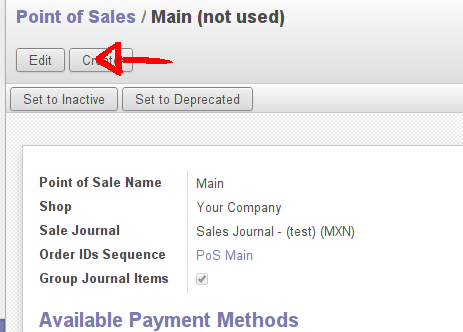
-
Enable the field Print via Proxy for enable the receipt printing
-
Enable the field Cashdrawer Interface for open the cashdrawer when on Point of Sale frontend.
-
Click on Save button.
-
Login to your frontend Point of Sale and enjoy.

