This repository was archived by the owner on Mar 30, 2022. It is now read-only.
Installation
The following are dependencies for this project:
- Flask
- picamera
- pyyaml
- wtf-flask
- wtforms
- RPi.GPIO
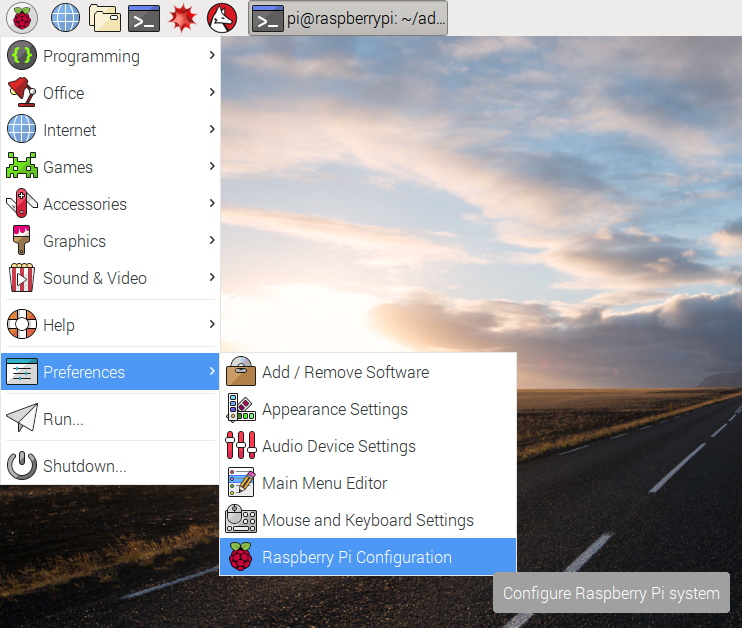
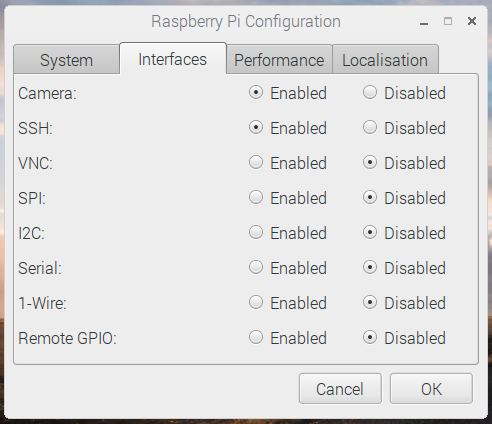
The easiest way to set up the camera is to use the raspberry pi configuation utility. On a new installation, the camera should be disabled.
Open the raspberry pi configuration utility:
Then make sure the camera is set to Enabled. Click OK.
If the first way didn't work for some reason, you can also try the method below. First, you need to open /boot/config.txt in a text editor (with sudo) and make sure the following lines look like this:
start_x=1             # essential
gpu_mem=128           # at least, or maybe more if you wish
disable_camera_led=1  # optional, if you don't want the led to glow
The camera uses the standard picamera python library