
This is a repository for the final project of the APVC curricular unit in ISCTE.
The project consists of a Convolutional neural network that makes predictions on every frame captured by the computer's webcam.
The predictions aim to find hand signs of the popular game Rock, Paper, Scissors. Since this project is focused on joining AI with elements of gamification we aim to include an immersion first approach. By also training our model to find special hand signs designed by the team members
Besides the model we will also program game logic around the main loop to store who wins each round of Rock paper scissors and who is winning overall. With this we can display a HUD over the webcam image creating a higher sense of immersion for the players.
Final report of the academic project
We built a live game where the webcam is always predicting your hand sign and checks for two players in the viewing frame. It will store your relative scores according to the Rock paper scissors gun game
Demo: Version 1.0 demo
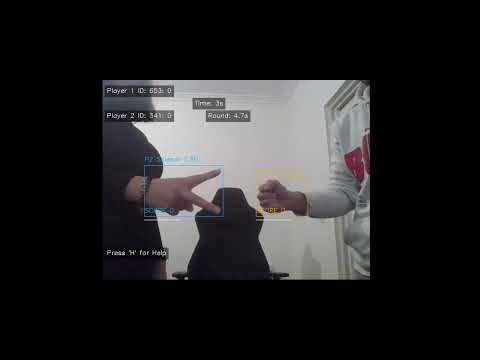
Alpha demo of the app
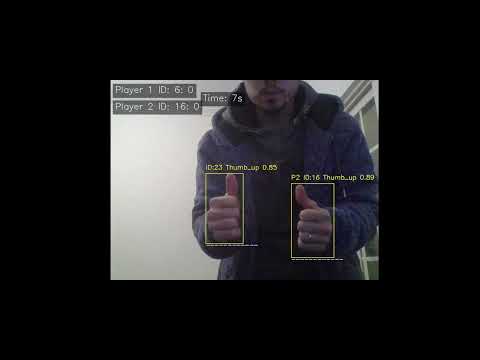
Found this dataset but it lacks bounding boxes for each image Luckily the owner of the dataset shared his code on how he generated the dataset. Which we intend to modify to also include the bounding boxes of each hand sign and this way we generate our own dataset.
https://www.kaggle.com/datasets/alexandredj/rock-paper-scissors-dataset/data
With this method we are allowed to generate datasets for other hand signs and for other hand games. For example the game of zero or one (zerinho ou um), or even signs to start, stop and restart the game.
- Modify the code found from the dataset owner to be able to generate a proper dataset with bounding boxes.
- Train our own custom Object detection model with our generated dataset.
- Code an initial form of the project that can detect the hand signs with the live webcam feed.
- Program the game logic around ur initial PoC to detect who wins each round and how many point each side holds
- The algorithm will only be focused on two player games, each player being differentiated by being on the left half or the right half of the webcam feed.
https://www.youtube.com/watch?v=mjglZWtWQCg
https://www.youtube.com/watch?v=r0RspiLG260
Needed to follow this tutorial to get gpu training to work: https://www.digitalocean.com/community/tutorials/yolov8-for-gpu-accelerate-object-detection