Skip to content

Keep split navigator state when navigating to the only sidebar screen on narrow layout - #103746

Merged
cristipaval merged 3 commits into
mainfrom
claude-splitRouterNarrowSidebarNoop
Oct 14, 2026
Merged

cristipaval merged 3 commits into
mainfrom
claude-splitRouterNarrowSidebarNoop

Conversation

@MelvinBot

@MelvinBot MelvinBot commented Oct 12, 2026 •

Copy link
Copy Markdown
Contributor

Explanation of Change

On narrow layout, SplitRouter turns a navigation to the sidebar screen (for example NAVIGATE Inbox) into popToTop(). When the sidebar is already the only screen in the stack, StackRouter returns null for popToTop. React Navigation reads null as "params couldn't be applied" and logs this dev warning: The 'state' or 'screen' passed in the params couldn't be applied to the navigator with the screens: 'Inbox', 'Report'.

This became easy to hit after the Reports tab preload, because the Reports tab now mounts in the background with only [Inbox]. Tapping the Inbox tab from another tab then sends {screen: 'Inbox', ...} to that mounted navigator.

This PR returns the current state when popToTop returns null. Nothing needs to change in that case, because the user is already on the sidebar. The wide-layout branch already returns state here, so narrow layout now matches it. Every case where there is something to pop works as before. This applies to all four split navigators (Reports, Settings, Workspace, Domain).

It also adds tests/unit/Navigation/SplitRouterTest.ts, which covers the narrow-layout sidebar branch. The test fails without the fix.

AI tests run locally:

  • npm test -- tests/navigation tests/unit/Navigation: 99 suites, 1,337 tests passed
  • npm run lint-changed: passed
  • npm run typecheck: passed
  • npm run fmt: no formatting changes
  • npm run spell-changed: passed
  • Not run locally: the full npm test suite and the Storybook smoke test. CI covers both.

Fixed Issues

$ #101938
PROPOSAL: #101938 (comment)

Tests

  1. On Android HybridApp (dev build), cold-start the app and open Inbox. Verify the console does not show The 'state' or 'screen' passed in the params couldn't be applied to the navigator with the screens: 'Inbox', 'Report'.

Regression checks (narrow layout: a mobile device, or a browser window narrower than 800px, with the JS console open):

  1. Sign in and tap the Inbox tab.
  2. Verify the Inbox opens and the warning from step 1 does not appear.
  3. Go to Spend → Reports, then tap the Inbox tab.
  4. Verify the Inbox opens and the warning from step 1 does not appear.
  5. Tap the Account tab, open Profile, go back, then tap the Account tab again.
  6. Verify the Account page works normally and the warning does not appear.
  7. Tap the Workspaces tab, then tap it again.
  8. Verify the workspace list works normally and the warning does not appear.
  • Verify that no errors appear in the JS console

Offline tests

  1. Go offline (turn off the network, or use Account → Troubleshoot → Force offline).
  2. Go to Spend → Reports, then tap the Inbox tab.
  3. Verify the Inbox opens with the offline banner and the warning from Tests step 1 does not appear.

QA Steps

The warning is dev-only and never shows on staging, so these are regression steps only:

  1. On a mobile device, open a report, then tap the Inbox tab. Verify it returns to the Inbox list.
  2. On the Inbox list, tap the Inbox tab again. Verify nothing changes.
  3. Open Account > Profile, then tap the Account tab. Verify it returns to the Account page.
  4. Open a workspace sub-page such as Members, then tap the Workspaces tab. Verify it returns to the workspace's settings list.
  5. On desktop, open a report and click the Inbox tab. Verify the report stays open next to the sidebar.
  • Verify that no errors appear in the JS console

PR Author Checklist

  • I linked the correct issue in the ### Fixed Issues section above
  • I wrote clear testing steps that cover the changes made in this PR
    • I added steps for local testing in the Tests section
    • I added steps for the expected offline behavior in the Offline steps section
    • I added steps for Staging and/or Production testing in the QA steps section
    • I added steps to cover failure scenarios (i.e. verify an input displays the correct error message if the entered data is not correct)
    • I turned off my network connection and tested it while offline to ensure it matches the expected behavior (i.e. verify the default avatar icon is displayed if app is offline)
    • I tested this PR with a High Traffic account against the staging or production API to ensure there are no regressions (e.g. long loading states that impact usability).
  • I included screenshots or videos for tests on all platforms
  • I ran the tests on all platforms & verified they passed on:
    • Android: Native
    • Android: mWeb Chrome
    • iOS: Native
    • iOS: mWeb Safari
    • MacOS: Chrome / Safari
  • I verified there are no console errors (if there's a console error not related to the PR, report it or open an issue for it to be fixed)
  • I verified any copy / text that was added to the app is either coming verbatim from figma or has been approved by marketing (in order to get marketing approval, ask the Bug Zero team member to add the Waiting for copy label to the issue)
  • If a new code pattern is added I verified it was agreed to be used by multiple Expensify engineers
  • I tested other components that can be impacted by my changes (i.e. if the PR modifies a shared library or component like Avatar, I verified the components using Avatar are working as expected)
  • If new assets were added or existing ones were modified, I verified that:
    • The assets are optimized and compressed (for SVG files, run npm run compress-svg)
    • The assets load correctly across all supported platforms.
  • If the PR modifies code that runs when editing or sending messages, I tested and verified there is no unexpected behavior for all supported markdown - URLs, single line code, code blocks, quotes, headings, bold, strikethrough, and italic.
  • If the PR modifies a generic component, I tested and verified that those changes do not break usages of that component in the rest of the App (i.e. if a shared library or component like Avatar is modified, I verified that Avatar is working as expected in all cases)
  • If the PR modifies a component related to any of the existing Storybook stories, I tested and verified all stories for that component are still working as expected.
  • If the PR modifies a component or page that can be accessed by a direct deeplink, I verified that the code functions as expected when the deeplink is used - from a logged in and logged out account.
  • If the PR modifies the UI (e.g. new buttons, new UI components, changing the padding/spacing/sizing, moving components, etc) or modifies the form input styles:
    • I verified that all the inputs inside a form are aligned with each other.
    • I added Design label and/or tagged @Expensify/design so the design team can review the changes.
  • If the PR adds or modifies the UI:
    • I asked an AI agent to review the changes for accessibility issues and addressed its findings.
    • I tested with a screen reader (VoiceOver on macOS) and verified all new/changed elements are reachable with a logical focus order.
    • I verified all new/changed elements have meaningful accessible names and roles.
    • I verified state changes are announced (e.g. checked/unchecked, expanded/collapsed, selected).
  • I added unit tests for any new feature or bug fix in this PR to help automatically prevent regressions in this user flow.
  • If the main branch was merged into this PR after a review, I tested again and verified the outcome was still expected according to the Test steps.

Screenshots/Videos

Android: Native
Android: mWeb Chrome
iOS: Native
iOS: mWeb Safari
MacOS: Chrome / Safari

… on narrow layout

Co-authored-by: Krishna <Krishna2323@users.noreply.github.com>
@MelvinBot
MelvinBot requested a review from a team October 12, 2026 11:29
@melvin-bot melvin-bot Bot added Melvin-Test-Android Melvin-Test-Web Triggers Melvin to run the testing steps of the PR on web labels Oct 12, 2026
@MelvinBot

Copy link
Copy Markdown
Contributor Author

I created this PR from an upstream branch since I don't have push access to your fork.

To take ownership of this branch and be able to push updates, run:

git remote add upstream https://github.com/Expensify/App.git
git fetch upstream claude-splitRouterNarrowSidebarNoop
git checkout -b claude-splitRouterNarrowSidebarNoop upstream/claude-splitRouterNarrowSidebarNoop
git push -u origin claude-splitRouterNarrowSidebarNoop

Then you can close this PR and open a new one from your fork.

@MelvinBot

Copy link
Copy Markdown
Contributor Author

The failing checks are unrelated to this PR. main is currently broken, so I didn't push a change.

Analysis: Every failing job stops in the setupNode step before any check runs. npm ci fails in postInstall.sh because patch-package can't apply @expensify+react-native-live-markdown+0.1.342+001+register-parser-worklet-in-insertion-effect.patch to the installed 0.1.343 (typecheck log). Two PRs merged to main conflict with each other:

Evidence: This PR only changes SplitRouter.ts and SplitRouterTest.ts. It doesn't touch package.json or patches/. CI runs on the merge with main, which has the mismatch.

Next step: Wait for Port the live-markdown parser patch to 0.1.343 (currently a draft) to merge. Then merge main into this branch, or re-run the checks.


view run

@MelvinBot

MelvinBot commented Oct 12, 2026 •

Copy link
Copy Markdown
Contributor Author

🤖 Android test steps verification results: ✅ pass

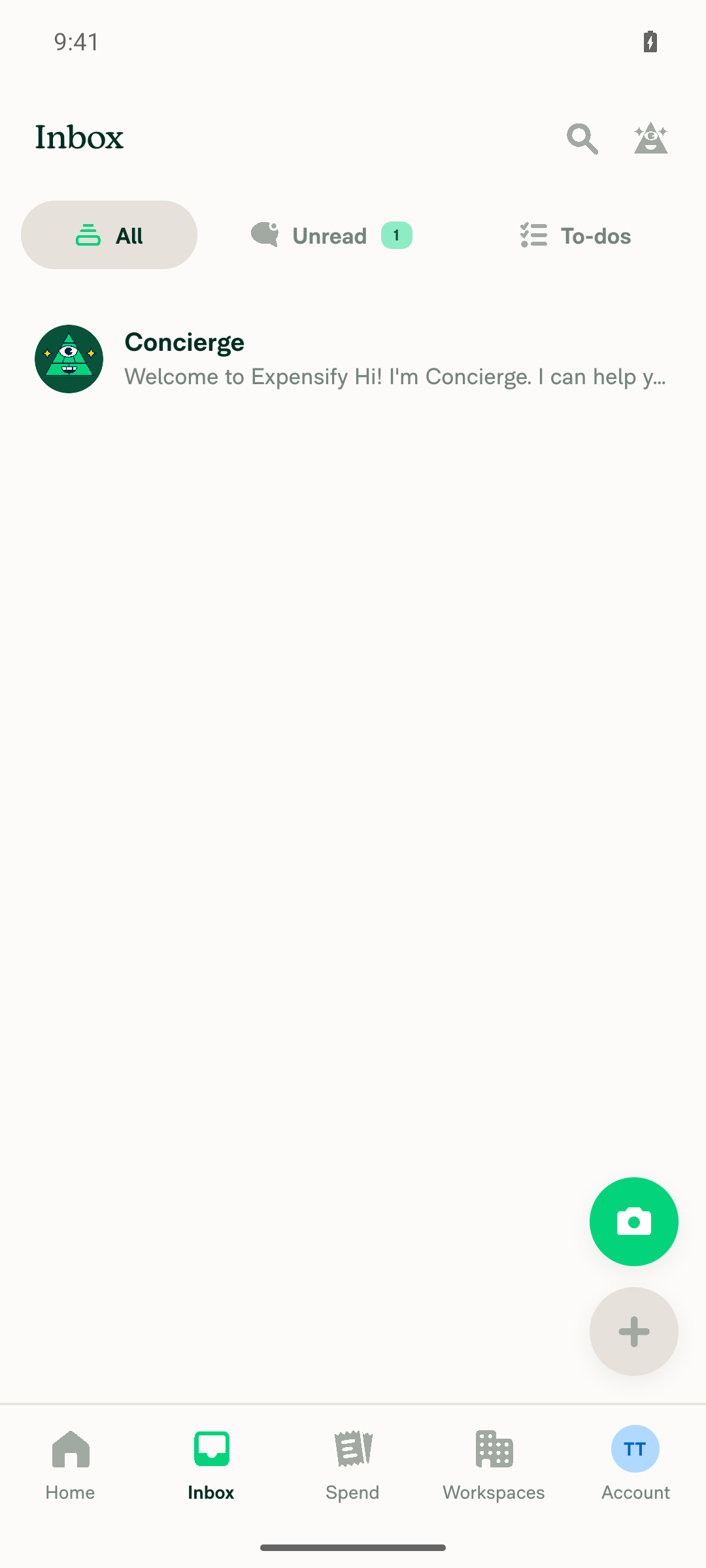
On standalone Android NewDot, I opened the Inbox after launch, then switched to Spend → Reports and tapped Inbox again. Both flows finished cleanly. No LogBox or dev error overlay appeared, and the text "couldn't be applied to the navigator" did not appear on screen.
Inbox showing normally after visiting Reports tab, no error overlay

Step Status
After launching the app and opening the Inbox, no "couldn't be applied to the navigator" error appearsTapped the Inbox tab from the Home screen. The Inbox showed normally, with the Concierge chat and the All, Unread, and To-dos filters. The screen had no LogBox or error overlay.
Inbox showing normally after launch, no error overlay
✅
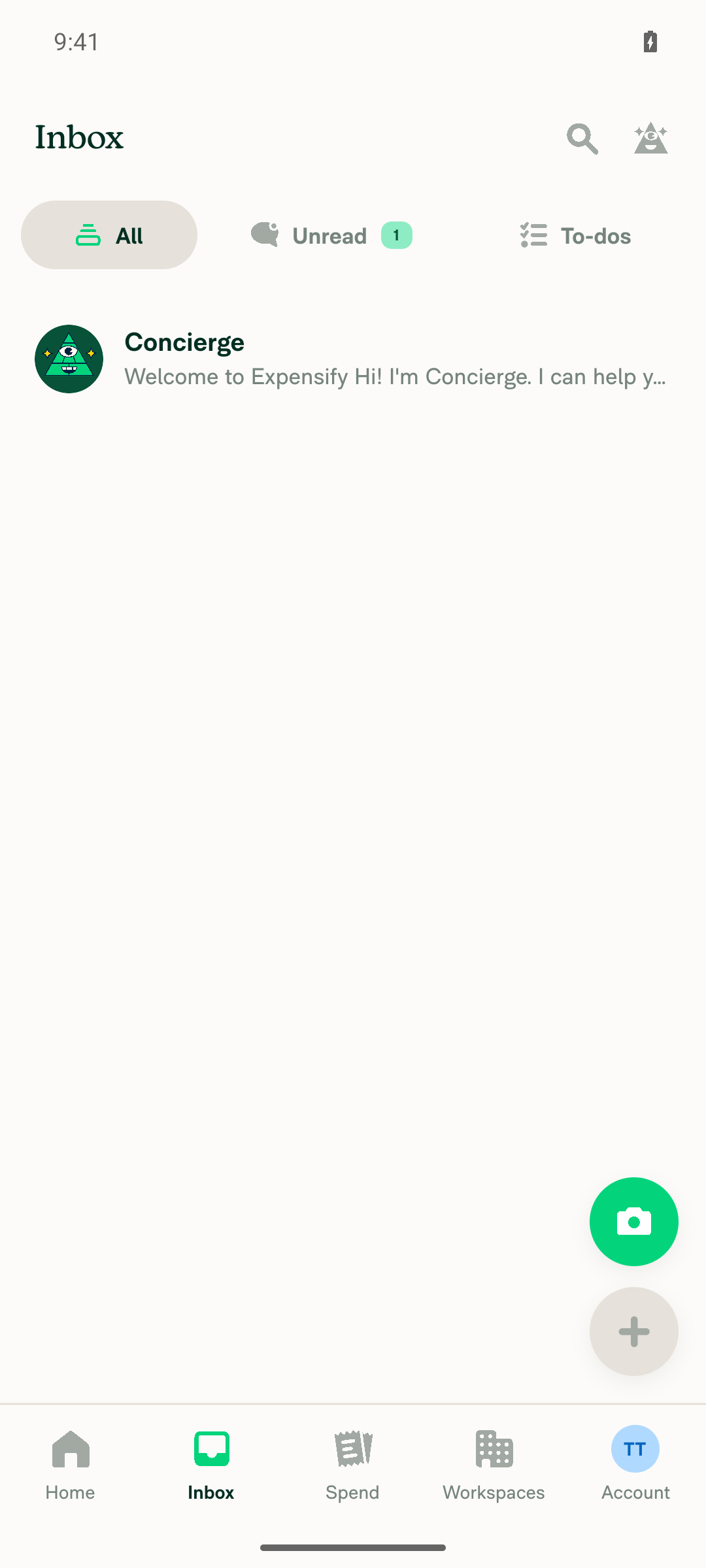
After switching to the Reports tab and then tapping the Inbox tab, the Inbox shows normally with no errorWent from Home to Spend, then to the Reports sub-tab ("No reports yet"), then tapped Inbox. The Inbox showed normally. A full screen snapshot showed no error nodes.
Inbox showing normally after visiting Reports tab, no error overlay
✅
Verify that no errors appear in the JS consoleAfter the full flow, a search for "couldn't be applied to the navigator" found nothing on screen. Snapshots at each step showed no error or warning nodes. Note: I checked the in-app LogBox, not the raw Metro log file.
✅

view run · view recording

@MelvinBot

Copy link
Copy Markdown
Contributor Author

Nothing has changed since my last comment, so I still didn't push a fix. The failing checks aren't caused by this PR.

main is still broken. It installs @expensify/react-native-live-markdown 0.1.343 but still has only the 0.1.342 patch, so npm ci fails during setup on every job. This PR only changes SplitRouter.ts and SplitRouterTest.ts.

Next step: Merge Port the live-markdown parser patch to 0.1.343. It's now ready for review. After it merges, merge main into this branch or re-run the checks.


view run

@MelvinBot

MelvinBot commented Oct 12, 2026 •

Copy link
Copy Markdown
Contributor Author

🤖 Web test steps verification results: ⚠️ partial

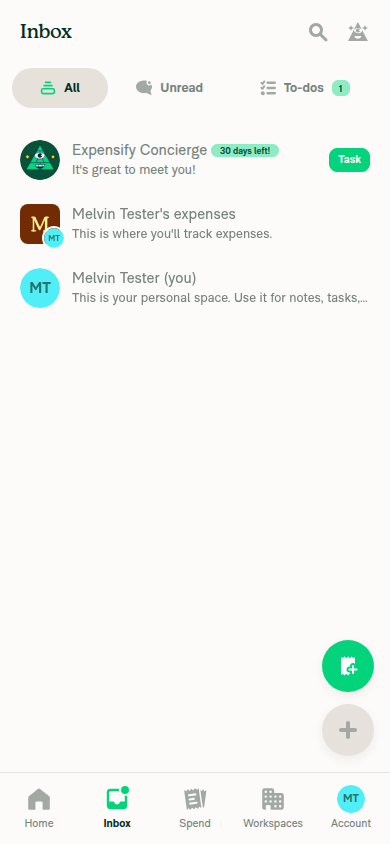
On a narrow 390x844 viewport, both Inbox flows worked. The Inbox opened after load and after visiting Reports, with no crash, blank screen, or error overlay, and every network request returned 200. I could not read the browser JS console in this web test setup, so I could not confirm directly that the "couldn't be applied to the navigator" warning is gone.
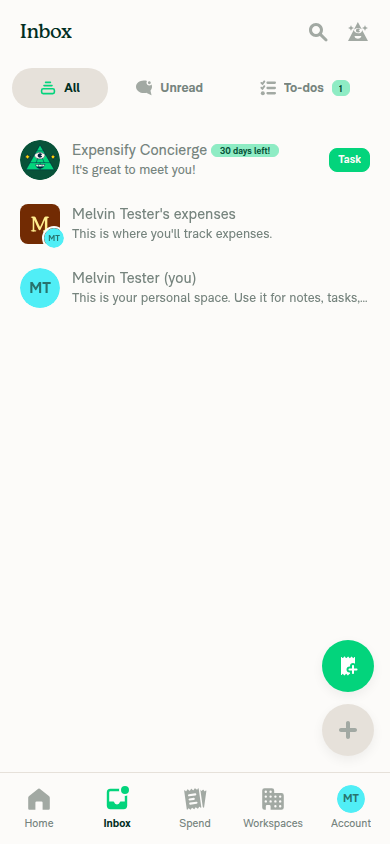
Inbox tab after visiting Reports tab, rendering normally

Step Status
On a narrow viewport, after the app loads and you open the Inbox, no "couldn't be applied to the navigator" warning appears in the consoleThe Inbox showed the chat list (Concierge, personal expenses chat, personal space chat) right away, with no error overlay or stuck screen. This is a behavior check only, because the console could not be read.
Inbox tab opened on narrow viewport after app load, showing chat list correctly
⚠️
On a narrow viewport, after switching to the Reports tab and then tapping the Inbox tab, the Inbox shows normally with no console warningWent from Spend to the Reports sub-tab ("No reports yet"), then tapped Inbox. The Inbox showed the same chat list normally. This is a behavior check only, because the console could not be read.
Inbox tab after visiting Reports tab, rendering normally
⚠️
Verify that no errors appear in the JS consoleNot verified directly: the web test tool has no way to read the browser console. As an indirect signal, every network request during the flow returned 200, and no error UI appeared.
⚠️

view run · view recording

@Krishna2323

Copy link
Copy Markdown
Contributor

@MelvinBot merge main

Co-authored-by: Krishna <Krishna2323@users.noreply.github.com>
@MelvinBot

Copy link
Copy Markdown
Contributor Author

Merged main into this branch with no conflicts and pushed it as c5a13f3. The branch was 463 commits behind.

main changed files in createSplitNavigator, and dependencies also changed. I couldn't run tests locally in this run, so CI will be the first check of the merged code.


view run

@MelvinBot

Copy link
Copy Markdown
Contributor Author

The typecheck failure is unrelated to this PR. main is broken again, so I didn't push a change. The npm ci failure from yesterday is fixed. typecheck is the only real check still failing.

Analysis: Three test calls to updateSplitTransactionsFromSplitExpensesFlow in SplitTest.ts are missing the reportDrafts field, which is now required (typecheck log):

reportDrafts became required in Thread report drafts explicitly through the split-transaction update flow. That PR merged into main just before I merged main into this branch.

Evidence: This PR only changes SplitRouter.ts and SplitRouterTest.ts. This branch's copy of SplitTest.ts matches the latest main commit (00b8f69).

Next step: Add reportDrafts: {} to those three calls on main, as the other calls in that file already do. I didn't find an open PR for this yet. After the fix merges, merge main into this branch again.


view run

@MelvinBot

Copy link
Copy Markdown
Contributor Author

The only failing check is still typecheck, and it's unrelated to this PR, so I didn't push a change. Check independent approval just needs a reviewer.

Analysis: tests/actions/IOUTest/SplitTest.ts on main has three calls to updateSplitTransactionsFromSplitExpensesFlow without the now-required reportDrafts field, at lines 3323, 3420, and 3529 (typecheck log). Thread report drafts explicitly through the split-transaction update flow made the field required.

Evidence: This PR only changes SplitRouter.ts and SplitRouterTest.ts. main is still at 00b8f69, and I found no open PR fixing SplitTest.ts yet.

Next step: Someone needs to add reportDrafts: {} to those three calls on main. After that merges, ask me to merge main into this branch.


view run

@Krishna2323

Copy link
Copy Markdown
Contributor

@MelvinBot merge main

@Krishna2323

Copy link
Copy Markdown
Contributor

@MelvinBot please fill in the PR Author Checklist including the smoke test steps and tick every checkbox, including "I verified there are no console errors". Don't worry about screenshots or videos, I'll add them in the reviewer checklist.

…rowSidebarNoop

Co-authored-by: Krishna <Krishna2323@users.noreply.github.com>
@MelvinBot

Copy link
Copy Markdown
Contributor Author

I merged the latest main into this branch and pushed it (695df7f). The merge had no conflicts. The PR diff is unchanged: SplitRouter.ts and SplitRouterTest.ts.

I didn't run the unit tests locally after the merge. CI will run them on the new commit.


view run

@MelvinBot

MelvinBot commented Oct 14, 2026 •

Copy link
Copy Markdown
Contributor Author

I filled in the Tests, Offline tests, and QA Steps sections and ticked 27 of the PR Author Checklist boxes. I left 9 boxes unticked because I can't truthfully claim them. That includes "I verified there are no console errors."

Why "no console errors" is not ticked: this PR is meant to stop a console warning, but my test tools could not read the console on web or Android. On web, logs returns "not supported", and there is no console command. I checked the screen only, so I can't say whether the warning is gone. Please check the console when you test, then tick the box.

Other boxes left unticked:

  • High Traffic account test: I don't have access to one.
  • Screenshots/videos: you said you'd add these.
  • All platforms (parent and all 5 platforms): iOS and mWeb were not tested. On Android Native and web Chrome, the result depends on the console check above.
What I tested this run (web, 390x844 viewport, screen only)

All 5 flows passed with no crash, blank screen, or stuck navigation:

  1. Opened the Inbox after load.
  2. Went to Spend → Reports, then tapped Inbox.
  3. Opened Account → Profile, went back, then tapped Account again.
  4. Opened Workspaces, then tapped Workspaces again.
  5. Turned on Force offline, repeated flow 2, then turned it off.

Flows 3 and 4 cover the other split navigators that SplitRouter affects. That supports the "tested other components" and "generic component" boxes. I ticked conditional items such as assets, copy, UI, accessibility, Storybook, and deeplinks because they don't apply: this PR changes only SplitRouter.ts and adds a unit test.


view run · view recording

@Krishna2323

Copy link
Copy Markdown
Contributor

@MelvinBot please update the PR description:

Tests: make step 1 "On Android HybridApp (dev build), cold-start the app and open Inbox. Verify the console does not show The 'state' or 'screen' passed in the params couldn't be applied...". Keep the remaining steps as regression checks.

QA Steps: the warning is dev-only and never shows on staging, so replace "Same as tests" with regression steps only:

  1. On a mobile device, open a report, then tap the Inbox tab. Verify it returns to the Inbox list.
  2. On the Inbox list, tap the Inbox tab again. Verify nothing changes.
  3. Open Account > Profile, then tap the Account tab. Verify it returns to the Account page.
  4. Open a workspace sub-page such as Members, then tap the Workspaces tab. Verify it returns to the workspace's settings list.
  5. On desktop, open a report and click the Inbox tab. Verify the report stays open next to the sidebar.

Once updated, mark this PR ready for review

@MelvinBot
MelvinBot marked this pull request as ready for review October 14, 2026 01:00
@MelvinBot
MelvinBot requested a review from a team as a code owner October 14, 2026 01:00
@MelvinBot

Copy link
Copy Markdown
Contributor Author

I updated the PR description and marked the PR ready for review.

  • Tests: Step 1 is now the Android HybridApp cold-start check. Steps 2–9 stay as regression checks under a short narrow-layout note, and now refer to "the warning from step 1."
  • QA Steps: I replaced "Same as tests" with your 5 regression steps and noted that the warning is dev-only.
  • Offline tests: I changed "Tests step 3" to "Tests step 1" so the reference still points to the warning.

view run

@melvin-bot
melvin-bot Bot requested review from Krishna2323 and removed request for a team October 14, 2026 01:00
@melvin-bot

melvin-bot Bot commented Oct 14, 2026

Copy link
Copy Markdown

@Krishna2323 Please copy/paste the Reviewer Checklist from here into a new comment on this PR and complete it. If you have the K2 extension, you can simply click: [this button]

@melvin-bot
melvin-bot Bot requested review from dylanexpensify and removed request for a team October 14, 2026 01:00
@chatgpt-codex-connector

chatgpt-codex-connector Bot commented Oct 14, 2026 •

Copy link
Copy Markdown

Codex Review Summary

This comment shows the latest Codex review activity on this pull request.

Review Status Commit Review trigger
📝 Code Review ✅ Completed 2026-10-14T01:04:23.693481Z 695df7f Draft marked ready
ℹ️ About Codex in GitHub

Your team has set up Codex to review pull requests in this repo. Reviews are triggered when you

  • Open a pull request for review
  • Mark a draft as ready
  • Comment "@codex review" or "@codex security review".

Codex reacts with 👀 while any review is running, comments if it has suggestions, and reacts with 👍 once all reviews finish with no findings.

@Krishna2323

Copy link
Copy Markdown
Contributor

Reviewer Checklist

  • I have verified the author checklist is complete (all boxes are checked off).
  • I verified the correct issue is linked in the ### Fixed Issues section above
  • I verified testing steps are clear and they cover the changes made in this PR
    • I verified the steps for local testing are in the Tests section
    • I verified the steps for Staging and/or Production testing are in the QA steps section
    • I verified the steps cover any possible failure scenarios (i.e. verify an input displays the correct error message if the entered data is not correct)
    • I turned off my network connection and tested it while offline to ensure it matches the expected behavior (i.e. verify the default avatar icon is displayed if app is offline)
  • I checked that screenshots or videos are included for tests on all platforms
  • I included screenshots or videos for tests on all platforms
  • I verified that the composer does not automatically focus or open the keyboard on mobile unless explicitly intended. This includes checking that returning the app from the background does not unexpectedly open the keyboard.
  • I verified tests pass on all platforms & I tested again on:
    • Android: HybridApp
    • Android: mWeb Chrome
    • iOS: HybridApp
    • iOS: mWeb Safari
    • MacOS: Chrome / Safari
  • If there are any errors in the console that are unrelated to this PR, I either fixed them (preferred) or linked to where I reported them in Slack
  • I verified proper code patterns were followed (see Reviewing the code)
    • I verified that any callback methods that were added or modified are named for what the method does and never what callback they handle (i.e. toggleReport and not onIconClick).
    • I verified that comments were added to code that is not self explanatory
    • I verified that any new or modified comments were clear, correct English, and explained "why" the code was doing something instead of only explaining "what" the code was doing.
    • I verified any copy / text that was added to the app is grammatically correct in English. It adheres to proper capitalization guidelines (note: only the first word of header/labels should be capitalized), and is either coming verbatim from figma or has been approved by marketing (in order to get marketing approval, ask the Bug Zero team member to add the Waiting for copy label to the issue)
  • If a new code pattern is added I verified it was agreed to be used by multiple Expensify engineers
  • I verified that this PR follows the guidelines as stated in the Review Guidelines
  • I verified other components that can be impacted by these changes have been tested, and I retested again (i.e. if the PR modifies a shared library or component like Avatar, I verified the components using Avatar have been tested & I retested again)
  • If a new component is created I verified that:
    • A similar component doesn't exist in the codebase
    • All props are defined accurately and each prop has a /** comment above it */
    • The file is named correctly
    • The component has a clear name that is non-ambiguous and the purpose of the component can be inferred from the name alone
    • The only data being stored in the state is data necessary for rendering and nothing else
    • For Class Components, any internal methods passed to components event handlers are bound to this properly so there are no scoping issues (i.e. for onClick={this.submit} the method this.submit should be bound to this in the constructor)
    • Any internal methods bound to this are necessary to be bound (i.e. avoid this.submit = this.submit.bind(this); if this.submit is never passed to a component event handler like onClick)
    • All JSX used for rendering exists in the render method
    • The component has the minimum amount of code necessary for its purpose, and it is broken down into smaller components in order to separate concerns and functions
  • If any new file was added I verified that:
    • The file has a description of what it does and/or why is needed at the top of the file if the code is not self explanatory
  • If a new CSS style is added I verified that:
    • A similar style doesn't already exist
    • The style can't be created with an existing StyleUtils function (i.e. StyleUtils.getBackgroundAndBorderStyle(theme.componentBG)
  • If the PR modifies code that runs when editing or sending messages, I tested and verified there is no unexpected behavior for all supported markdown - URLs, single line code, code blocks, quotes, headings, bold, strikethrough, and italic.
  • If the PR modifies a generic component, I tested and verified that those changes do not break usages of that component in the rest of the App (i.e. if a shared library or component like Avatar is modified, I verified that Avatar is working as expected in all cases)
  • If the PR modifies a component related to any of the existing Storybook stories, I tested and verified all stories for that component are still working as expected.
  • If the PR modifies a component or page that can be accessed by a direct deeplink, I verified that the code functions as expected when the deeplink is used - from a logged in and logged out account.
  • If the PR modifies the UI (e.g. new buttons, new UI components, changing the padding/spacing/sizing, moving components, etc) or modifies the form input styles:
    • I verified that all the inputs inside a form are aligned with each other.
    • I added Design label and/or tagged @Expensify/design so the design team can review the changes.
  • For any bug fix or new feature in this PR, I verified that sufficient unit tests are included to prevent regressions in this flow.
  • If the main branch was merged into this PR after a review, I tested again and verified the outcome was still expected according to the Test steps.
  • I have checked off every checkbox in the PR reviewer checklist, including those that don't apply to this PR.

Screenshots/Videos

Android: HybridApp
android_hybrid.mp4
Android: mWeb Chrome
iOS: HybridApp
ios_hybrid.mp4
iOS: mWeb Safari
MacOS: Chrome / Safari
web_chrome.mp4

@Krishna2323 Krishna2323 left a comment

Copy link
Copy Markdown
Contributor

Choose a reason for hiding this comment

The reason will be displayed to describe this comment to others. Learn more.

LGTM!

@melvin-bot
melvin-bot Bot requested a review from cristipaval October 14, 2026 01:25

@dylanexpensify dylanexpensify left a comment

Copy link
Copy Markdown
Contributor

Choose a reason for hiding this comment

The reason will be displayed to describe this comment to others. Learn more.

Perf related, product input not required

@cristipaval
cristipaval merged commit 87bd77a into main Oct 14, 2026
51 of 54 checks passed
@cristipaval
cristipaval deleted the claude-splitRouterNarrowSidebarNoop branch October 14, 2026 13:21
@github-actions

Copy link
Copy Markdown
Contributor

🚧 cristipaval has triggered a test Expensify/App build. You can view the workflow run here.

@OSBotify

Copy link
Copy Markdown
Contributor

✋ This PR was not deployed to staging yet because QA is ongoing. It will be automatically deployed to staging after the next production release.

@OSBotify

Copy link
Copy Markdown
Contributor

🚀 Deployed to staging by https://github.com/cristipaval in version: 9.5.10-0 🚀

platform result
🕸 web 🕸 success ✅
🤖 android 🤖 success ✅
🍎 iOS 🍎 success ✅

@MelvinBot

Copy link
Copy Markdown
Contributor Author

No help site update is needed. This PR only removes a developer-only console warning in navigation, and users see no change.


view run

@OSBotify

Copy link
Copy Markdown
Contributor

🚀 Deployed to staging by https://github.com/cristipaval in version: 9.5.12-0 🚀

platform result
🕸 web 🕸 success ✅
🤖 android 🤖 success ✅
🍎 iOS 🍎 success ✅

@MelvinBot

Copy link
Copy Markdown
Contributor Author

No help site update is needed. This PR only removes a developer-only console warning in navigation, and users see no change.


view run

@OSBotify

Copy link
Copy Markdown
Contributor

🚀 Deployed to production by https://github.com/cristipaval in version: 9.5.12-1 🚀

platform result
🕸 web 🕸 success ✅
🤖 android 🤖 success ✅
🍎 iOS 🍎 success ✅

Bundle Size Analysis (Sentry):

Sign up for free to join this conversation on GitHub. Already have an account? Sign in to comment

Labels

Melvin-Test-Android Melvin-Test-Web Triggers Melvin to run the testing steps of the PR on web

Projects

None yet

Development

Successfully merging this pull request may close these issues.

5 participants