Getting started
DungeonsXL is, after all, a relatively complex plugin. In order to understand it, you should go on step by step, try out the features you're interested in and get a feeling for them.
First of all, make sure XLib is installed on your server. You also might want to check out the soft dependencies and incompatibilities of DXL. Even though DungeonsXL will work perfectly fine without anything else but XLib, specialized plugins may be useful additions.
Especially if you're using Minecraft 1.8.x, you should read the legacy support page to avoid confusion as some features might not work with old versions.
DungeonsXL is fundamentally a world instantiation system. The basic principle is: You pre-build a world in an editor mode. Players play an individual copy of what you build alone, in groups or (competitively with or without PvP) in multiple groups. Multiple playthroughs can happen simultaneously without players interacting with each other, because each loaded instance is its own world.
The command /dxl create {dungeon name} will create a new flat world where you can build the structures you desire to be inside your dungeon. The player who created the new map will instantly be teleported to the map spawn.
You can always leave a dungeon instance, be it an edit or game world, with /dxl leave. A player who leaves an edit world gets his old inventory, potion effects, levels, game mode etc. back.
Of course, you can use an already built map as well. Just copy any map you want as a DXL map to DungeonsXL/maps/; DungeonsXL will find and recognize it.
You can also easily import a map from the world container of the server (the world container of CraftBukkit is the main directory) with /dxl import {world name}.
If you want to work on an existing map, just type in /dxl edit {dnugeon name}. You can see a list of all existing dungeon maps with /dxl list. If a player edits a map, he gets creative mode, the inventory is saved and cleared and all commands are denied unless the player has the permission node dxl.bypass. Therefore, a player who is editing a dungeon map is unable to interact with the main worlds of the server. This is quite useful if you want to provide a possibility to build in creative mode without the need to grant dangerous permissions.
A player is allowed to edit a map if he has the permission node dxl.edit or if he is explicitely invited to work on a map. To invite a player, run the command /dxl invite {player name} {map}.
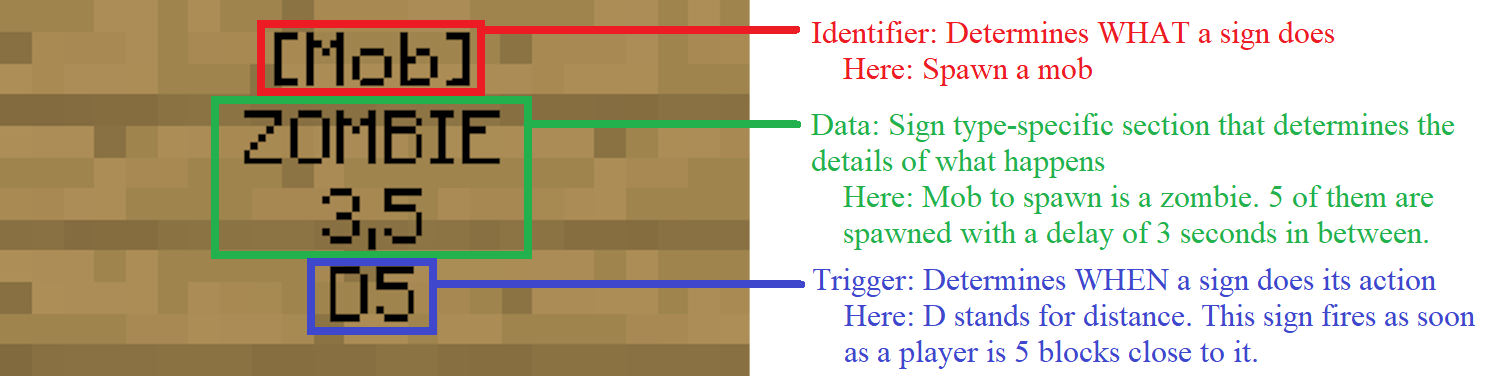
Block structures are not the only thing to prepare in the edit mode. In short, dungeon signs are DungeonsXL's native method to do make things happen inside dungeons. The principle is easy: A dungeon builder enters an edit world, puts a sign somewhere and writes a specific code on it. Whenever a player enters an instance of the dungeon, the signs turn into air and do things, such as summoning NPCs, sending messages to the player, serving as checkpoints or ending the game and sending the players back into the main world. When exactly that happens is determined by a trigger code. For example, a checkpoint may be triggered when a player is in range, a door is opened when a key item is used and so forth.
Dungeon signs define...
...what happens...
The first line of the sign defines the type of the sign. The second and the third line contain information to handle the details of "what happens".
...where...
The position where you place the sign is the position where the actions defined by the sign will happen.
...under which circumstances.
The fourth line of each sign contains one or more triggers. A trigger is a condition which must be fulfilled before the action defined in the first three lines happens. Common examples are distance triggers that trigger their sign if a player walks more or less close to it or mob triggers that require PvE kills. A list of all triggers is available here.
The game mechanics of DungeonsXL are customized through game rules. They determine for example the requirements a player needs to fulfill to be allowed to enter the dungeon, if players may use their own items in the dungeon or kits, or whether friendly fire is prevented. This article contains a list of all rules, but reading the simple example dungeon setup first for a practical example is advised.
A dungeon can be entered through multiple different ways. The principle is always the same, though:
- The players form a group. This may be skipped if one player plays the dungeon alone.
- Multiple groups are added to the game. This may be skipped if one group plays the dungeon without competition.
- The group(s) enter the dungeon lobby.
- There, they choose a class and their equipment. If this is done, they enter the actual game area.
- The game starts.
Players can setup their groups with a group sign in one of the main worlds. Group leaders may use the game sign to add their groups to a game with multiple groups. No game sign is needed for dungeons where all players cooperate. You should also add a leave sign, just in case that a player doesn't know the dxl leave command or for reasons of comfort.
The portal does not need any link to the dungeon as this is defined by the signs; just create it with /dxl portal and DungeonsXL will handle the rest.
If you'd like to, you can specify other materials than the portal block through the command, for example through /dxl portal WATER. Portal blocks are recommended because they obviously are the block that is intended to be a portal. They are explicitly supported, while other materials are not handled specifically and might not work as intended or break upon new Minecraft versions if their physics change.
A correct sign / portal setup should look similar to this:
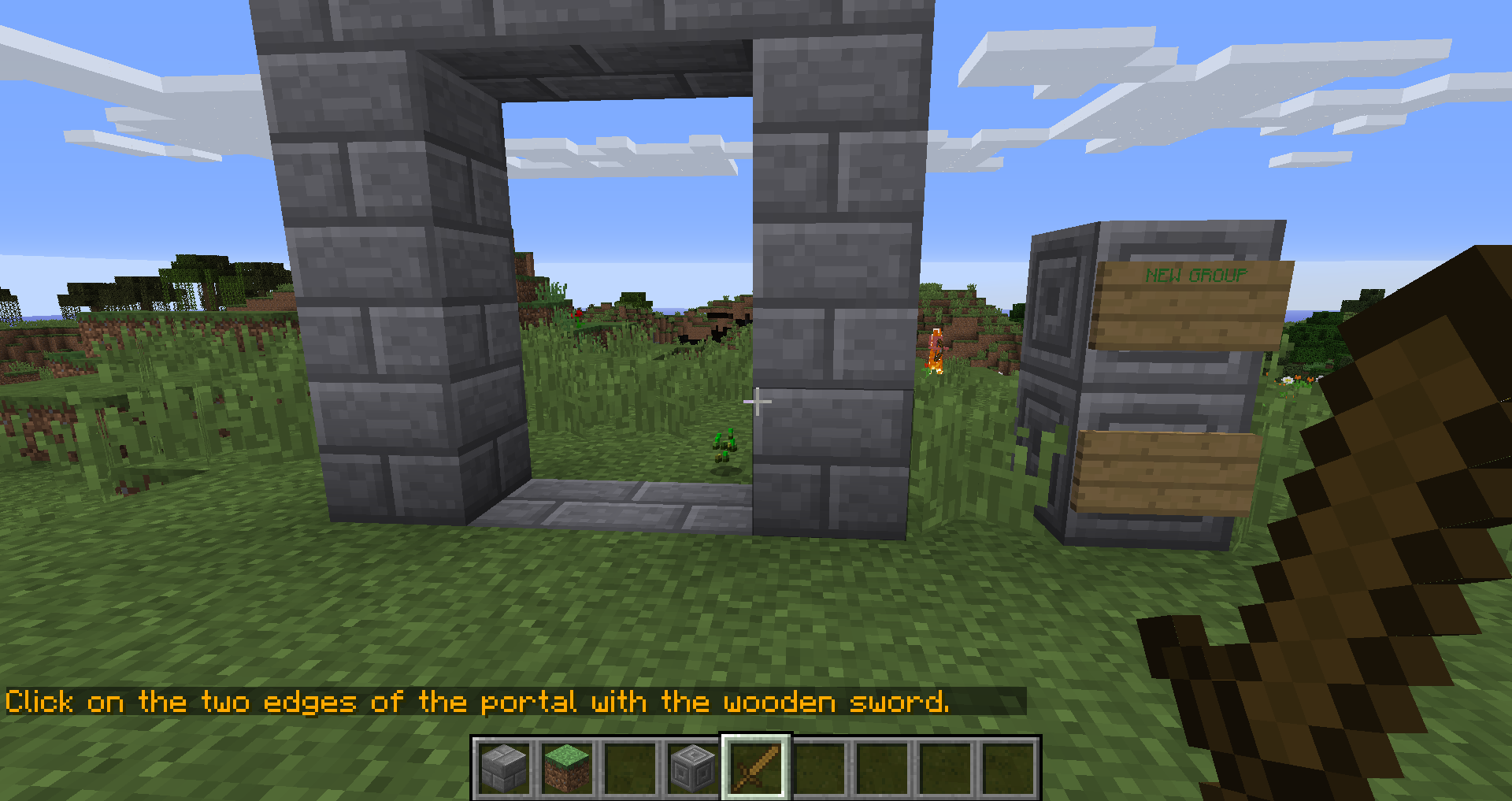
Process while doing /dxl portal
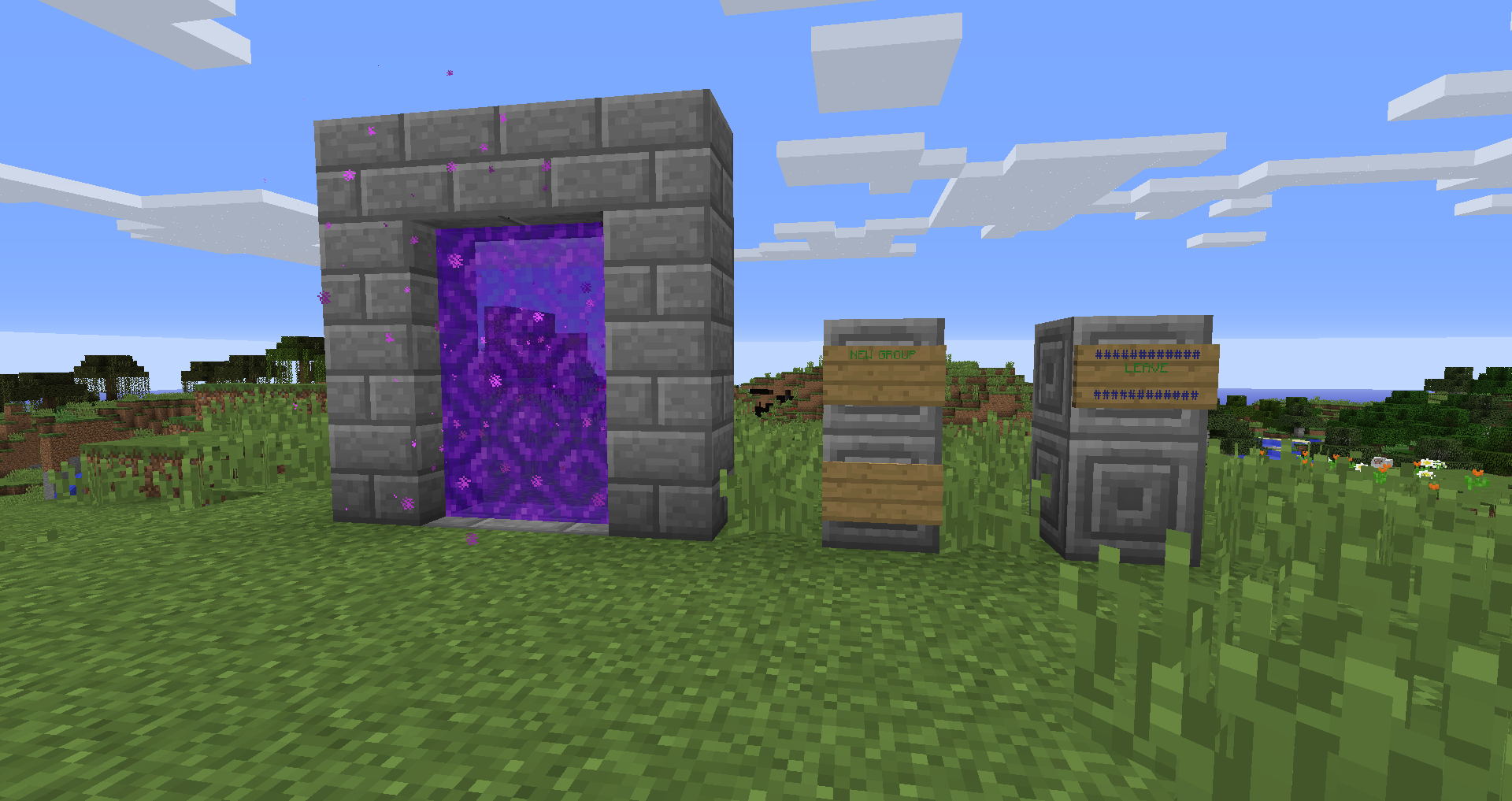
Result
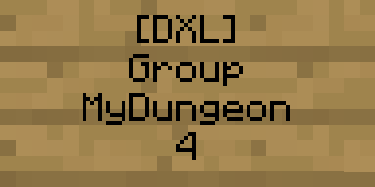
Sign code to setup group sign. This sign sets up a group for the dungeon "MyDungeon" with a maximum of four players.
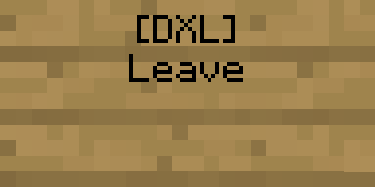
Sign code to setup leave sign
To remove a portal or global sign, use /dxl break.
A game can also be started with the /dxl play command. This is the easiest way to test your dungeons. Groups can be set up with the /dxl group command. Make sure to give players the correct permissions if you want to use this feature - by default, they are disabled.
You can test a dungeon without rewards by using /dxl test instead of /dxl play. This is useful for builders who are not admins.