Cursor + OpenRouter is broken. Here's a 5-minute fix.
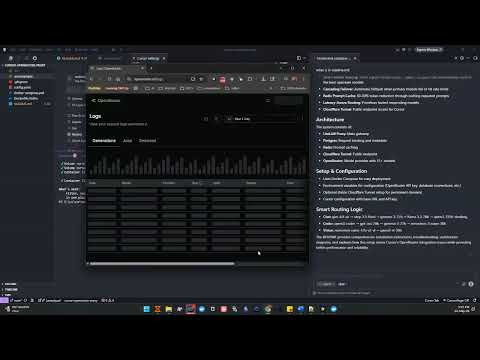
Video walkthrough: Cursor + OpenRouter is broken. Here's a 5-minute fix
cursor-openrouter-litellm-proxy is a production-grade OpenAI-compatible AI gateway for Cursor IDE powered by LiteLLM + OpenRouter. This setup exposes a single AI gateway endpoint that automatically selects the best model, applies caching, and handles failover. The full smart-routing configuration is defined in config.yaml.





OpenAI-compatible gateway for Cursor. smart routing over OpenRouter with caching, persistence, observability, and secure public ingress.
LiteLLM becomes a local AI control plane for Cursor:
- One endpoint:
/v1 - Three logical models:
chat,coder,vision - Backed by: multiple upstream models, Redis cache, Postgres, Cloudflare Tunnel
- Configurable via:
config.yaml
The router uses cascading fallbacks defined in config.yaml:
chat (glm-4.5-air)
  ↓
step_flash (step-3.5-flash)
  ↓
gemma27 (gemma-3-27b)
  ↓
llama70 (llama-3.3-70b)
  ↓
qwen_think (qwen3-235b-thinking)coder (qwen3-coder)
↓
gpt_oss (gpt-oss-20b)
↓
gemma27
↓
nemotron30 (nemotron-3-nano-30b)vision (nemotron-nano-12b-v2-vl)
↓
qwen_vl (qwen3-vl-30b)- Video walkthrough (inline player)
- Cursor + OpenRouter Compatibility (Known Issues)
- Architecture
- Features
- Infrastructure Components
- Project Structure
- Requirements
- Environment Variables
- Quick Start
- Stable Cloudflare Tunnel URL (Recommended)
- Cursor Configuration
- Example Request
- Architecture Diagrams
- Performance Improvements
- Security
- Scaling
- Troubleshooting
- Future Improvements
- Screenshots
- License
- Contributing
If you’re here because OpenRouter models are flaky/unusable in Cursor, you’re not alone. Depending on Cursor version and the specific model/provider behind OpenRouter, users have reported:
- Request-shape errors (e.g. missing
prompt/messages) - Agent/tool-calling failures with newer models due to evolving “reasoning” and function-calling request formats
- “Override OpenAI Base URL” side-effects where enabling a custom OpenAI-compatible base URL can cause other models (including Cursor-provided models) to fail until the override is disabled
Related threads and discussions:
- Workaround to get OpenRouter models working in Cursor
- Cursor is practically unusable with any new model through OpenRouter
- Cannot use any models if OpenAI base URL overridden
- Use Cursor with Open-source LLMs
- Include OpenRouter support within API Keys supported services
- Reddit: Not able to use the custom OpenRouter model with Cursor
Use LiteLLM as the OpenAI-compatible endpoint Cursor talks to, and let LiteLLM talk to OpenRouter.
- Cursor sees: stable logical model names (
chat,coder,vision) - LiteLLM handles: routing, retries/cooldowns, provider abstraction, caching, and observability
This approach tends to be more stable than pointing Cursor directly at OpenRouter, and it avoids many model-name and request-format edge cases discussed in the threads above.
- Prefer this gateway’s
/v1endpoint as Cursor’s OpenAI-compatible Base URL (your tunnel URL +/v1), nothttps://openrouter.ai/api/v1. - Disable models you aren’t using in Cursor’s Models settings. Some Cursor builds behave better when only valid/active models remain enabled.
- If you must use OpenRouter directly in Cursor, some users report needing non-default OpenRouter preset names (i.e., not the vendor/model string) to avoid model-name conflicts in Cursor (see the workaround thread).
flowchart TB
    subgraph Client["Client Layer"]
        Cursor["Cursor IDE"]
    end

    subgraph Tunnel["Public Access"]
        CF["Cloudflare Tunnel"]
    end

    subgraph Gateway["LiteLLM Gateway"]
        L["LiteLLM Proxy"]
    end

    subgraph Cache["Cache Layer"]
        Redis["Redis Cache"]
    end

    subgraph Router["Smart Router"]
        SR["Latency-Based Router"]
    end

    subgraph Provider["Model Provider"]
        OR["OpenRouter"]
    end

    subgraph Models["Multiple AI Providers"]
        M1["GLM 4.5 Air"]
        M2["Qwen Coder"]
        M3["Nemotron Vision"]
        M4["Step Flash"]
        M5["Gemma 27B"]
        M6["Llama 70B"]
        M7["Qwen 235B"]
    end

    Cursor --> CF --> L --> Redis
    L --> SR --> OR
    OR --> M1 & M2 & M3 & M4 & M5 & M6 & M7
The gateway acts as an AI control plane between developer tools and multiple LLM providers.
Automatically routes prompts to the best model:
| Task Type | Model | Purpose |
|---|---|---|
| Chat | chat |
Fast conversational models |
| Coding | coder |
Specialized coding models |
| Vision | vision |
Multimodal models |
Cursor only sees stable logical models; the gateway can map them to many upstream models and change routing without breaking client config.
If a provider fails or rate limits:
Primary Model → Fallback 1 → Fallback 2 → Fallback 3This keeps requests flowing even under upstream outages, rate limits, or transient failures.
Reduces inference costs and improves latency:
- 60–80% token reduction in practice
- Instant responses for repeated prompts
- Lower provider usage and bill
The router automatically prioritizes the fastest responding model (routing_strategy: latency-based-routing).
Protects against provider throttling with cooldown and retry logic.
Cursor only sees three stable models:
| Model | Use Case |
|---|---|
chat |
General conversation |
coder |
Code generation & editing |
vision |
Image understanding |
Internally the gateway uses 15+ models with fallback chains.
| Service | Purpose |
|---|---|
| LiteLLM | AI gateway and router |
| Postgres | Request tracking + metadata |
| Redis | Prompt caching |
| Cloudflare Tunnel | Public endpoint for Cursor |
| OpenRouter | Model provider |
project/
├── docker-compose.yml
├── config.yaml
├── .env
└── README.md- Docker
- Docker Compose
- OpenRouter API key
- Cursor IDE
Create .env:
LITELLM_PORT=4000
LITELLM_MASTER_KEY=sk-localmasterkey

OPENROUTER_API_KEY=your_openrouter_key

UI_USERNAME=admin
UI_PASSWORD=admin

POSTGRES_USER=litellm
POSTGRES_PASSWORD=litellm
POSTGRES_DB=litellm
DATABASE_URL=postgresql://litellm:litellm@postgres:5432/litellm?schema=public

REDIS_HOST=redis
REDIS_PORT=6379
REDIS_PASSWORD=docker compose up -dlitellm-proxylitellm-postgreslitellm-redislitellm-cloudflare-tunnel
docker logs litellm-cloudflare-tunnelhttps://example-name.trycloudflare.comhttps://example-name.trycloudflare.com/v1- Base URL:
https://example-name.trycloudflare.com/v1 - API key:
sk-localmasterkey - Model:
chat/coder/vision
The default setup uses a random trycloudflare.com URL that can change.
For long-term use (and to avoid Cursor SSRF issues when pointing at non-public endpoints), create a named Cloudflare Tunnel + DNS route so Cursor always connects to the same permanent domain.
- Goal:
https://llm.yourdomain.com→ Cloudflare Tunnel → LiteLLM (Docker)
Run:
& "C:\Program Files (x86)\cloudflared\cloudflared.exe" tunnel loginComplete the browser login and select your zone (e.g. yourdomain.com). This writes:
C:\Users\<user>\.cloudflared\cert.pem
& "C:\Program Files (x86)\cloudflared\cloudflared.exe" tunnel create litellm-tunnelThis writes tunnel credentials (for example):
C:\Users\<user>\.cloudflared\litellm-tunnel.json
& "C:\Program Files (x86)\cloudflared\cloudflared.exe" tunnel route dns litellm-tunnel llm.yourdomain.comThis creates:
llm.yourdomain.com→ Cloudflare Tunnel
Create config.yml in C:\Users\<user>\.cloudflared\config.yml (or ~/.cloudflared/config.yml):
tunnel: litellm-tunnel
credentials-file: C:\Users\<user>\.cloudflared\litellm-tunnel.json

ingress:
  - hostname: llm.yourdomain.com
    service: http://localhost:4000
- service: http_status:404& "C:\Program Files (x86)\cloudflared\cloudflared.exe" tunnel run litellm-tunnelThen test:
curl https://llm.yourdomain.com/v1/models -H "Authorization: Bearer sk-localmasterkey"If you want the tunnel to start automatically with Docker, update your cloudflared service to use your named tunnel and mount the Cloudflare config.
- Create a folder in this repo:
./.cloudflared/ - Copy these files into it:
cert.pemlitellm-tunnel.jsonconfig.yml(adjusted for Docker networking, see below)
- Use this Docker-friendly
config.yml(note the service points tolitellm:4000):
tunnel: litellm-tunnel
credentials-file: /etc/cloudflared/litellm-tunnel.json

ingress:
  - hostname: llm.yourdomain.com
    service: http://litellm:4000
- service: http_status:404- Replace the
cloudflaredservice indocker-compose.ymlwith:
  cloudflared:
    image: cloudflare/cloudflared:latest
    container_name: litellm-cloudflare-tunnel
    command: tunnel --no-autoupdate run litellm-tunnel
    volumes:
      - ./.cloudflared:/etc/cloudflared
    depends_on:
      - litellm
restart: unless-stopped- Base URL:
https://llm.yourdomain.com/v1 - API key:
sk-localmasterkey - Model:
chat/coder/vision
curl https://your-tunnel-url/v1/models \
-H "Authorization: Bearer sk-localmasterkey"chatcodervision
- Open Cursor → Settings → Models
- Add a new OpenAI-compatible model provider
- Configure:
- Base URL:
https://your-tunnel-url/v1 - API Key:
sk-localmasterkey - Model:
chat(orcoder/vision)
curl https://your-tunnel-url/v1/chat/completions \
  -H "Authorization: Bearer sk-localmasterkey" \
  -H "Content-Type: application/json" \
  -d '{
    "model": "chat",
    "messages": [{"role": "user", "content": "Explain transformers in AI"}]
}'flowchart LR
Cursor["Cursor"] --> GW["Gateway"]
GW --> Router["Router"]
Router --> Best["Best Model"]
flowchart TD
    Req["Request"] --> P1["Primary Model"]
    P1 -->|Success| Resp["Response"]
    P1 -->|Fail/Rate Limit| P2["Fallback 1"]
    P2 -->|Success| Resp
    P2 -->|Fail| P3["Fallback 2"]
    P3 -->|Success| Resp
    P3 -->|Fail| P4["Fallback 3"]
    P4 --> Resp
sequenceDiagram
    participant C as Cursor
    participant T as Cloudflare Tunnel
    participant L as LiteLLM
    participant R as Redis
    participant O as OpenRouter

    C->>T: Request
    T->>L: Forward
    L->>R: Check cache
    alt Cache hit
        R-->>L: Cached response
        L-->>C: Instant response
    else Cache miss
        L->>O: Forward to model
        O-->>L: Response
        L->>R: Store in cache
        L-->>C: Response
    end
flowchart TB
    subgraph Docker["Docker Compose Stack"]
        subgraph Network["litellm network"]
            L["litellm-proxy:4000"]
            P["litellm-postgres:5432"]
            R["litellm-redis:6379"]
            CF["litellm-cloudflare-tunnel"]
        end
    end

    L --> P
    L --> R
    CF --> L
| Feature | Impact |
|---|---|
| Redis cache | 60–80% cost reduction |
| Fallback routing | Near-zero provider failures |
| Latency routing | Faster responses |
| Unified gateway | Simplified developer tooling |
The gateway uses:
- API key authentication
- Redis cache isolation
- Postgres persistence
- Private Docker network
- Cloudflare encrypted tunnel
For production environments:
- Run LiteLLM behind Kubernetes
- Use managed Redis
Enable "Free model publication" at https://openrouter.ai/settings/privacy if you get 404 data-policy errors.
Check /v1/models with your API key.
Verify tunnel endpoint:
docker logs litellm-cloudflare-tunnelFallback routing will automatically switch models.
Possible extensions:
- Cost-aware routing
- Automatic prompt complexity routing (
smart_chatmodel) - Grafana AI observability dashboards
- Multi-provider failover
- Vector-database integration
- Observability (Prometheus metrics, Grafana dashboards, Latency and error-rate monitoring, Provider failure tracking and SLOs)
- Grafana dashboards
MIT License
Contributions are welcome.
- Name: Adnan Sattar
- Email:
adnansattar09@gmail.com - GitHub: @AdnanSattar
- LinkedIn: adnansattar09