Repository navigation
[Feature]: Multiple Spaces for organizing projects and threads (Arc/Zen-style) #6733

Replies: 12 comments

|
As a backend dev, I typically have tickets spanning across multiple micro-services to be considered feature complete. So having the ability to better group my sessions would be amazing. Currently I use Warp with colour coded tabs to help with this. |

|
+1 Would love this!! |

|
Love it, although I'd want the option to see multiple workspaces at once. |

|
I think in the sidebar v2 world this is even more relevant than before. I would imagine a large swath of T3 Code's userbase is on company provided computers and having a hard separation of work vs personal projects is imperative. The inbox view of things is amazing but would synchronize and display work front-and-center that I don't want on my company computer. |

|
This will be great! Much needed |

|
+1 |

|
+1 |

|
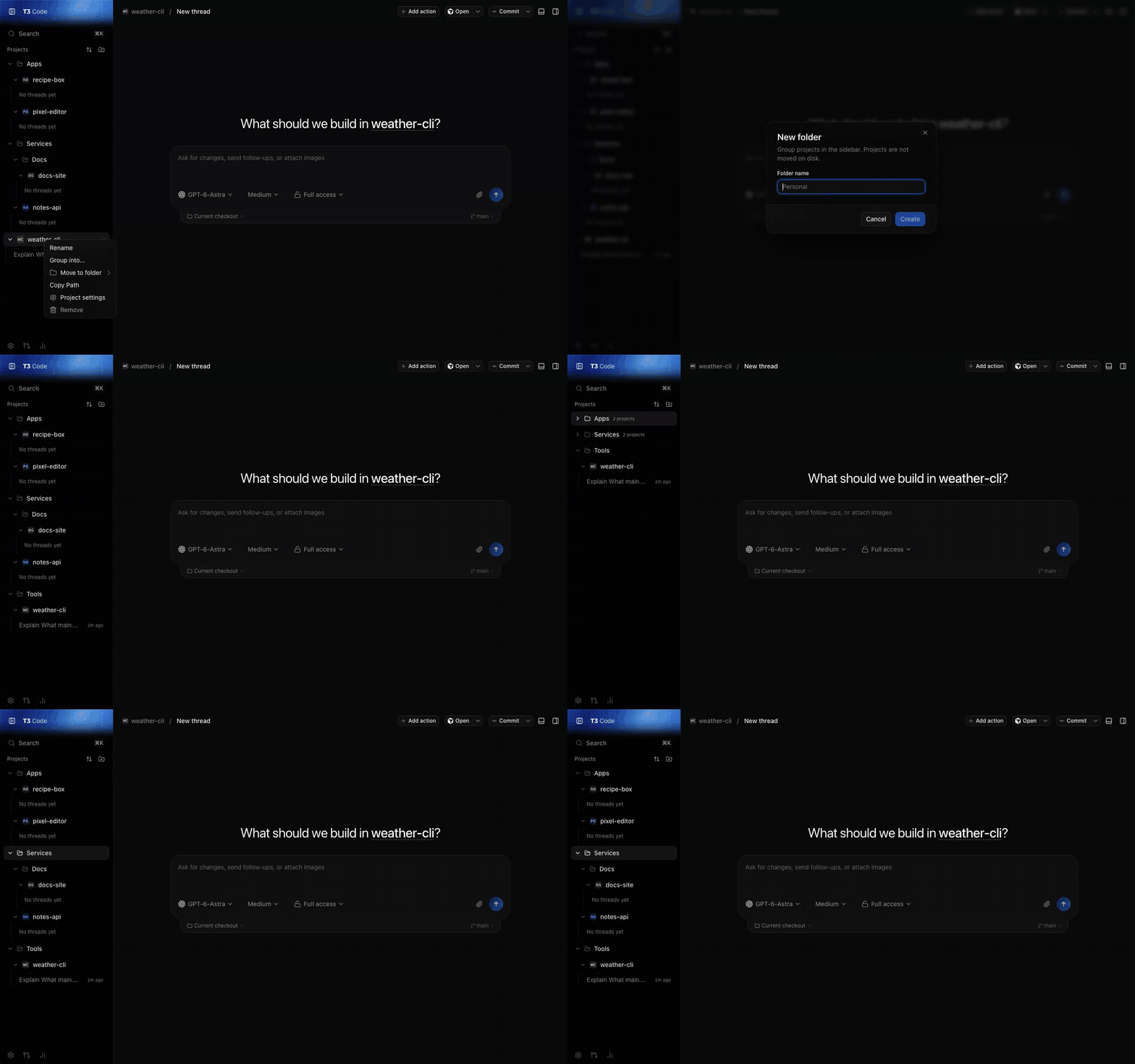
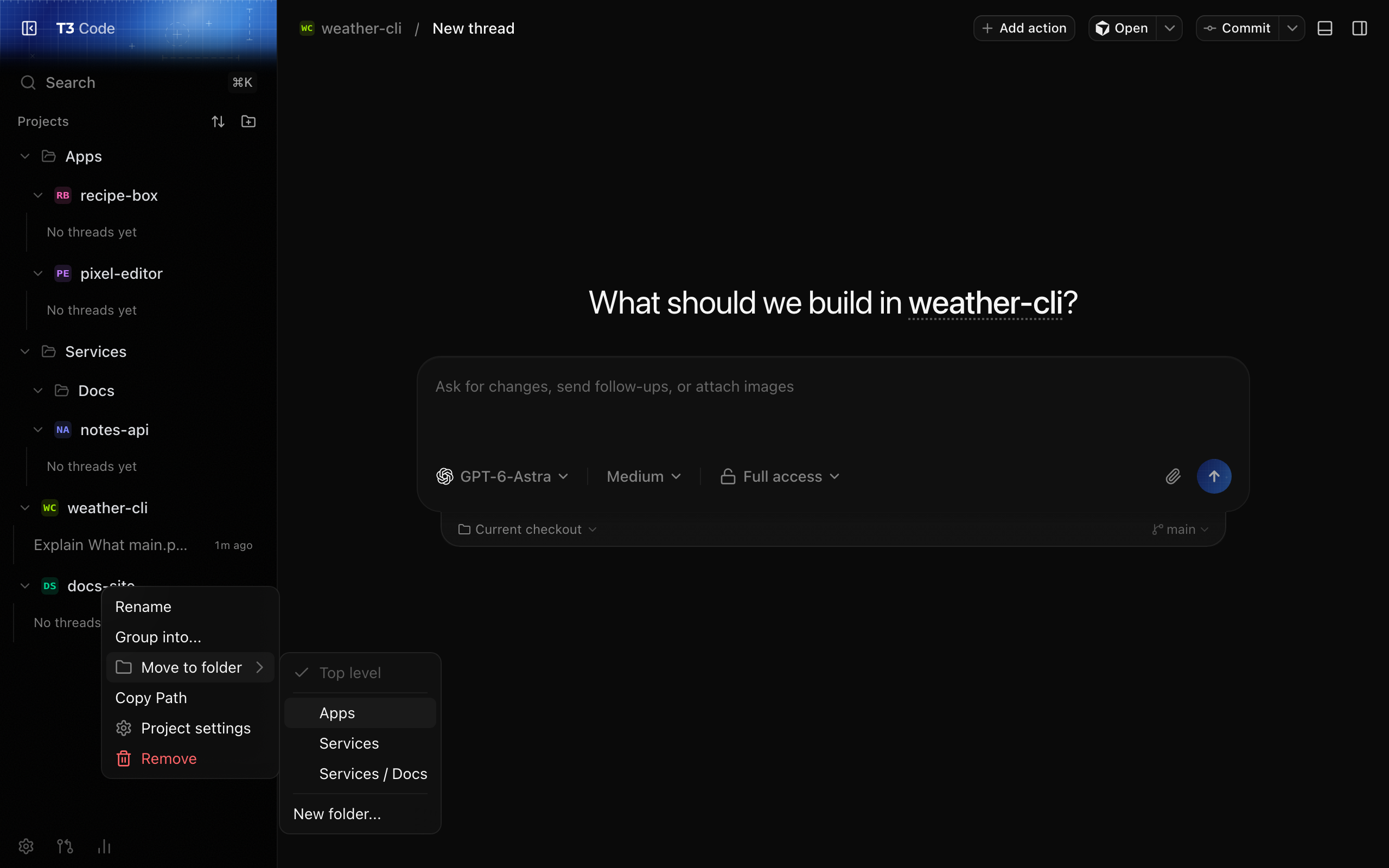
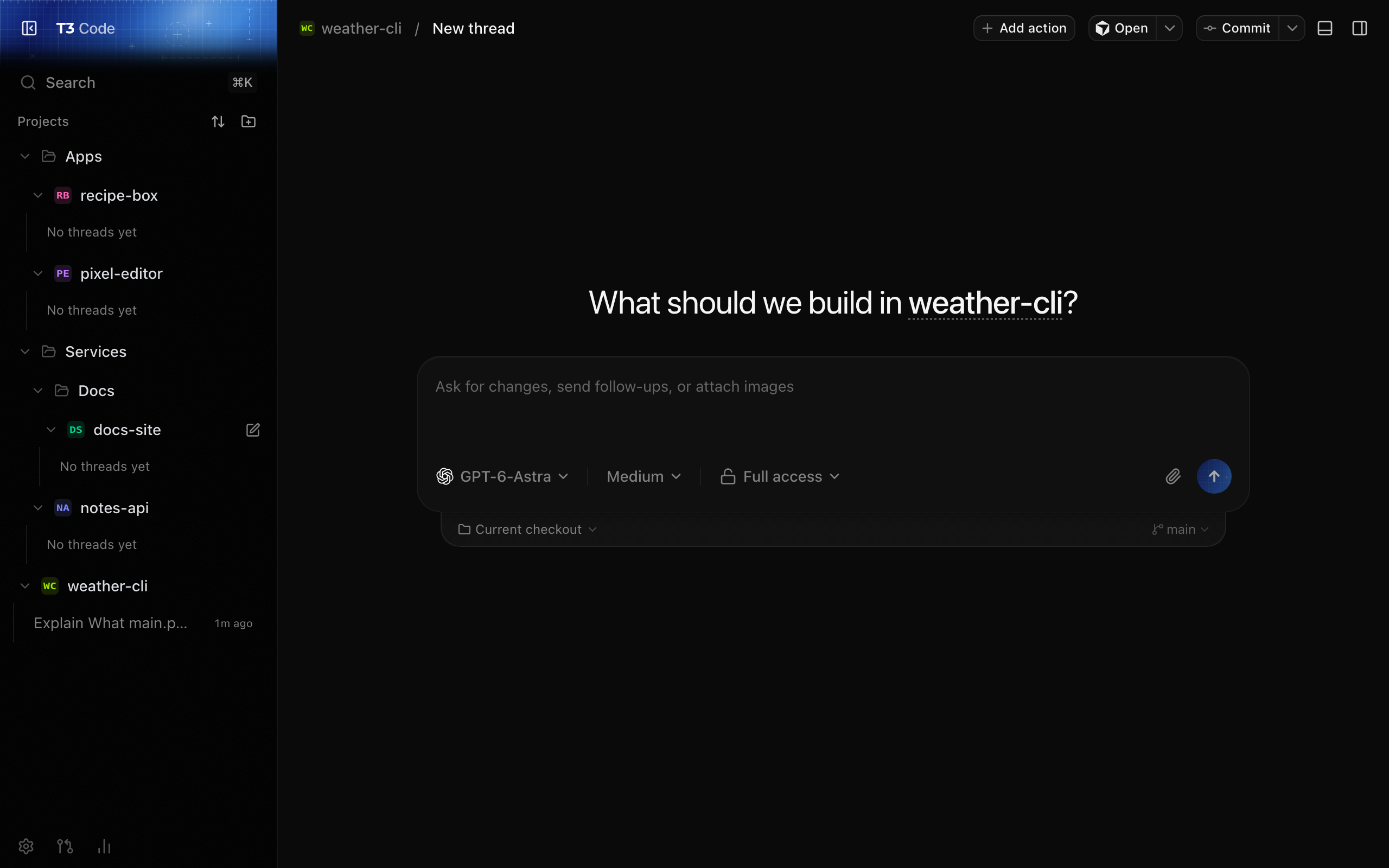
A smaller version of this that I've been using in a local build: plain nested folders for projects in the sidebar. All folders stay visible at once (the "see multiple workspaces at once" case above), and you collapse the ones you don't care about right now.
Demo projects only. Full-resolution video Two honest limits: I built it on the per-project (legacy) sidebar, and folder state lives in local UI storage, so it doesn't sync to other devices or mobile. A real version would need the folder list in synced settings and a decision on how it fits Sidebar V2. If a smallest useful scope would help, I'd suggest: one level of named folders, assigned from the project context menu, stored in synced settings, shown on web and desktop first. Happy to open a small PR for that if you want it. |

Yes, this is exactly my flow. I have separate Claude Work and Claude Personal setups, and creating a clear separation is pretty critical.
@zachback64 this is largely what I was hoping for. Exactly like Claude Desktop offers, you can assign conversations to groups. See screenshot below. 
The only downside to this approach is how you can easily see what your most recent conversations are, they got lost in the groups. Personally I think that the folder (group) view is hugely powerful, allows me to work on project based work, as opposed to force myself to work based on git repos/underlying folders which does not actually represent what is going on in my work. I think what would be a game changer on top of this (missing from Claude desktop) is just an overview page, showing recents, things waitin gon my input, etc. so that I navigate with Groups, but can check in to see what I've forgotten about etc. |

|
Hey! I built a version of this in my fork and wanted to check with you before opening a PR. How it works:


It touches web, desktop, and mobile, plus a small server change so thread search can be limited to the current Space. It's a fairly big diff, so I'm happy to split it (web/desktop first, mobile later) or drop parts like the themes. Is this a direction you'd take? If so, I'll clean it up and open a PR. |

|
This would be really useful. I have a Claude subscription I use for personal stuff. For work we use a private GPU cluster accessed through OpenCode. It is absolutely essential that work data can never go to the Claude servers, I need a clear and complete separation between the two. So for me this would need to go a bit further - switching "spaces" would switch the full configuration, threads, history etc. |

|
+1. T3 Code is now my main app for agent work, and the sidebar is the one part that slows me down. I run two Claude accounts (work and personal) across 9 projects. Today the only way to tell them apart is a name prefix and the 16px icon color. Named project groups in the new sidebar would solve this without switching back to the legacy sidebar, which loses the newer features. A color per group or per project (#6705) would make the split readable at a glance. |


Uh oh!
There was an error while loading. Please reload this page.
Before submitting
Area
apps/desktop
Problem or use case
When working across many projects (work, side projects, open-source contributions, experiments), the sidebar becomes a long flat list of projects and threads with no way to separate them by context. Switching between a work project and a side project means scrolling through an undifferentiated list, which slows navigation and adds cognitive overhead — especially once you have 10+ projects open.
Proposed solution
Introduce Spaces — named, switchable groups that each contain their own set of projects and threads. Similar to how Arc Browser and Zen Browser handle this:
Cmd+1/Cmd+2orCtrl+1/Ctrl+2).Why this matters
Power users and professional developers often juggle many projects across different contexts (employer work, freelance, personal). Without a way to group them, the sidebar becomes cluttered and hard to navigate. Spaces would let users maintain focus within a context and switch cleanly between them — a UX pattern that Arc and Zen have proven works well for exactly this kind of multi-context workflow.
Smallest useful scope
Named Spaces that each hold their own project list, with a simple switcher in the sidebar to move between them. No need for per-Space theming, profiles, or separate provider configs in a first pass — just scoped project/thread visibility.
Alternatives considered
[Work] my-app) is fragile and doesn't scale.Risks or tradeoffs
Examples or references
Contribution
All reactions