Repository navigation

Replies: 3 comments

|
+1 would be great |

|
I'd like to have this too. I want to play around with ultra code but I'd much rather do so on high. (AI Slop) I put together a draft implementation of this in #20987, in case it helps move the discussion along. For context: since Claude Code 2.1.284, Ultracode is its own toggle that "no longer forces xhigh effort and stays on at any effort level". The VS Code effort slider also replaced its Ultracode stop with a separate switch. T3 still offers Ultracode as a Reasoning choice that the manifest maps to How the draft works
Open questions for maintainers
The Tab shortcut from the original post isn't in the draft. That could be a small follow-up if the direction is approved. Before / after
|
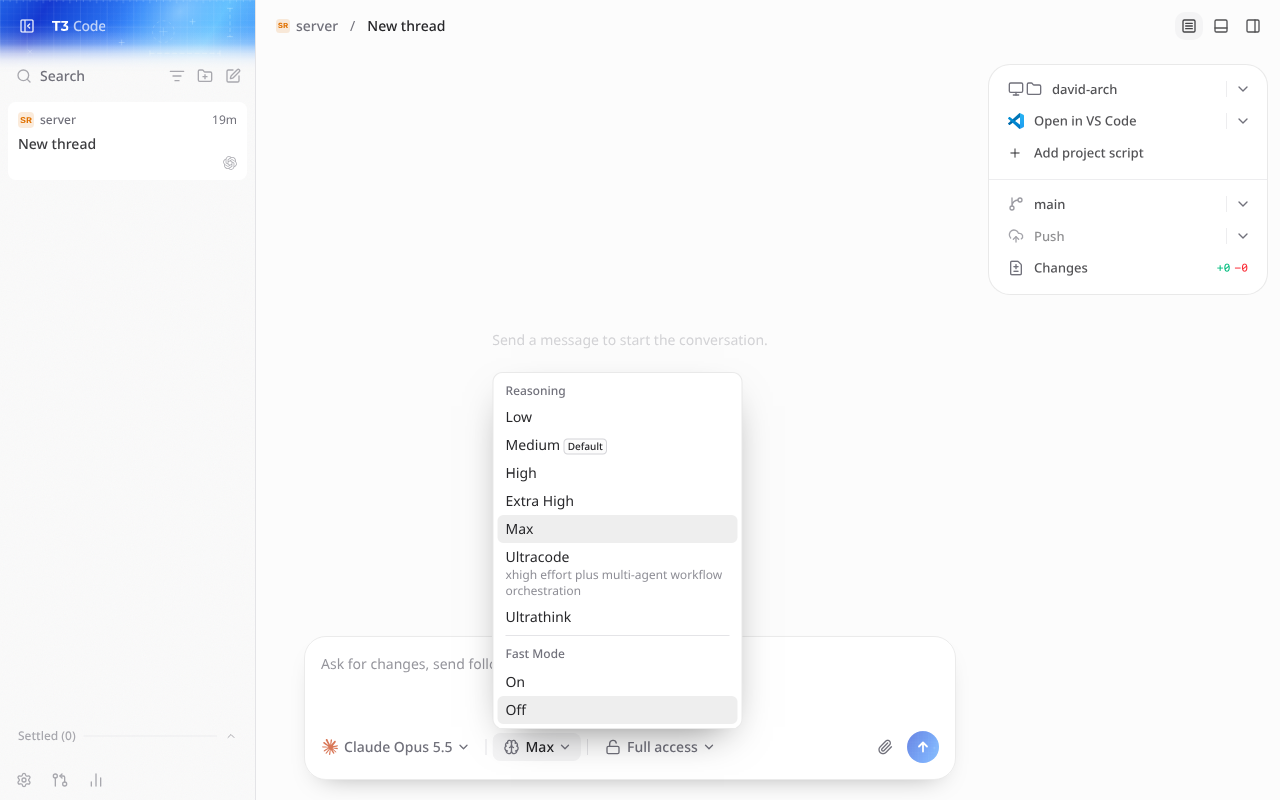
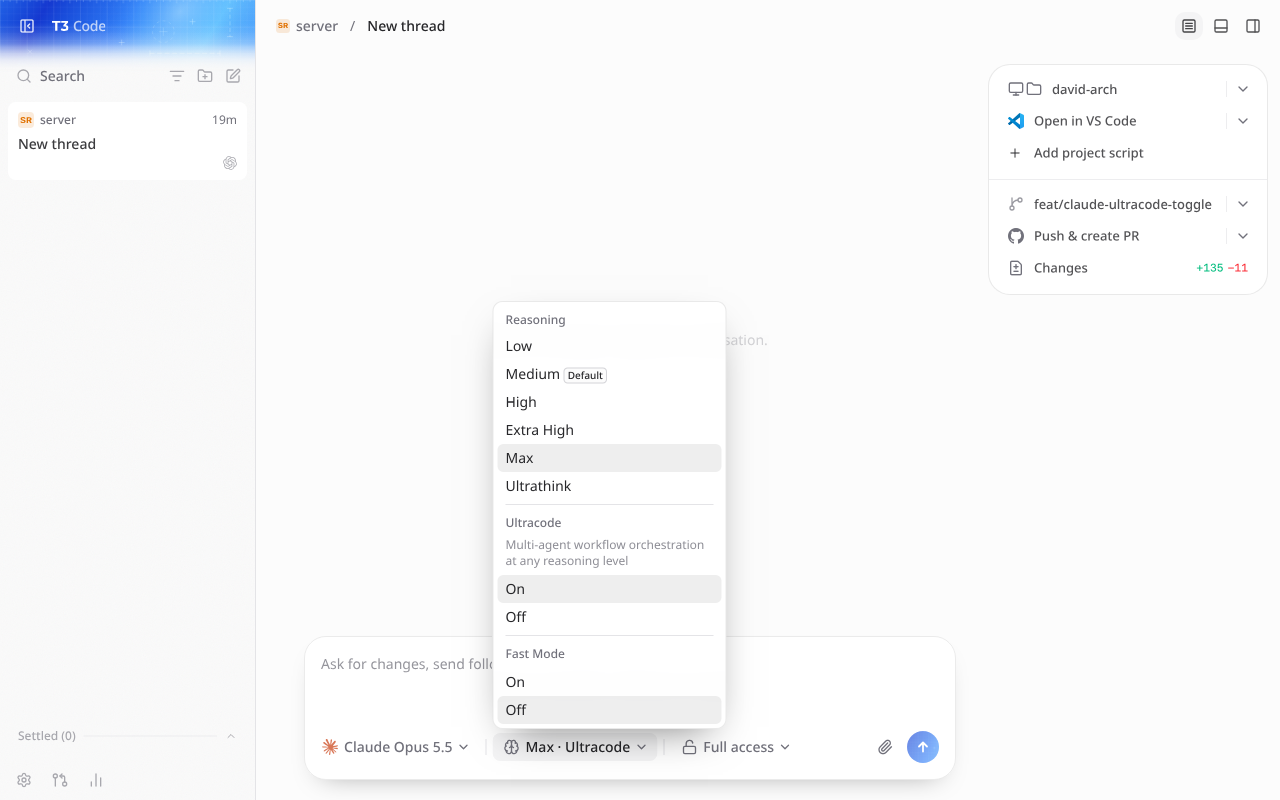

|
Please include the mobile app too. Confirmed on Claude Code 2.1.302 (change in 2.1.284: "Changed Ultracode into its own toggle in The mobile Reasoning sheet should get the same On/Off toggle, so desktop and mobile behave the same (related: #14408, #18867). Thanks for the draft in #20987. |


Uh oh!
There was an error while loading. Please reload this page.
Uh oh!
There was an error while loading. Please reload this page.
Please add a separate Ultracode on/off toggle, independent of Claude's effort setting, as shown in this post and demo.
T3 currently couples Ultracode to
xhigh. The updated behavior should allow combinations like Low or Medium + Ultracode, preserving the selected effort when toggling it on or off. Ideally, include a keyboard shortcut like Tab where it doesn't conflict with existing controls.Related: #6091, #14408.
All reactions